31
GBUSB-Operations
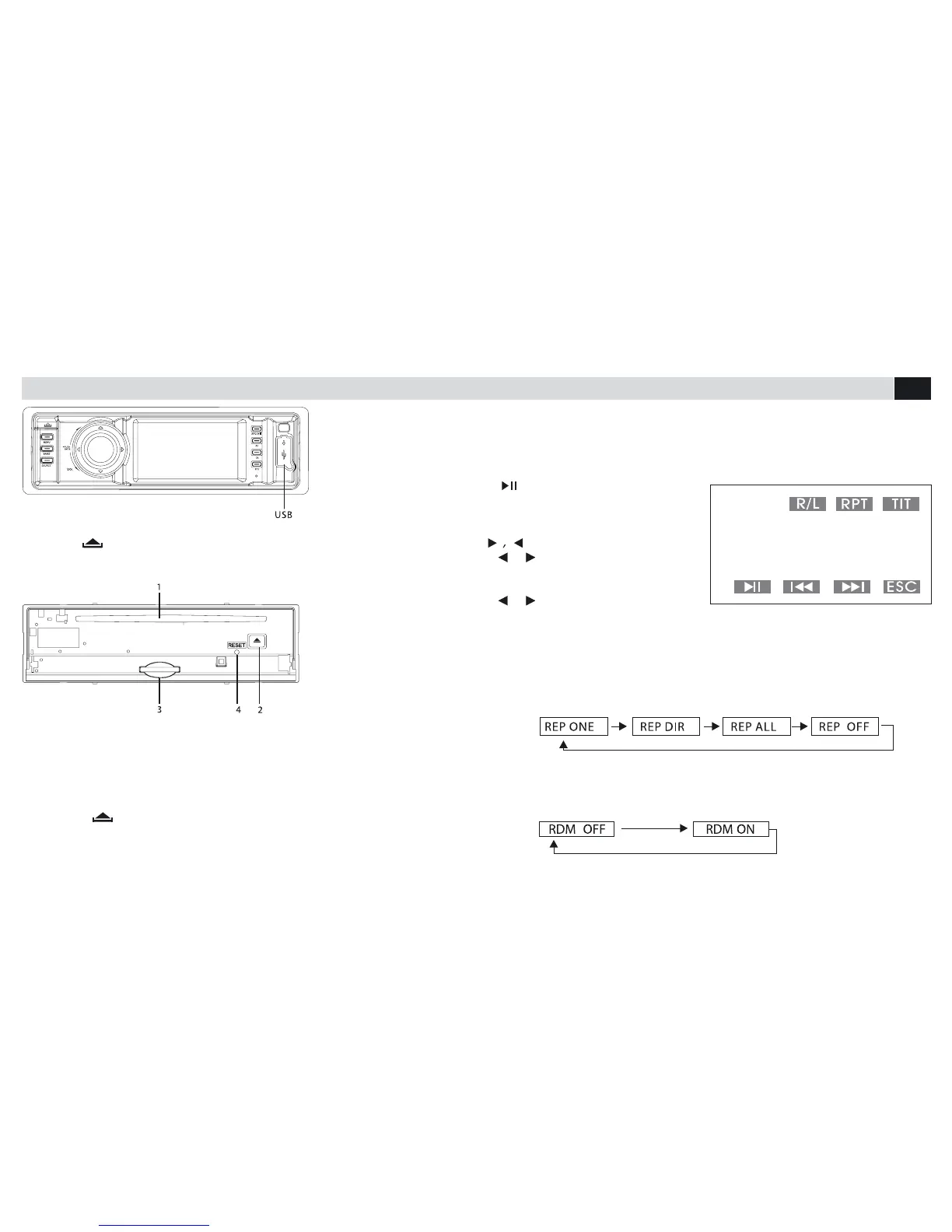
INTERNAL PANEL
Press key (turn by 90° in anti-clockwise direction) to open front panel
1.Disc-introduction opening
2.Disc-eject key
3.Opening for SD/MMC-
card
4.Reset
CONNECTION FOR USB-DEVICE
Introduce a USB-stick into the related opening on the front-panel; the Unit
will automatically change to the USB-mode and start reproducing the rst
track available on the USB-stick.
CONNECTION FOR SD/MMC-CARD
• Press key (turn by 90° in anti-clockwise direction).
• Remove front-panel
• Introduce the card into the related opening.
The Uni twill automatically switch to SD-mode and start reproducing the rst
track available on the card.
REPRODUCTION
Reproduction/Pause:
• press on the screen/
front panel/remote-control, to start
reproduction or make a Pause.
Select:
• press on the screen/
remote-control, to switch to the
subsequent / previous track
• press on the front-panel/
remote-control, to move to the requested tracks. Conrm the selection, by
pressing the knob on the front-plate or by pressing Enter on the remote-
control.
Repeat:
• Press RPT on the screen or ST/RPT on the remote-control, to select the
requested Repetition-mode.
Band:
• Press BAND ON FRONT-PANNEL or band/rpt on the remote-control,
to activate random-reproduction.



 To Next Page