35
GBRadio Functions
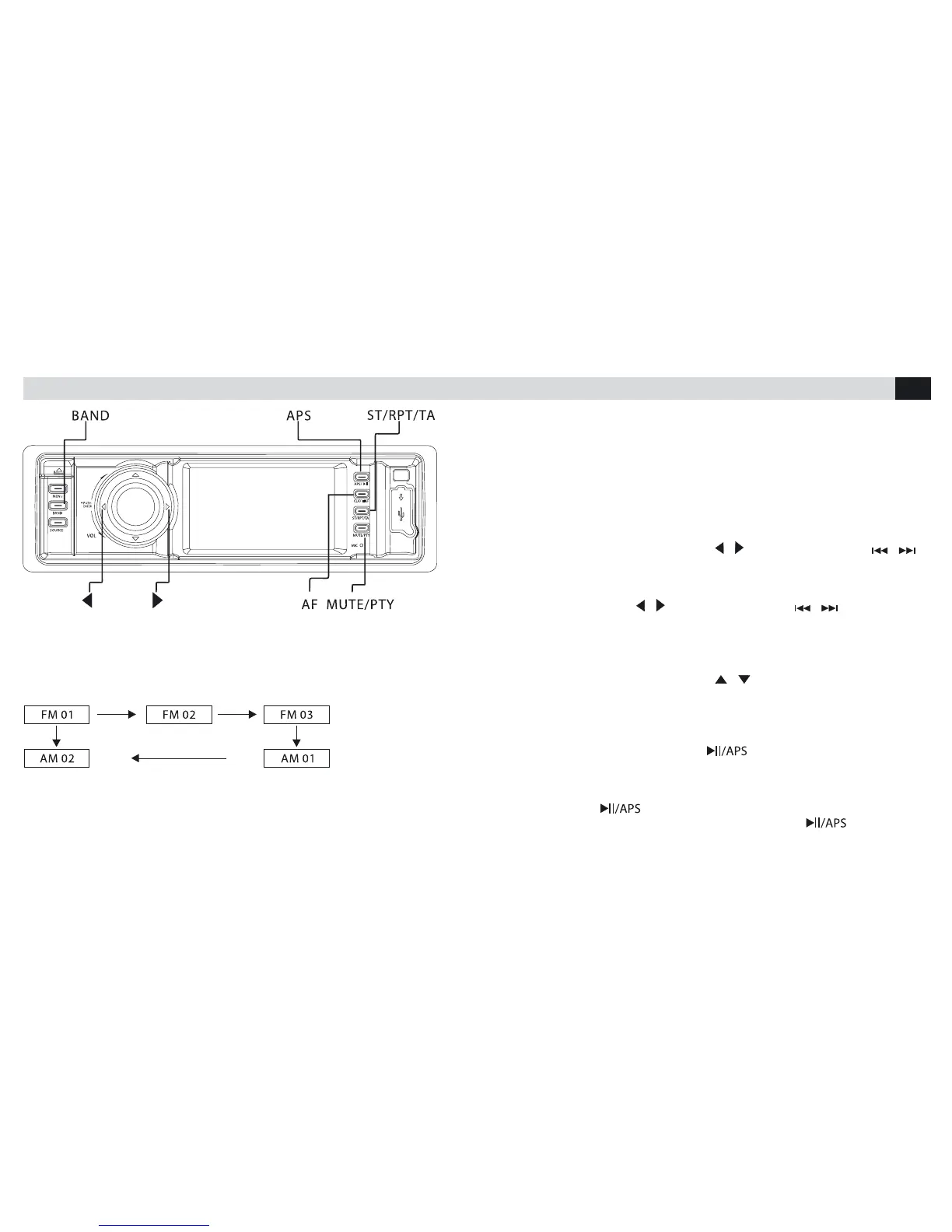
BAND
Press BAND and choose between 3 different bands: FM and 2 AM (FM1-
FM2-
FM3-AM-AM1).
ST
When a radio-station is broadcasting a Stereo- signal, the display will show
the blue wording "ST".
Pressing the key “ST” on the remote-control, it is possible to pass from
Stereo-mode to Mono.
LOC/DX
Keeping the ST-key, on the remote-control, pressed for more than 2 se-
conds, reception-mode will change from DX to LOC (DX: reception of all
radio-stations;
LOC: selected reception of those radio-stations having the strongest
signals)
TUNING
Manual Tuning:
• Keeping the keys pressed for a while / on the front panel or /
on the remote-control
the frequencies can be scolled manually, in intervals of 0.05 MHz.
Automatic Tuning:
• Pressing briey the key / on the front-panel or / the remote-
control,
the next/previous radio-station will be tuned.
Press the keys ...to scroll the memorized radio-stations from 1 to 6
Memorizing the Radio-Stations:
• Keeping the keys pressed for a while / the requested radio-station
gets memorized in a certain position between 1 and 6
AS/PS
Radio-Stations Research:
• Press key for more than 3 seconds to start the automatic research
of the
radio-stations and their memorization in 1-6 FM1,FM2,FM3,AM,AM1.
Scanning the Radio-Stations:
• Press key briey to listen for 3 seconds to each of the following
radio-stations. To interrupt the scanning-mode, select press the
requested radio-station again.



 To Next Page