34
Bluetooth
TO EFFECT A PHONE-CALL
It is possibile to effect a phone-call by means of the remote-control or the
TOUCHSCREEN of the Unit.
A. By means of the TOUCHSCREEN.
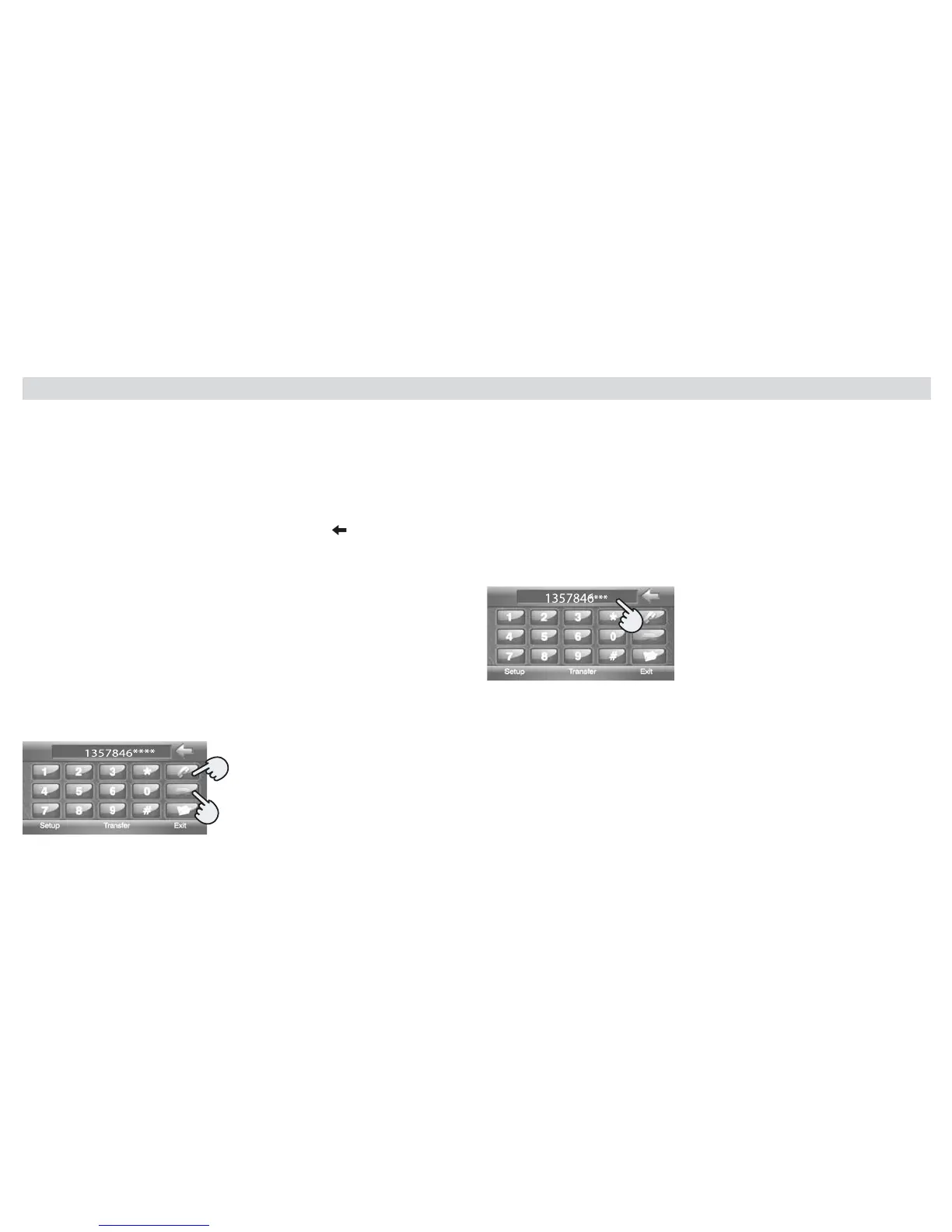
Digit phone-number on the screen
To cancel or correct a phone-number, press the icon
Press (green receiver) to start a phone-call.
Press (red receiver) to stop or cancel a phone-call.
Pressing "TRANSFER" on the screen, the conversation-audio will pass from
the DVD-player to the telephone and viceversa (see picture on right bottom)
Note: some phones do NOT support the "TRANSFER"-function
B: By means of the Remote-Control
Press (green receiver) to directly enter the BLUETOOTH-mode
Digit the phone-number by means of the number-keys.
Press (green receiver) to start the phone-call.
Press (red receiver) to stop or cancel the phone-call.
TO ANSWER THE PHONE
When the telephone is pared with the Unit and a phone-call is being recei-
ved, the Unit
automatically changes to the BLUETOOTH-mode and visualizes the phone-
number of the calling person
(gure below).
Press the Green Receiver on screen / remote-control, to start the phone-
conversation.
NOTE: The calling-list-icon (FUNCTION) is NOT activated (Function not
supported)
Green Receiver
Red Receiver



 To Next Page