11
IT/EN
EQUALIZZATORE • EQUALIZER
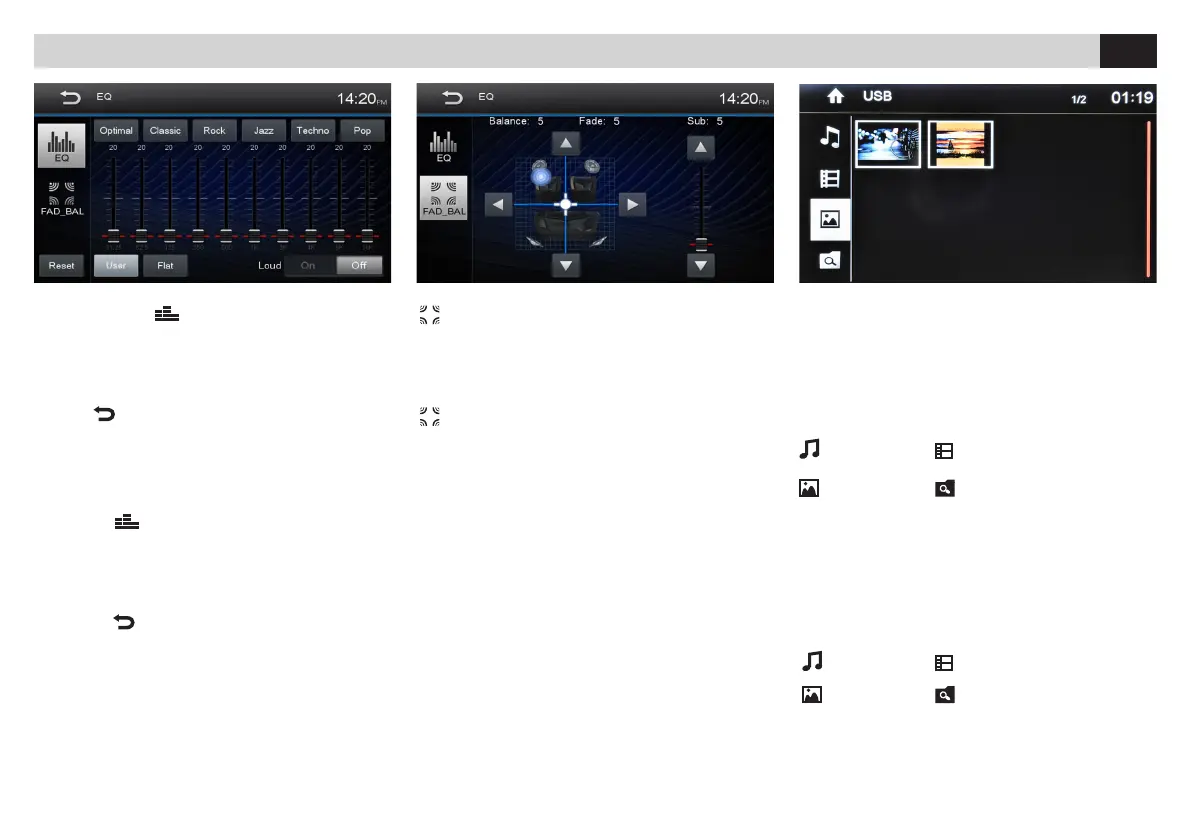
EQUALIZZATORE - LOUDNESS
• Premere l’icona per modicare le
impostazioni di fabbrica. Tramite le icone
è
possibile selezionare 8 diverse modalità di
equalizzazione preimpostate: USER-FLAT-POP
ROCK-CLASSIC-JAZZ-TECHNO-OPTIMAL.
L’icona
riporta in OPTIMAL.
• LOUD Attiva/Disattiva esaltazione basse
frequenze.
FADER - BILANCIAMENTO - SUB WOOFER
Premere per accedere alle regolazioni.
Utilizzare le frecce presenti sullo schermo per le regola
-
zioni del FADER, del BILANCIAMENTO e del SUB W.
FADER - BALANCE - SUBWOOFER
Press to enter Setup-functions.
Use arrows appearing on the screen, to set FADER,
BALANCE and Subwoofer.
EQUALIZER - LOUDNESS
• Press icon
To modify the factory settings.
By means of the icones it is possible to choose
8 different predetermined equalization-modes:
USER-FLAT-POP-ROCK-CLASSIC-JAZZ
TECHNO-OPTIMAL.
The icone
returns to OPTIMAL.
• LOUD Activate/Deactivate boosting of Low
Frequencies.
RIPRODUZIONE • PLAYBACK
FUNZIONI USB/SDCARD
All’inserimento del supporto USB/SD verrà visualizza
-
to il contenuto sullo schermo.
Se sono presenti brani musicali la riproduzione
partirà automaticamente.
Selezionare il tipo di le da riprodurre tramite l’icona
relativa.
MUSICA VIDEO
IMMAGINI TUTTI I FILE
USB/SD-FUNCTIONS
When introducing the USB/SD-support, the contents will
be visualized on the screen.
In the presence of musical files, reproduction will start
automatically.
Select Reproduction-File by clicking the related files-icon.
MUSIC VIDEO
PICTURES ALL FILES



 To Next Page