7
IT/EN
VIDEO
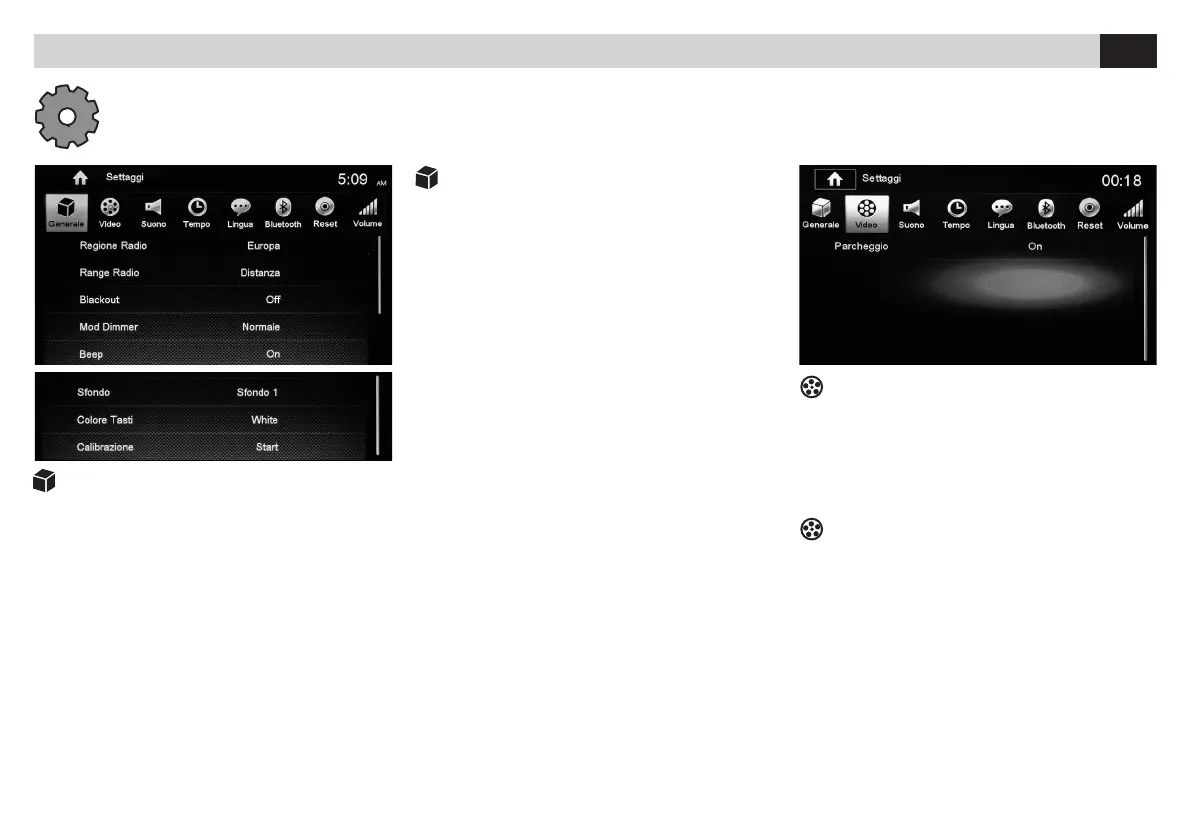
• PARCHEGGIO Attiva/Disattiva la visione
in movimento dei lmati.
ATTENZIONE: In alcuni paesi è severamente vietato
attivare questa funzione, la visione deve essere
vincolata al freno a mano.
VIDEO
• PARKING Activate/Deactivate
DVD-reproduction while moving.
ATTENTION: In certain Countries, the activation of this
Function is severely forbidden and has to be combined
with the hand-brake.
IMPOSTAZIONI DI SISTEMA • SYSTEM SETUP
IMPOSTAZIONI GENERALI
• REGIONE Seleziona area di appartenenza.
• RADIO RANGE Seleziona stazioni nazionali.
• BLACKOUT Attiva spegnimento automatico
schermo dopo 10-20 secondi di inattività.
• DIMMER Regola la luminosità dello schermo.
• BEEP Attiva/Disattiva suono tasti
• SFONDO Cambia sfondo.
• COLORE TASTI Cambia colore.
• CALIBRAZIONE La calibrazione avviene toc
cando lo schermo secondo la sequenza indicata.
GENERAL SETUP
• REGION Select Area
• RADIO RANGE Select National Stations.
• BLACKOUT Activate automatic screen-shut-off
after 10-20 seconds idling
• DIMMER Set Screen-Brightness
• BEEP Activate/Deactive Key-sound
• BACKGROUND Change Background.
• KEYS COLOR Change colour.
• CALIBRATION For Calibration touch the screen
per stated sequence.
Premere l’icona Setup sul pannello del menù principale per modificare i seguenti settaggi: generali, video, suono, Data e ora, Lingua, Bluetooth, DVD,
volume sorgenti. / Press Setup-icon on the Main-Menu-interface, to change following Settings: General, Video, Audio, Date and Time, Language, Bluetooth, DVD,
Source-Volume.



 To Next Page