8
3. Rotate the locking ring to tighten.
4. Switch on camera and transmitter.
Connecting hot shoe ashes
to the Ares II Receiver
1. Turn o the ash and the Ares II Receiver.
2. Slide the ash into the receiver’s hot shoe
mount.
3. Lock the ash with the ash’s locking
mechanism.
4. Turn on the ash and the Ares II receiver.
5. Set the ash to Manual mode.
Note: It is not unusual for the ash to
discharge once after turning on the Ares II
Receiver.
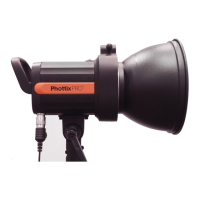
Use sync cord to connect Ares
II receiver and hot shoe ash/
studio light
1. Switch o the hot shoe ash/ studio light
and the Ares II receiver.
2. Connect one end of the 3.5mm sync cord
to the 3.5mm port of the Ares II receiver.
3. Connect the other end of the 3.5mm sync
cord to the hot shoe ash or studio light (use
the included 3.5mm to 6.3mm adapter if
required).



 To Next Page