6
En
INSTRUCTION MANUAL
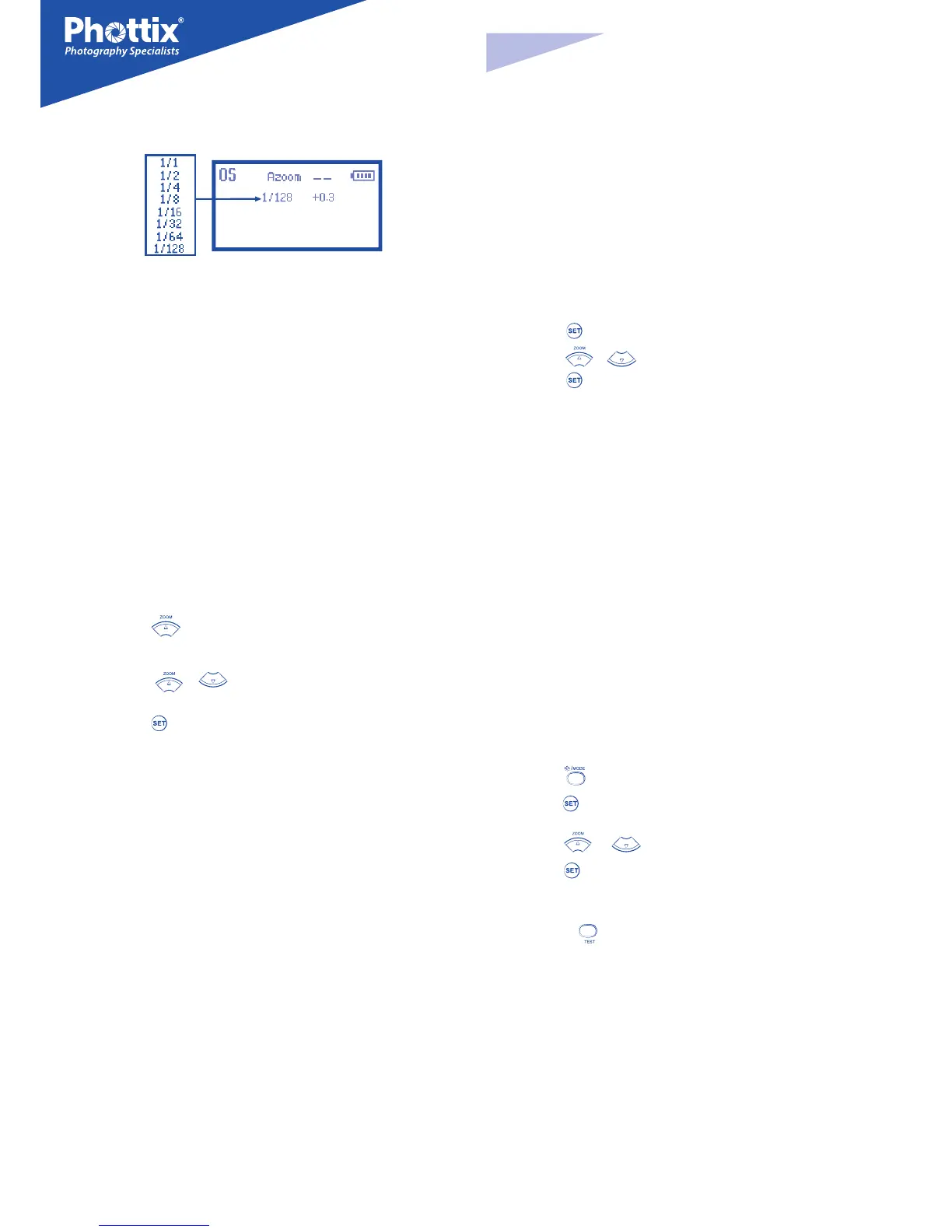
The Optical Slave Screen
Top Line:
Optical Slave (OS) display
Zoom: Indicates auto or manual ash head zoom and distance
Battery Level Indicator: “HOT!” “STOP”
Second Line:
Flash Power Level
Setting Flash Zoom
The Phottix Mitros Flash has two ash head zoom modes – Auto (Azoom) and
Manual (Mzoom). Auto zoom will dynamically change ash head zoom as a
camera’s zoom lens is changed to provide optimum lighting. Manual zoom al-
low the user to set the zoom of the ash head.
To set:
1. Press the button.
2. The Zoom area on the LCD will be highlighted and ash.
3. Press the
or buttons to set the ash head zoom to Azoom or
the desired Mzoom manual level.
4. Press the
button when the zoom is properly set.
Please Note:
1. When in Azoom and the ash head is raised or rotated from the 0 degree
standard forward position - the ash zoom will set itself to 50mm. “- -” will be
displayed on the LCD. The ash zoom will not change if the head is lowered
to -7 degrees.
2. Azoom will work only when the ash head is set to either 0 or -7 degrees.
3. When in Mzoom and the ash head is raised or rotated from the 0 degree
standard forward position - the ash zoom will not be changed from the pre-
vious setting.
4. Flash Zoom can be adjusted when the head is raised or rotated by switch-
ing to Mzoom mode and making desired adjustment.
5. If the wide angle diuser panel is pulled out, the zoom position will auto-
matically lock itself to 14 mm (see above - Using the Bounce Card or Wide
Angle Diuser).
TTL Mode
In TTL Mode the ash and camera will work together to calculate the correct
exposure for recorded images. When the shutter button is fully pressed the ash
will re a pre-ash that the camera will use to calculate exposure and ash pow-
er the instant before the photo is taken.
Flash Exposure Compensation (FEC)
By changing the ash’s EV value in TTL ash mode, you can make ash output
compensation only to the illuminated subject without aecting the background
exposure. Increase the compensation to make the subject brighter, or reduce to
make the subject darker.
The Phottix Mitros Flash oers Flash Exposure Compensation (FEC) with adjust-
ments from -3 to +3 in 1/3rd stops. This is useful in situations where ne-tuning
of the TTL system is needed.
To set FEC:
1. Press the button to enter FEC Adjustment Mode.
2. Press the
or
buttons to adjust FEC up or down.
3. Press the
button to exit FEC Adjustment Mode.
Please Note:
1. The ash output value can also be set on the camera equipped with a built-
in ash exposure compensation function. For more detailed information, re-
fer to the camera’s User Manual.
2. If Flash Exposure Compensation is set on both the camera and the ash,
then the total exposure value will be the sum of the two Flash Exposure Com-
pensation values.
3. Only the Flash Exposure Compensation value set on the ash will be dis-
played on the Flash’s LCD screen.
Manual (M) Mode
In Manual Mode the ash will re at the power level you set. The Phottix Mitros
TTL Flash can be adjusted from 1/1 (full power) to 1/128 – 8 stops of adjustments
in 1/3
rd
stop increments. Aperture, shutter speed and ISO on the camera need
to be manually adjusted. For best results, use M-Manual mode on the camera.
To use:
1. Press the button until “M” is displayed on the ash LCD.
2. Press the
button to enter the power adjustment screen. The power level
will ash and be highlighted.
3. Press the
or buttons to adjust the ash power.
4. Press the
button to exit the power adjustment screen.
5. When the ash ready light is illuminated red the ash is fully charged and
ready to re.
6. Pressing the
button will re the ash at the manual power level you set.
This is useful when taking meter readings.
Please note:
- Half pressing the shutter button will display the eective manual ash pow-
er range on the Flash LCD.
Multi: Stroboscopic Mode
With Multi Stroboscopic mode a series of rapid ashes will be red. The ash
count, frequency and power of these ashes can be programmed on the Phottix
Mitros. Multi mode is useful for capturing multiple images of a moving subject
in the same photo and other special eects.



 To Next Page
 Loading...