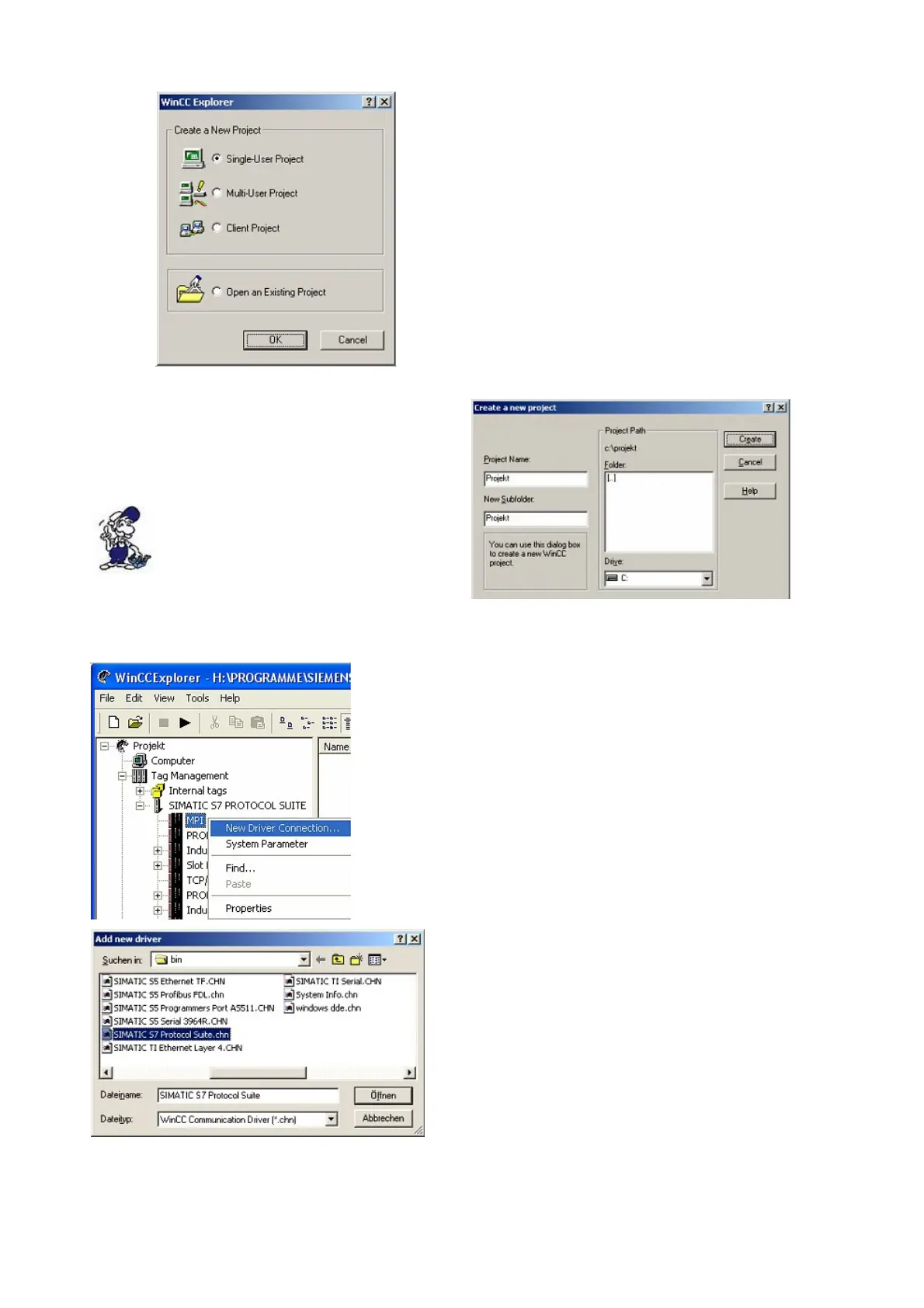
4. OK“ leads you to a new dialog. Type in the
„Project Name“ and the „Subfolder“ of the
„Project Path“
With „Create“ the chosen configuration is
confirmed.
If you want to use one of the other
options, please read this further in
the manual of the WinCC software.
5. Please wait until the project is created. Afterward the project content is shown in the left part of
the main window.
6. For a proper working communication with the
PLC there must be defined how the software has
to communicate with the PLC
Therefore right click on „Tag Management“ to
open the context menu. Choose „Add New
Driver ...“.
7. In the dialog „Add new driver“ select the
driver which fits to your PLC
For a S5 PLC, you can choose the file SIMATIC
S5 Programmers Port AS511.chn.
If you are using a different PLC please inform
yourself which driver fits with your PLC.
Page 11 of 21 Handbook PG-USB



 To Next Page