2. Choose from menu "View" => "S5 155U-90 ..."
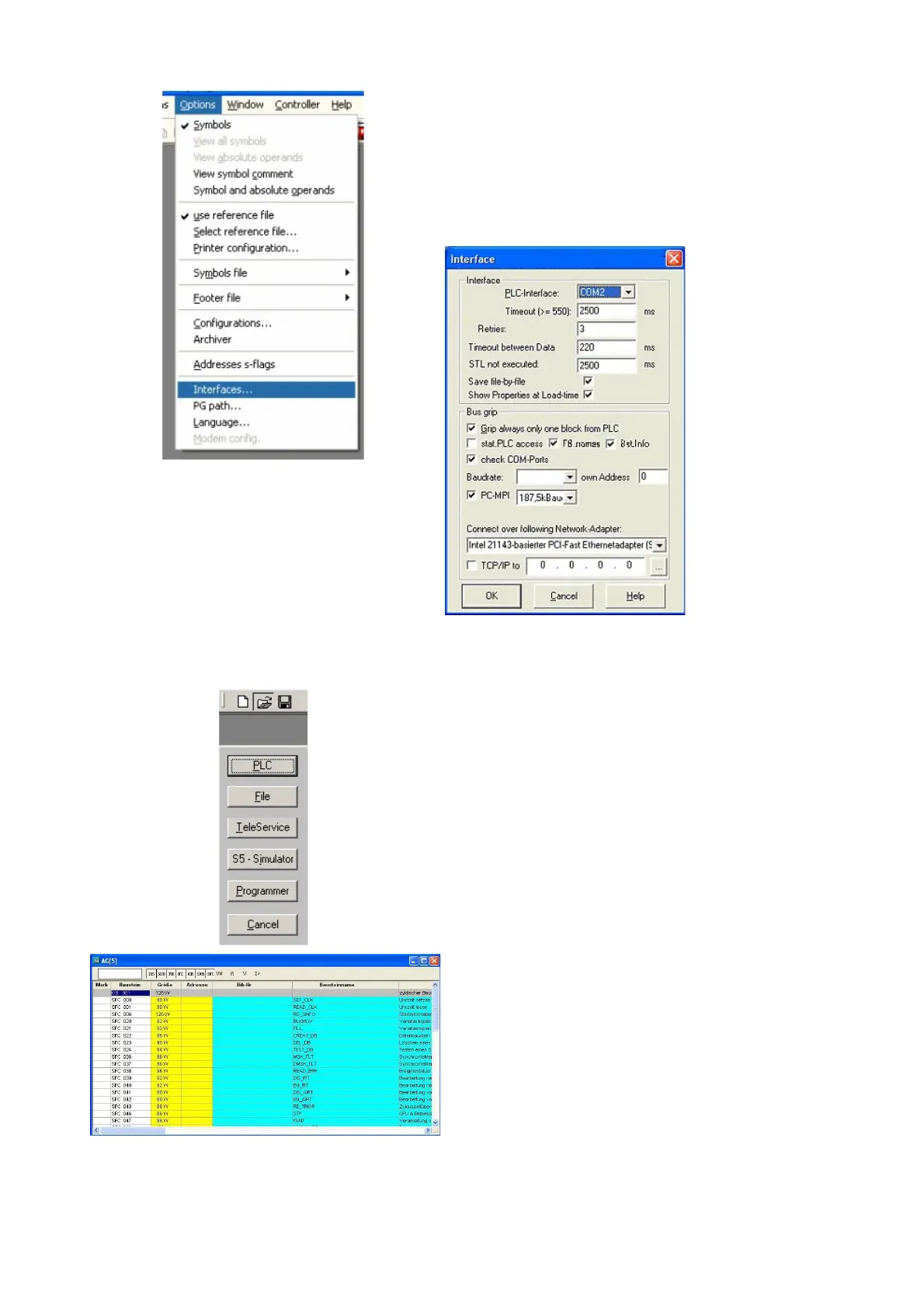
In the menu “Options“ click “Interfaces“.
3. A dialog appears. In the section “Interface“
you can configure the “PLC – Interface“
(COM – Port).
4. Set in the section "Bus grip" the tick "Grip
allways only one block from PLC", "FB-
names", "Bst. Info" and "check "COM-Ports"
5. Save your configuration by pressing “OK“.
6. Now the software is ready to establish a
connection to the PLC.
Click the symbol “Open“ and afterwards press
“PLC”.
Alternative you can click “File“ - “Open“ - “PLC“.
The connection between PG 2000 and the PLC is
now established.
A new window appears. Now you can edit the
blocks in the PLC.
Page 9 of 21 Handbook PG-USB



 To Next Page