ManualP6040 V30Page 9/12
P6040 ES programming steps, Vaccuum/Blow
6. P6040 ES programming steps, Vaccuum/Blow
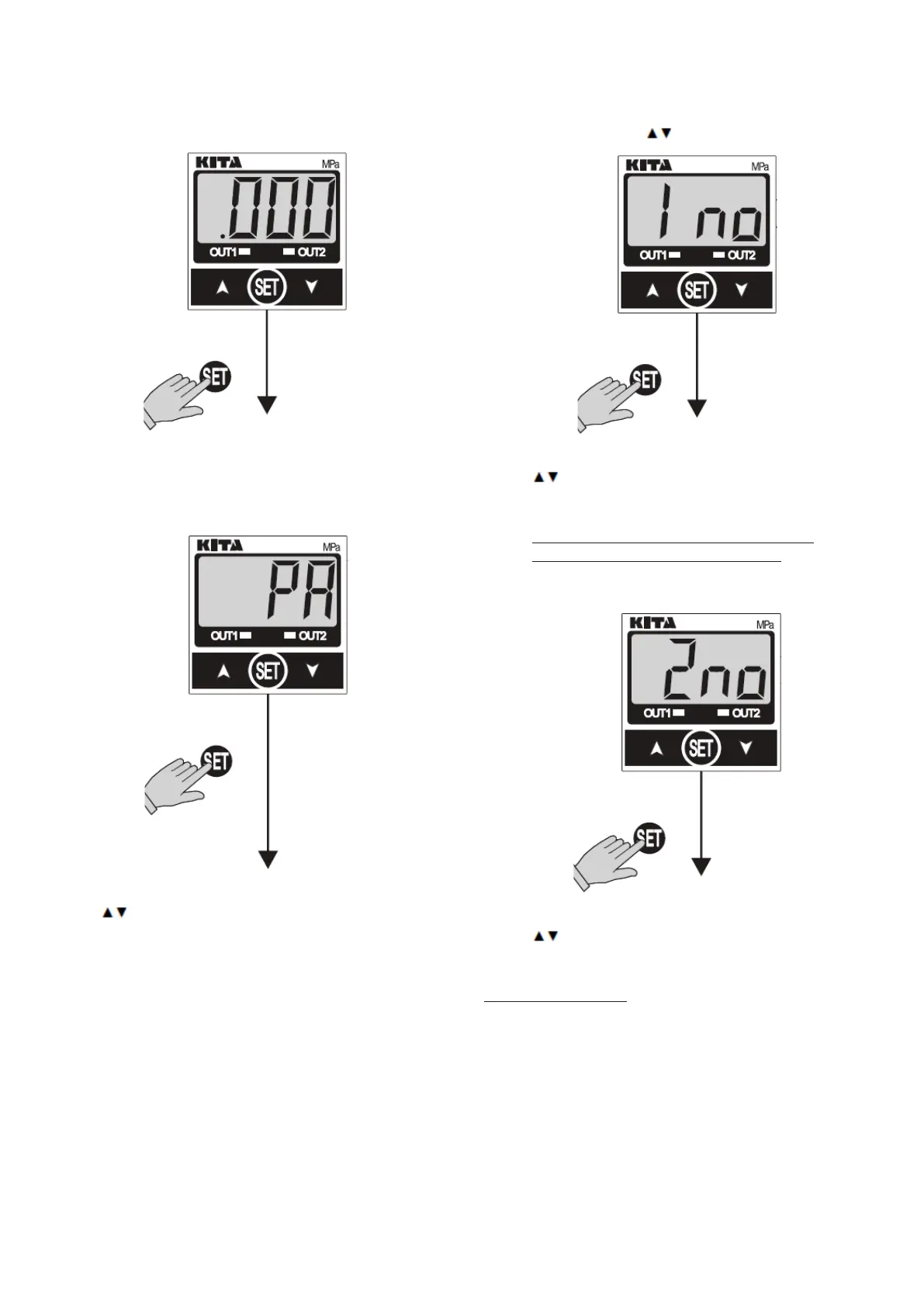
Measure mode
Figure 4 Measure mode.
– Press (Set) button for more than 3 sec.
Unit setting
Figure 5 Unit setting.
– Use
buttons to set desired pressure unit.
Set to PA.
OUT 1 mode setting
Figure 6 OUT 1 mode setting.
– Use
buttons to set Out1 mode.
Output type:
NO = Normal Open
Set to NC = Normal Closed for Vacuum Mode
Set to NO = Normal Open for Blow Mode
OUT 2 mode setting
Figure 7 OUT 2 mode setting..
– Use
buttons to set Out2 mode. (NO)
(This function is not used)
Output type:
NO = Normal Open
NC = Normal Closed


 To Next Page