Page 3.2
VERY HIGH DENSITY MULTIPLEXER CARD 50-670A
pickering
SECTION 3 - INSTALLATION
Page 3.2
PCI REED RELAY CARD 50-110 / 115 / 120 / 125
pickering
SECTION 3 - INSTALLATION
SOFTWARE INSTALLATION
First install the appropriate Pickering PCI switch card drivers by running the installer program Setup.exe (provided
in a compressed zip le), either from the CD-ROM supplied, or by downloading the latest version from our website
pickeringtest.com - the recommended method. Setup is accompanied by a ReadMe le containing
additional installation information. A single installation covers all cards in the System 40, System 45 and System
50 ranges.
When installation completes, the installed drivers’ ReadMe le is offered for display. It can also be displayed
later using a shortcut on the Programs>>Pickering menu.
If you are not a LabVIEW user you should choose the “full” version, and once that has been installed run
the LabVIEW Runtime Engine installer via the shortcut on the Programs>>Pickering menu. In the absence of
LabVIEW the Runtime Engine is required to support the Pickering Test Panels application.
!
HARDWARE INSTALLATION
ELECTRICAL CONNECTION (PC CHASSIS)
1. The PCI card must be electrically installed in accordance with local regional electrical codes by a qualied
engineer.
2. The PC chassis must be grounded.
Electrostatic discharge can damage the components on the card and in the chassis. To avoid such damage
when handling the products refer to page VII.
Ensure that there is adequate ventilation.
The card should be installed in accordance with the following procedure:
1. Ensure that the system is turned OFF but still connected to mains so that it remains grounded.
2. Choose an appropriate free PCI slot in the host system.
3. Remove the blanking plate for the chosen slot and retain the xing screw.
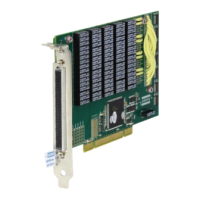
4. Carefully remove the card from its anti-static bag and insert the card’s edge connector into the free slot in
the host system (refer to Figure 3.1).
5. Ensure the card is fully inserted into the edge connector and the front panel is fully in contact with the back
of card aperture in the host chassis.
6. Use the xing screw to secure the front panel of the card to the host chassis’ mounting rail.
7. Replace the chassis cover(s).
8. Power-up the host system.


 To Next Page