EasyManua.ls Logo

Pickering LXI 60-102C - User Manual

Pickering LXI 60-102C
42 pages
Print Icon
To Next Page IconTo Next Page
Loading...
pickeringtest.com
Issue 1.1 January 2023
60-102C User Manual
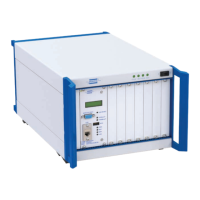
LXI 7-Slot Modular Switching Chassis
Question and Answer IconNeed help?

Do you have a question about the Pickering LXI 60-102C and is the answer not in the manual?

Summary

60-102 C User Manual

Copyright Statement

Technical Support and Warranty

Environmental Policy

Information on Pickering Interfaces' commitment to environmental protection and compliance.

Product Safety

Safety Symbols

Explanation of safety symbols used in the product and documentation.

Warnings and Cautions

Product Documentation Cautions

Guidance on handling product documentation and safety instructions.

Section 1 - Technical Specification

Gigabit Ethernet Interface

Details on the chassis's high-speed Ethernet connectivity.

PXI Module Compatibility

Information on supported Pickering Interfaces 3U PXI switching and simulation modules.

Power Supply and Cooling

Specifications for the chassis's power supply and cooling system.

Connectivity and Programming Support

Overview of connectivity solutions, drivers, and programming environments supported.

Section 2 - Technical Description

Mechanical Description

Physical characteristics and components of the 60-102C LXI Chassis.

Functional Description and Block Diagram

Explanation of the chassis's operation and internal architecture.

PXI Module Support

Details on the types of Pickering Interfaces 3U PXI modules supported by the chassis.

Section 3 - Installation

Connecting Safety Ground

Procedure for ensuring proper safety ground connection to the chassis.

Installing the LXI Chassis

Guidelines for benchtop or rack mounting the 60-102C chassis.

Cooling Considerations

Instructions for maintaining adequate airflow for chassis operation.

Front and Rear Panel Descriptions

Identification and explanation of connectors and indicators on the chassis panels.

Section 4 - Configuration & Set-Up

Setting the IP Address

Steps to configure the chassis's IP address for LAN communication.

Section 5 - Programming Guide

Programming Options

Information on software drivers and programming the LXI units.

Unit Architecture and Sub-units

Understanding the basic architecture and functional blocks of Pickering LXI units.

Command Line Control

Instructions for enabling and using command line control of LXI instruments.

PILMon Command List

Reference for commands available in the PILMon utility for card control.

Section 6 - Trouble Shooting

LXI Status Indicators

Explanation of the status indicators and their meanings.

Troubleshooting Questions and Answers

Common issues and their solutions for the LXI chassis.

Unit Reset Procedure

Steps to reset the chassis to factory default conditions.

Appendix A - Rack Mounting

Rack Mounting the Chassis

Guidance on fitting the 60-102C chassis into a 19-inch equipment rack.

Rack Mounting Procedure

Step-by-step instructions for assembling the rack mounting kit.

Summary

60-102 C User Manual

Copyright Statement

Technical Support and Warranty

Environmental Policy

Information on Pickering Interfaces' commitment to environmental protection and compliance.

Product Safety

Safety Symbols

Explanation of safety symbols used in the product and documentation.

Warnings and Cautions

Product Documentation Cautions

Guidance on handling product documentation and safety instructions.

Section 1 - Technical Specification

Gigabit Ethernet Interface

Details on the chassis's high-speed Ethernet connectivity.

PXI Module Compatibility

Information on supported Pickering Interfaces 3U PXI switching and simulation modules.

Power Supply and Cooling

Specifications for the chassis's power supply and cooling system.

Connectivity and Programming Support

Overview of connectivity solutions, drivers, and programming environments supported.

Section 2 - Technical Description

Mechanical Description

Physical characteristics and components of the 60-102C LXI Chassis.

Functional Description and Block Diagram

Explanation of the chassis's operation and internal architecture.

PXI Module Support

Details on the types of Pickering Interfaces 3U PXI modules supported by the chassis.

Section 3 - Installation

Connecting Safety Ground

Procedure for ensuring proper safety ground connection to the chassis.

Installing the LXI Chassis

Guidelines for benchtop or rack mounting the 60-102C chassis.

Cooling Considerations

Instructions for maintaining adequate airflow for chassis operation.

Front and Rear Panel Descriptions

Identification and explanation of connectors and indicators on the chassis panels.

Section 4 - Configuration & Set-Up

Setting the IP Address

Steps to configure the chassis's IP address for LAN communication.

Section 5 - Programming Guide

Programming Options

Information on software drivers and programming the LXI units.

Unit Architecture and Sub-units

Understanding the basic architecture and functional blocks of Pickering LXI units.

Command Line Control

Instructions for enabling and using command line control of LXI instruments.

PILMon Command List

Reference for commands available in the PILMon utility for card control.

Section 6 - Trouble Shooting

LXI Status Indicators

Explanation of the status indicators and their meanings.

Troubleshooting Questions and Answers

Common issues and their solutions for the LXI chassis.

Unit Reset Procedure

Steps to reset the chassis to factory default conditions.

Appendix A - Rack Mounting

Rack Mounting the Chassis

Guidance on fitting the 60-102C chassis into a 19-inch equipment rack.

Rack Mounting Procedure

Step-by-step instructions for assembling the rack mounting kit.

Pickering LXI 60-102C Specifications

General IconGeneral
CategorySwitch
Model60-102C
Number of Channels2
Impedance50 Ohms
Connector TypeSMA
InterfaceLXI
Switching TypeElectromechanical
LXI ComplianceYes
Channels2
Insertion Loss0.5 dB
VSWR1.25:1
Contact Rating1 A
Operating Temperature0°C to +55°C