Technical reference
36
© 2005 Pico Technology Limited. All rights reserved.
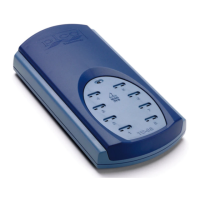
USBTC08044-2
3.5
Troubleshooting
The following table lists each of the error codes described in the
section, and divides them into categories, so that you know what to do in the event of a
particular error occurring.
USBTC08_ERROR_OS_NOT_SUPPORTED
USBTC08_ERROR_NO_CHANNELS_SET
USBTC08_ERROR_INVALID_PARAMETER
USBTC08_ERROR_VARIANT_NOT_SUPPORTED
USBTC08_ERROR_INCORRECT_MODE
USBTC08_ERROR_ENUMERATION_INCOMPLETE
USBTC08_ERROR_NOT_RESPONDING
USBTC08_ERROR_CONFIG_FAIL
USBTC08_ERROR_THREAD_FAIL
USBTC08_ERROR_PIPE_INFO_FAIL
USBTC08_ERROR_NOT_CALIBRATED
USBTC08_ERROR_PICOPP_TOO_OLD
- Errors in this category indicate that a fault has occurred with the USB
TC-08 unit or your PC. Try disconnecting the USB TC-08, then
reconnecting it. If this does not work, restart your PC. If this does not
Uninstall the software and restart the PC
2. Reinstall the software and restart the PC
3. If this does not work, download the latest version of the software from
http://www.picotech.com/download.html
and install this, then restart
4. If this does not work, contact
- Errors in this category are handled internally within software applications,
and only developers need to be aware of their meanings. Find a
which fails with one of these error codes.
- Errors in this category are user-dependent and developers should make
sure that their application provides suitable error messages for users to
read in the event of an error occurring.


 To Next Page
 Loading...