!
+6#;6$7!#!-#;;
!
ARA
!
\'!3$89!8!P899!@+'0!)E/!O$89$45!O$+/P)'+-b
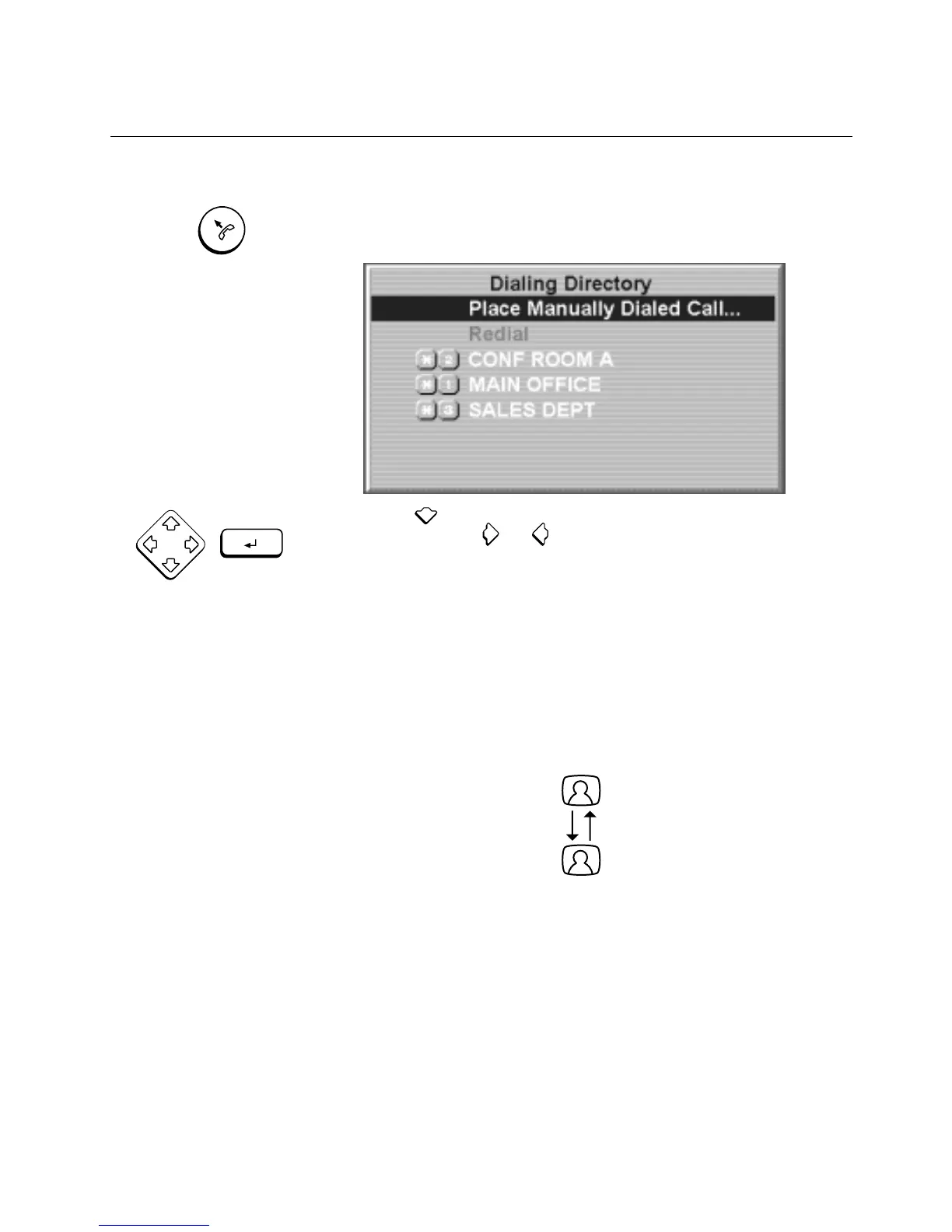
1. Press
CALL/ADD
.
!
\E/!O$89$45!O$+/P)'+-!877/8+."!
2. Press to select the site you want to call, and press
ENTER
.
(You can press
!
!
or to move quickly between screens if the
list of sites is long.)
!
\E/./!0/..85/.
!
877/8+b
Dialing Video Call ...
Ringing at Far End ...
Call Connecting ...
Call Connected - All Channels Active
!
*'(!)E/4!.//!)E/!@8+!/43!'4!-'(+!.P+//4!843!)E/!9$5E)!4/8+!)E/!
P8992$427+'5+/..
!
$P'4!'4!)E/!@+'4)!'@!-'(+!.-.)/0!$.!9$)b!
Speed Dialing
!
,7//3!3$89$45!$.!8!K8-!)'!;($PG9-!P899!84-!.$)/!KE'./!)/9/7E'4/!
4(0&/+!$.!$4!)E/!O$89$45!O$+/P)'+-"!%99!-'(!E8J/!)'!3'!$.!)-7/!$4!)E/!
.7//323$89!4(0&/+!@'+!)E8)!.$)/"!
CALL / ADD
ENTER
POINT



 To Next Page