!
M:6$6$7!#!+#9#!-:$A?@?$J?!-#;;
!
ARI
Joining a Data
Conference Call
!
*'(!P84!(./!-'(+!.-.)/0!)'!78+)$P$78)/!$4!8!38)8!P'4@/+/4P/!P899"!
6@)/4!+/@/++/3!)'!&-!)E/!$43(.)+-!.)8438+3!)/+0!\"1HUX!38)8!
P'4@/+/4P$45!9/).!-'(!.E8+/!$4@'+08)$'4!@+'0!84!/9/P)+'4$P!
KE$)/&'8+3X!84!'J/+E/83!7+'V/P)'+X!'+!84!'49$4/!`9/"!
\'!V'$4!8!38)8!P'4@/+/4P/!P899b
1. Press
CALL/ADD.
!
\E/!O$89$45!O$+/P)'+-!877/8+."
2. Use the Directory Dial, Speed Dial, or Manual Dial method to dial
the data conference call.
!
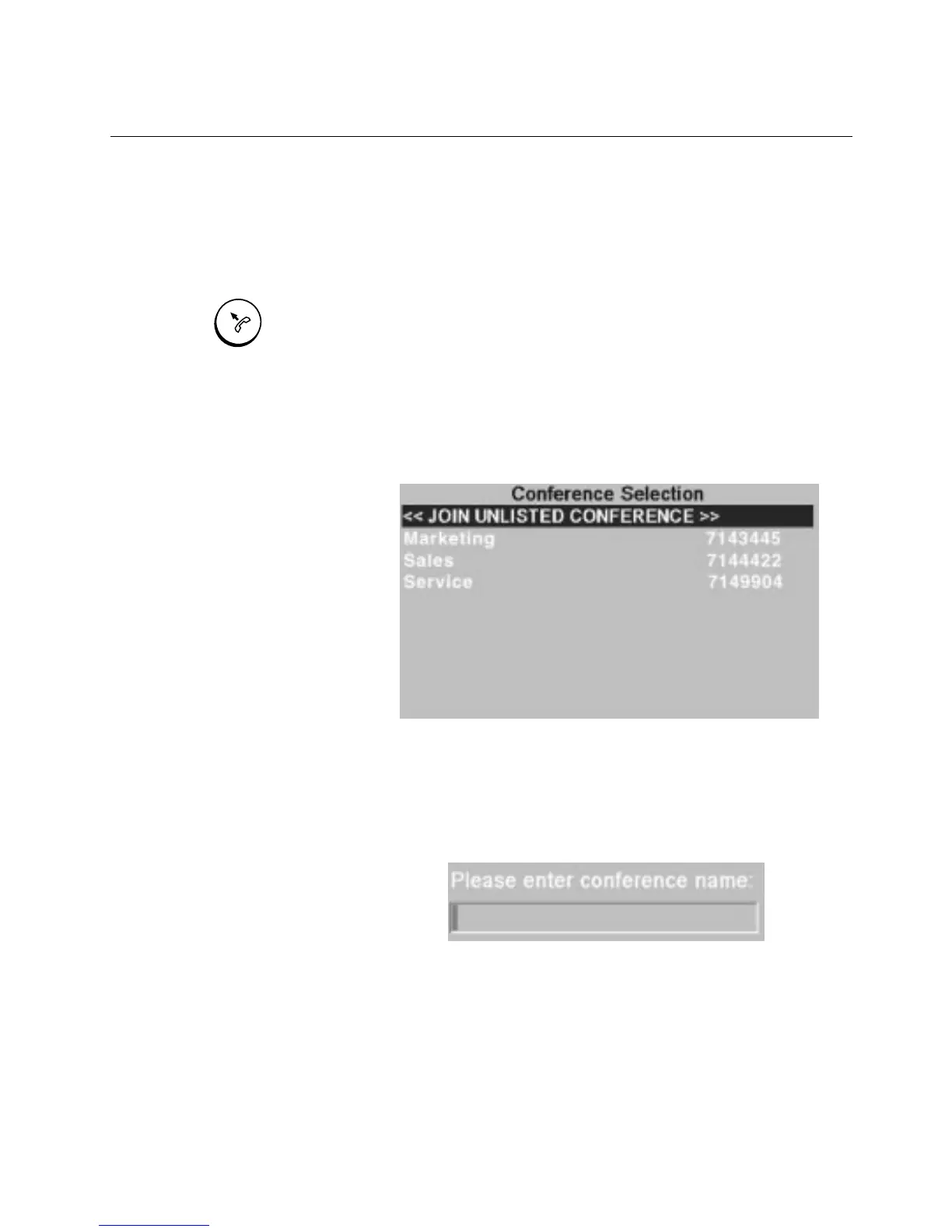
%!.P+//4!877/8+.!)E8)!9$.).!)E/!P(++/4)!38)8!P'4@/+/4P/.!8)!)E/!@8+!
/43"!*'(+!.-.)/0!830$4$.)+8)'+!P84!7+'J$3/!-'(!K$)E!)E/!480/!
'@!)E/!P'4@/+/4P/!-'(!K$.E!)'!V'$4"
3. If the data conference you want is not listed, but you have the
numeric name, select
<<JOIN UNLISTED CONFERENCE>>
from
the list and type in the number; otherwise, go to Step 4.
!
\E/!4(0/+$P!480/!'@!)E/!P'4@/+/4P/!P84!&/!(7!)'!HZZ!PE8+8P)/+.!
$4!9/45)E"
CALL / ADD



 To Next Page