!
)?>:D6$7!#$!1$9@O!A@:>!9L?!+6#;6$7!+6@?J9:@O
!
GRI
5. Use
!
X! X! X!
or
!
!!
as needed to move to the information you
want to change on the various screens, and type in the new
information.
!
Y'+!/#8079/X!-'(!P84!PE845/!)E/!.7//323$89!4(0&/+!'+!)E/!.$)/!
480/"
6. Press
ENTER
when you finish changing the information or press
CANCEL
if you decide you do not want to save the changes you
have made.
!
?@!-'(!7+/..!
ENTER
!
X!)E/!PE845/3!/4)+-!877/8+.!$4!)E/!O$89$45!
O$+/P)'+-"
Removing an
Entry from the
Dialing Directory
!
\'!+/0'J/!84!/4)+-!@+'0!)E/!O$89$45!O$+/P)'+-b
1. Press
SETUP
.
!
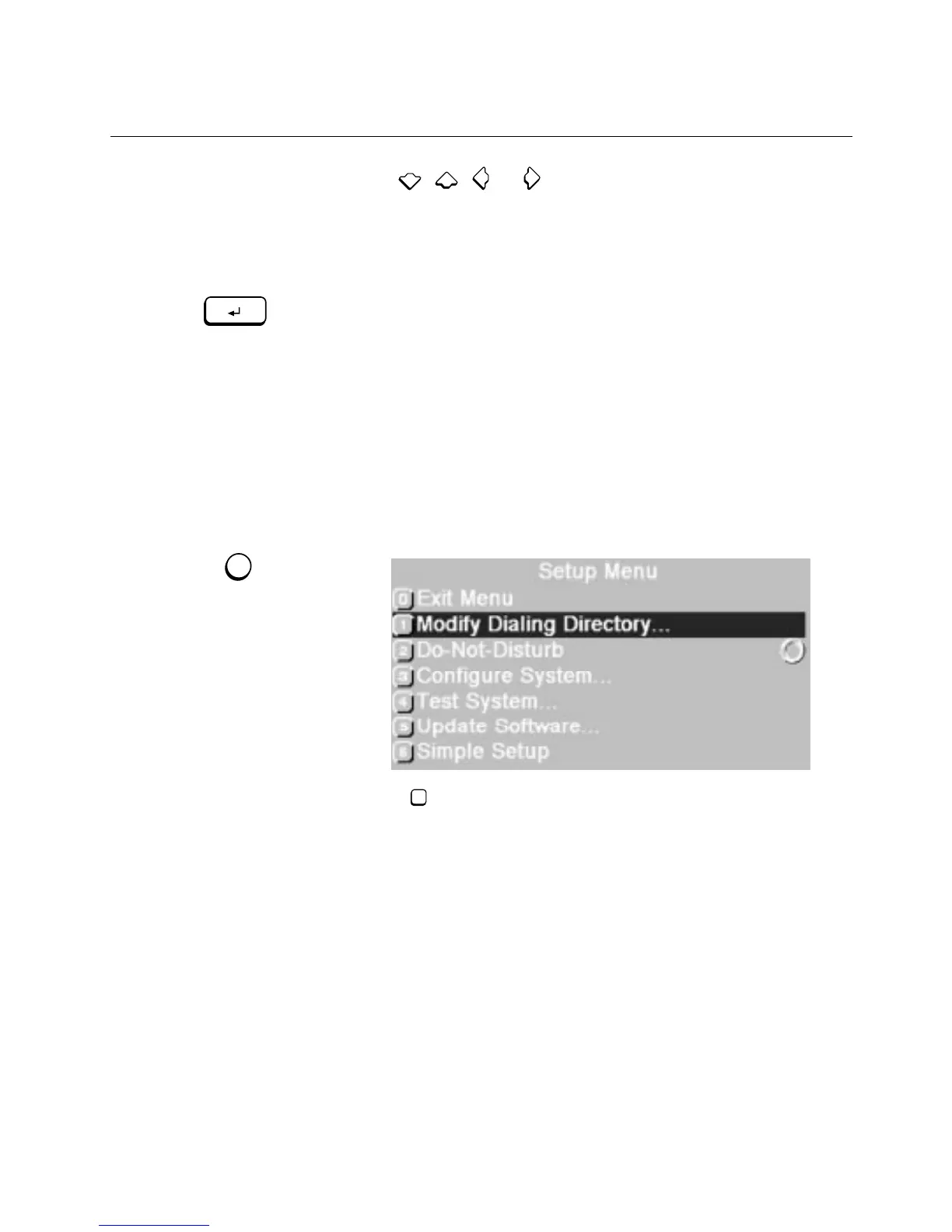
\E/!,/)(7!>/4(!877/8+."
2. Press to choose
Modify Dialing Directory
.
ENTER
SETUP
1



 To Next Page