!
5%%6$7!:@!3#D6$7!#!'?E!+6#;6$7!+6@?J9:@O!1$9@O
!
GRA
4. Press
ENTER
to use the number shown on the screen, or type a
different number and press
ENTER
.
!
%!K8+4$45!0/..85/!877/8+.!$@!84!$3/4)$P89!4(0&/+!$.!89+/83-!$4!
)E/!O$89$45!O$+/P)'+-"!
%4')E/+!.P+//4!877/8+.X!8.G$45!-'(!)'!/4)/+!)E/!.$)/!480/"
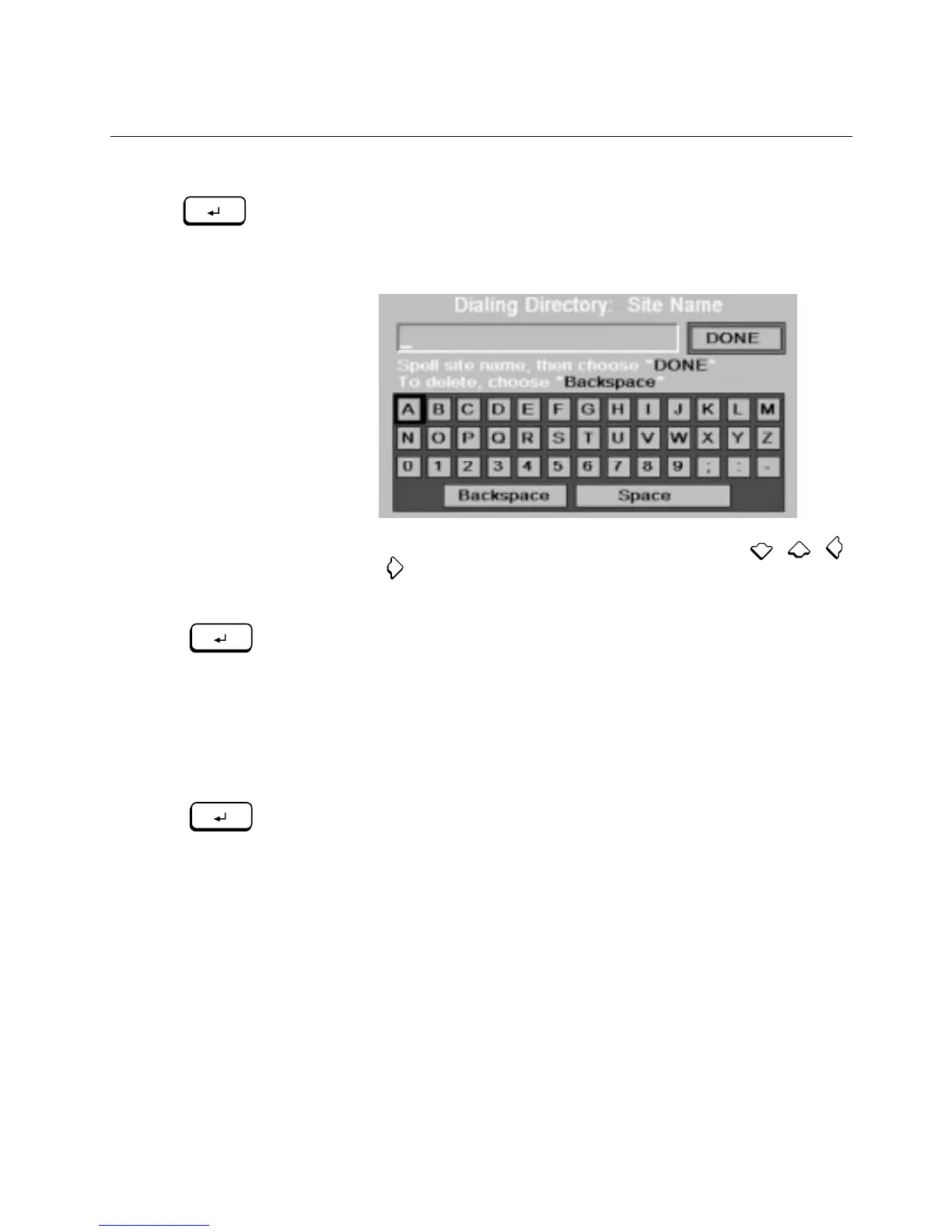
5. Enter the site name by following these steps, using ,
!
!
,
!
!
,
or
!
!!
to highlight a button on the screen:
!
8" C$5E9$5E)!)E/!9/))/+!'+!4(0&/+!-'(!K84)"
&" I+/..!
ENTER
!
!)'!8PP/7)!)E/!9/))/+!'+!4(0&/+"
\E/!9/))/+!'+!4(0&/+!877/8+.!$4!)E/!)/#)!&'#!8)!)E/!)'7!'@!)E/!
.P+//4"
P" N/7/8)!,)/7.!8!843!&!@'+!/8PE!9/))/+!'+!4(0&/+!$4!)E/!480/"!
,$)/!480/.!P84!&/!(7!)'!1A!PE8+8P)/+.!9'45"!
?@!-'(!4//3!)'!3/9/)/!8!9/))/+!'+!4(0&/+X!E$5E9$5E)!
Backspace
!
843!7+/..!
ENTER
!
"
3" [E/4!-'(!`4$.E!/4)/+$45!)E/!.$)/!480/X!E$5E9$5E)!
DONE
!
!843!
7+/..!
ENTER
!
"
%!K8+4$45!0/..85/!877/8+.!$@!84!$3/4)$P89!.$)/!480/!$.!89+/83-!
$4!)E/!O$89$45!O$+/P)'+-"
ENTER
ENTER
ENTER



 To Next Page