EasyManua.ls Logo

Pifco P40018 - User Manual

Pifco P40018
16 pages
Print Icon
To Next Page IconTo Next Page
Loading...
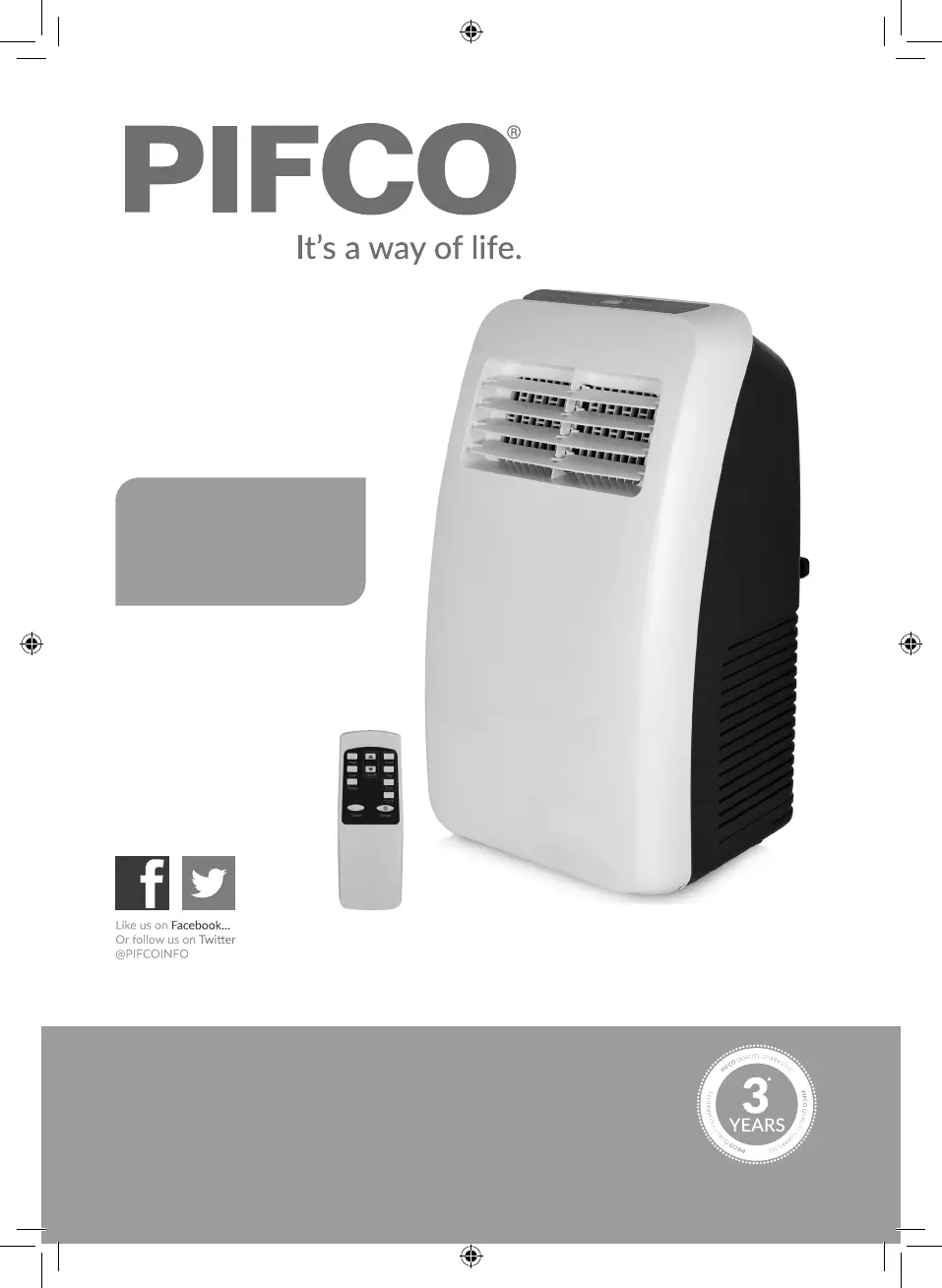
MODEL P40018
5000 BTU
3-in-1 Air
Conditioner
YOUR SAFETY & INSTRUCTION MANUAL
PLEASE READ CAREFULLY
Need help?
For advice, spares & returns.
Call: +44 (0)333 220 6054
8:30am to 6:00pm Monday - Friday
Visit: www.pifco.co
www.pifco.co

Questions and Answers

  • J
    Jessica LewisAug 6, 2025
    What to do if the LED display of my Pifco Air Conditioner is showing ‘FL’?
    • K
      Kenneth TorresAug 7, 2025
      If your Pifco Air Conditioner displays ‘FL’ and the compressor isn't working, it means the water tank is full. You should drain the unit as instructed in the ‘Cleaning and Care’ section of the instruction manual.
  • S
    Scott RileyAug 13, 2025
    What to do if Pifco Air Conditioner displays error message (E1, E2, E4)?
    • J
      Jennifer HardinAug 13, 2025
      If your Pifco Air Conditioner is showing an error message (E1, E2, E4) on the display panel, it means the unit has self-diagnosed and found an error. For E1 and E2 errors, unplug the unit, wait a few moments, and plug it back in. If the error persists, contact a qualified repair technician or our Customer Support Team. E4 indicates the unit’s anti-freezing protection has activated, and it will automatically deactivate when the room temperature is above 8 degrees.
  • A
    aelliottAug 18, 2025
    How to fix a Pifco Air Conditioner that does not work?
    • S
      Sarah HuntAug 19, 2025
      If your Pifco Air Conditioner isn't working, try the following: * Turn the appliance back on or re-insert the power cord. * Change the time setting. * Empty the water pan. * If none of these work, consult the manufacturer or a qualified service person for repair.
  • M
    Monica PhillipsAug 25, 2025
    What to do if my Pifco Air Conditioner has minimal cooling effect?
    • D
      debbieloganAug 26, 2025
      If your Pifco Air Conditioner provides minimal cooling, try the following: * Remove any blockage. * Remove other heat sources. * Clean the filters. * Change the temperature. * Select the appropriate speed.
  • S
    Scott HerreraAug 30, 2025
    What to do if my Pifco Air Conditioner shakes and makes noise?
    • A
      Andre AndersonAug 30, 2025
      If the Pifco Air Conditioner shakes and makes noise, place it on a flat, stable surface.

Summary

Product Identification and Support

Customer Assistance and Contact Information

Provides a phone number and website for customer support, advice, and returns.

Model and Guarantee Information

Identifies the product model and highlights the 3-year quality guarantee.

Technical Specifications and Compliance

Appliance Technical Data

Details the model, voltage, frequency, and power consumption of the air conditioner.

Product Legislation and Directives

Lists the directives and product legislation the appliance conforms to.

Warranty Terms and Conditions

Standard 12-Month Guarantee

Outlines the 12-month warranty, conditions, and return procedures.

Extended Warranty Availability

Mentions the option to purchase an extended warranty for additional coverage.

Electrical Wiring Safety

UK Plug Wiring and Fuse Requirements

Guides on wiring UK plugs, fuse replacement, and earthing the appliance.

General Product Safety

Safe Operating Practices

Covers voltage checks, intended use, manual retention, and initial safety warnings.

Usage Hazards and Prohibitions

Warns against immersion, cord misuse, extension cords, and unauthorized attachments.

Important Usage and Safety Guidelines

Operational Safety Rules

Further safety advice including proper unplugging, unattended operation, and household-only use.

Environmental and Handling Precautions

Guidelines on placement, use near water/outdoors, wire management, and child/pet safety.

Storage and Handling Safety

Appliance Placement and Cord Safety

Advises on stable surfaces, cord grip, and avoiding water or flammable materials near the unit.

Cleaning and Maintenance Safety

Instructions on cleaning methods, avoiding chemical solvents, and handling wet hands.

Package Contents and Initial Setup

Whats Included in the Box

Lists all components provided with the air conditioner unit.

Before First Use Steps

Outlines the initial actions required before operating the appliance for the first time.

Control Panel and Remote Operation

Appliance Control Panel Layout

Identifies and explains the functions of buttons and displays on the main unit.

Remote Control Functions

Details the layout and operation of the remote control for the air conditioner.

Battery Installation and First Use

Installing Batteries in the Remote

Step-by-step guide on how to insert batteries into the remote control.

Appliance Initial Setup Procedure

Instructions for preparing the appliance for its first operation after unboxing.

Exhaust System Installation

Window Kit Installation Guide

Instructions for installing the exhaust hose window kit for sliding windows.

Attaching and Detaching Exhaust Pipe

Details how to connect and disconnect the exhaust pipe from the unit correctly.

Basic Operation Controls

Turning the Unit On and Off

Explains the procedure for powering the appliance on, standby, and fully off.

Temperature and Mode Settings

Guides on selecting temperature, Celsius/Fahrenheit, and fan speeds.

Advanced Operating Modes

Regulating Air Flow Direction

Instructions on how to manually adjust the front louvers for air direction.

Cooling, Dehumidifying, and Fan Modes

Explains the functionality and operation of the different modes available.

Timer Function and Drainage

Setting the 24-Hour Timer

Details how to set the timer for automatic operation or delay start.

Draining the Water Tank

Step-by-step guide on how to safely empty the water reservoir when it's full.

Cleaning, Care, and Storage

Cleaning the Air Conditioner Unit

Instructions for cleaning the housing and the removable filter.

Storing the Appliance

Guidance on how to properly store the unit when not in use.

Troubleshooting Common Issues

Unit Not Working or Poor Cooling

Addresses problems like unit not starting, minimal cooling, or no operation.

Error Codes and Compressor Issues

Explains error messages (E1, E2, E4) and compressor behavior.

Disposal and Final Notes

Disposal of Electrical Unit

Information on responsible disposal of the appliance according to WEEE regulations.

Important Warning: Water Immersion

Reiterates the warning against immersing electrical parts in water.

Guarantee Registration and Support

Registering for Extra Guarantee

Instructions on how to register online for an additional year of guarantee.

Customer Support Contact Information

Provides the customer support phone number for any issues or spare parts.

Pifco P40018 Specifications

General IconGeneral
BrandPifco
ModelP40018
CategoryAir Conditioner
LanguageEnglish

Related product manuals