English - 25 -
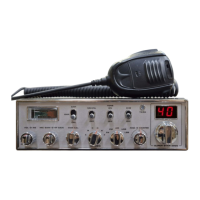
>> Turn ON/OFF the radio:
1. Turn the [VOL] control clockwise to switch on the radio, the radio emits a beep.
When the displays channel, the radio is on.
2. Turn the [VOL] control anti-clockwise to switch off the radio, the radio is OFF when
hear a click from the switch.
>> Volume control:
When the radio is turned on, turn the [VOL] clockwise will increase the volume, turn [VOL]
anti-clockwise will reduce the volume.
- Adjust the volume during communication to get suitable level.
>> Squelch control:
When the radio is in standby mode, turn the [SQ] outer control shaft clockwise to adjust
squelch level.
>> Mic gain control:
When the radio is in transmitting mode, turn the [MIG] inner control shaft to adjust the Mic
gain. Turn it clockwise to increase gain, anti-clockwise to reduce gain.
>> RF gain control:
When the radio is in receiving mode, turn the [RFG] outer control shaft to adjust RF gain.
Turn it clockwise to increase gain, anti-clockwise to reduce gain.
>> Backlight setting control:
Turn this control to choose A/B/C/D/E/F backlight level.
>> Channel Selection:
Turn the channel selector control to select desired channel.
>> Working band selection (Multistandard mode):
- Press and hold [DN] key on the microphone, then turn the radio power ON.
- Release [DN] key and rotate the channel selector control knob to select the operating
band.
- Turn the radio power OFF to confirm and save the setting.
- When the radio switched ON again, the programmed operating band will be displayed on
the screen.


 To Next Page