4.4 Programming high addresses
Chapter 4.3 already described how to program up to 255 addresses in the CVs. If,
as an advanced operator, you need more addresses, you can program up to 1792
additional addresses. This requires programming 2 CVs for a function output which
unfortunately involves some calculations.
Simple addresses only use the “low” CV (32).
For basic addresses, the “high” CV (31) is always 0. For addresses starting from
256, the address is calculated as follows:
- high = address / 256 (integer value without decimal places).
- low = address – (high x 256)
Address 256: CV31 = 256 : 256 = 1,00 = 1
CV32 = 256 – (1 x 256) = 0
Address 754: CV31 = 754 : 256 = 2,95 = 2
CV32 = 754 – (2 x 256) = 242
Address 1688: CV31 = 1688:256 = 6,59 = 6
CV32 = 1688-(6 x 256) = 152
Address 1792: CV31 = 1792:256 = 7,00 = 7
CV32 = 1792-(7 x 256) = 0
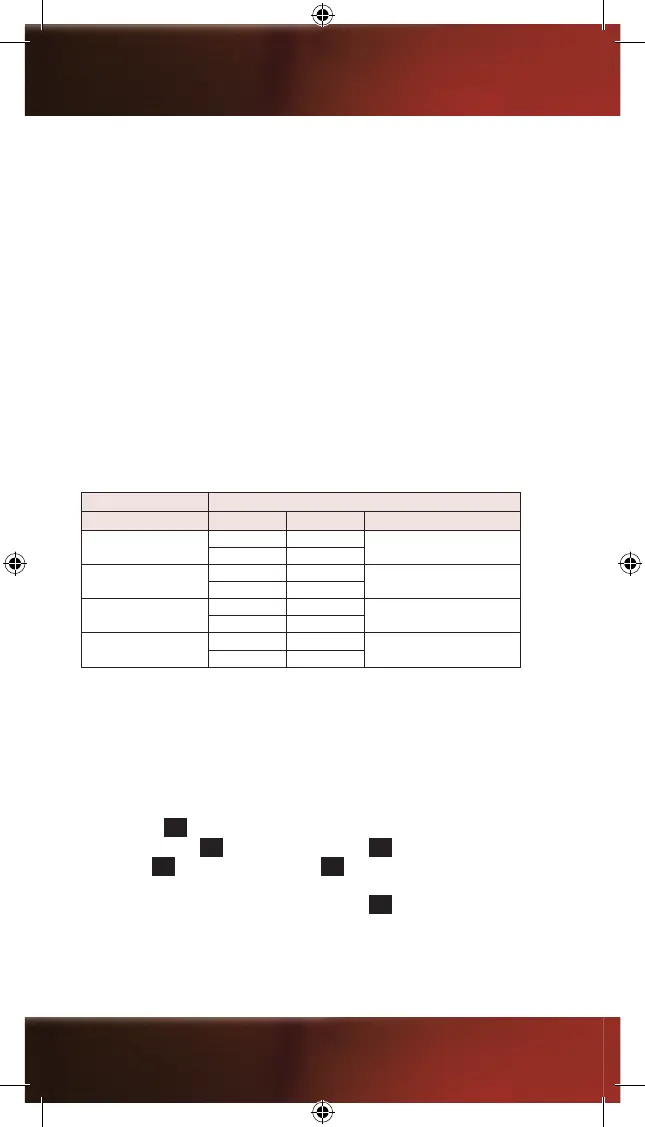
Example SETTING OF HIGH ADDRESSES
CV no. Value Address
A
31 001
256
32 000
B
33 002
754
34 242
C
35 006
1688
36 152
D
37 007
1792
38 000
Consequently, you need to enter values in CV31 and CV32 to describe a high
address for a function output.
You will nd all relevant information for programming the CVs in the operating
manual of your digital control unit.
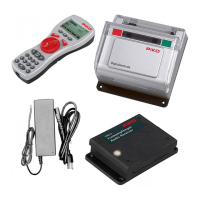
When using the PIKO system (digital central station and handheld remote),
please observe the following instructions.
Press the key
M3
of your Navigator to enter the main menu. Select “Decoder
Progr.” by pressing
M1
and conrm by pressing
M2
. Select “CV Programming”
by pressing
M1
and conrm by pressing
M2
to enter the CV Programming menu.
You can select the “CV No.” by entering the respective number (e.g. 31). Now enter
the requested “Value” and conrm it by pressing
M2
.
For CV31, a “value” virtually is “address 1
st
part”, which, mathematically, allows you
to enter a value ranging from 001 to 007. For CV32 (the 2
nd
part of the address),
you can enter values ranging from 001 to 255. In the table displaying the examples,
20


 To Next Page
 Loading...