002 (CV31) and 242 (CV32) were entered at “B”, resulting in the address 754 for the
function output (see calculation examples).
By pressing the key
M3
, you will return to the Navigator’s regular mode of function.
Caution: When programming on the main layout track, remove any
locomotives from the track: Otherwise, their programming could be affected.
4.5
Setting of Output Power Duration
You can set individual decoder power duration for both switching directions (e.g.
for signals etc.). This setting option is helpful if, after years, an old switch machine
seems to be sluggish in one direction. The switching time can be set in 15 steps at
intervals of 0.25 s. It is also possible to program individual outputs for continuous
operation (e.g. to switch on lightings).
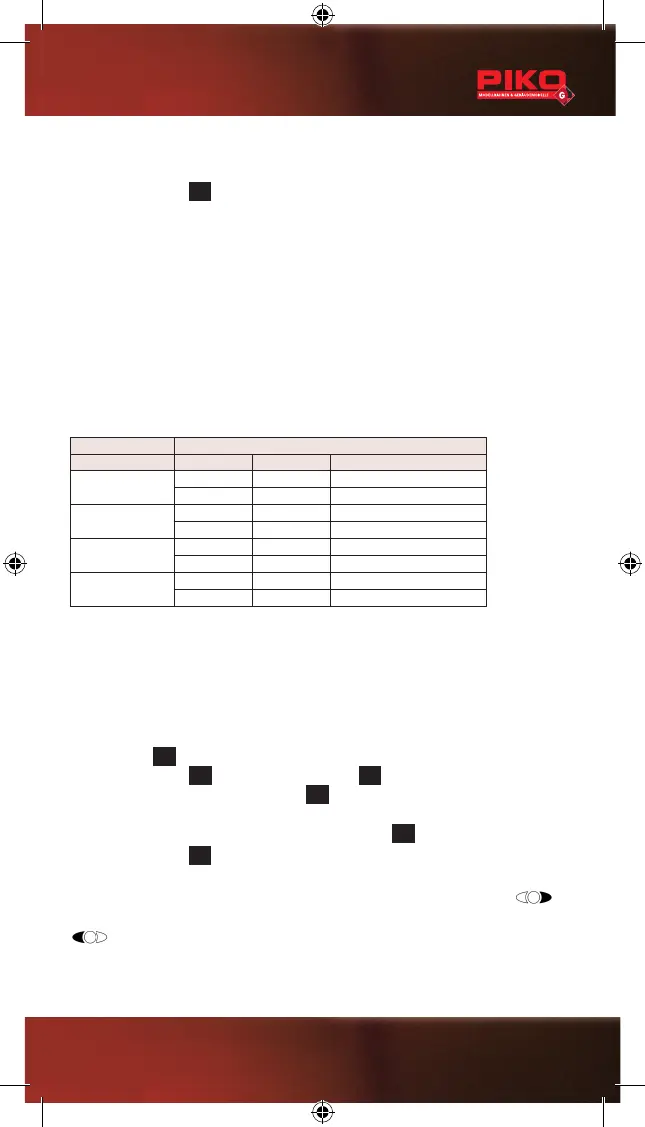
Examples: The CVs 51 and 52 are needed. CV51, for example, controls the
switching time to the right, CV52 the switching time to the left. You can enter 15
values ranging from 65 to 79 for the switching times.
Example SETTING THE POWER DURATION
CV no. Value Power „On“ Time
A
51 067 0,75 s right
52 065 0,25 s left
B
51 079 3,75 s right
52 079 3,75 s left
C
51 067 0,75 s right
52 067 0,75 s left
D
51 070 1,50 s right
52 069 1,25 s lleft
The CV table shows you all possible CVs which you can edit. See chapter 5.
You will nd all relevant information for programming the CVs in the operating
manual of your digital control unit.
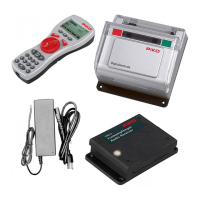
When using the PIKO system (digital central station and handheld remote),
please observe the following instructions.
Press the key
M3
of your Navigator to enter the main menu. Select “Decoder
Progr.” by pressing
M1
and conrm by pressing
M2
. Select “CV Programming”
by pressing M1 and conrm by pressing
M2
to enter the CV Programming menu.
You can now select the “CV No.” by entering the respective number (e.g. 51). Now
enter the requested “Value” and conrm it by pressing
M2
By pressing the key
M3
, you will return to the Navigator’s regular mode of function.
In the table displaying the examples, 067 (CV51) and 065 (CV52) were entered at
“A”, resulting in a switching time of 0.75 s to the right when pressing the key
of your Navigator and a switching time of 0.25 s to the left when pressing the key
of your Navigator.
Caution: When programming on the main layout track, remove any
locomotives from the track: Otherwise, their programming could be affected.
21


 To Next Page
 Loading...