4
Overview
Welcome to Pinnacle Video Transfer
Dear customer,
We would like to thank you for choosing a Pinnacle product. You have made an
excellent decision.
You now have all the options you need for recording your favorite movies or TV
shows from an analog video source directly onto your mobile USB mass storage
device so that you can watch them later.
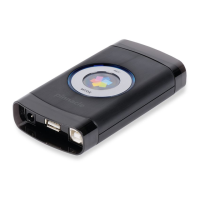
You don't even need a computer to do this. Pinnacle Video Transfer is an
external device that you connect to your video source and a mobile storage
device. You can start recording right away without having to worry about
configuring anything.
The recordings are made using the high-quality video compression format
H.264. This format is also very well suited to further processing on a PC with
VideoSpin, the new Pinnacle video editing software. You can download the
software free from http://www.videospin.com
at any time and install it on your
PC. Then you only need to copy the video which you have recorded on the
mobile storage device (e.g. an external USB hard disk or a USB flash memory
stick) on to your PC and you can start video editing.
The following devices can be used as (analog) video sources:
Video recorder
DVD player
Video camera
Set-top box
Television (when equipped with a fully connected SCART connector)
Game consoles
Any device that provides an analog video signal


 To Next Page