EasyManua.ls Logo

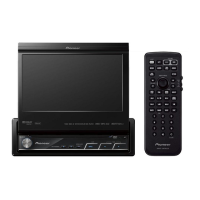
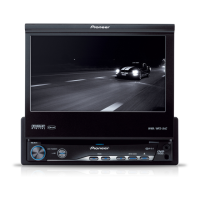
Pioneer AVH-P5350DVD - User Manual

Pioneer AVH-P5350DVD
108 pages
Print Icon
To Next Page IconTo Next Page
Loading...
Owners Manual
DVD AV RECEIVER
AVH-P6350BT
AVH-P5350DVD
English

Table of Contents

Questions and Answers

  • D
    David MackAug 10, 2025
    How to fix a Pioneer AVH-P5350DVD when the power will not turn on?
    • S
      stephaniesmithAug 10, 2025
      If your Pioneer Car Receiver's power won't turn on, first, double-check that all leads and connectors are correctly connected. If the connections are correct, the fuse may be blown. Identify and fix the cause of the blown fuse, then replace it with a fuse of the same rating.
  • G
    gmooreAug 15, 2025
    Why is the volume level low on my Pioneer AVH-P5350DVD and how do I fix it?
    • M
      Mark MckeeAug 15, 2025
      If the volume level is low on your Pioneer Car Receiver, the attenuator might be on. Turn the attenuator off to restore the volume.
  • C
    Cynthia ClarkAug 20, 2025
    What to do if there is no image displayed on my Pioneer AVH-P5350DVD Car Receiver?
    • S
      Sheila MurrayAug 20, 2025
      If your Pioneer Car Receiver displays no image, it could be due to noise or other factors causing the built-in microprocessor to malfunction. Try pressing the RESET button.
  • T
    Taylor NewmanAug 26, 2025
    Why is there no sound during still, slow motion, or frame-by-frame playback on my Pioneer Car Receiver?
    • C
      christopherhaleyAug 26, 2025
      If there is no sound during still, slow motion, or frame-by-frame playback on your Pioneer Car Receiver: * The disc may not be compatible with your video system. Try using a compatible disc. * The cables may not be connected correctly. Ensure all cables are properly connected.
  • S
    sarah21Aug 30, 2025
    Why is playback not possible on my Pioneer AVH-P5350DVD?
    • O
      owilliamsAug 30, 2025
      If your Pioneer Car Receiver is not playing media, consider these potential causes: * The disc may be dirty, so try cleaning it. * The disc type might not be compatible with the unit, so verify the disc type. * The file size and transmission rate could be above recommended levels; create a DivX file within the recommended specifications. * The aspect ratio may be incorrect, causing a stretched image; select the appropriate setting for your display.
  • M
    Michael MitchellSep 4, 2025
    What to do if the image pauses and the Pioneer AVH-P5350DVD is not responding?
    • C
      Cynthia StewartSep 4, 2025
      If you experience a pause in the image and the Pioneer Car Receiver becomes unresponsive, it may be verifying whether a disc is loaded. Stop playback and then restart it.

Pioneer AVH-P5350DVD Specifications

General IconGeneral
Screen Size6.1 inches
DVD PlaybackYes
CD PlaybackYes
MP3 PlaybackYes
WMA PlaybackYes
AAC PlaybackYes
USB InputYes
BluetoothNo
iPod ControlYes
iPhone ControlYes
Rear View Camera InputYes
Video OutputYes
Equalizer13-band graphic equalizer
Resolution800 x 480
Video Formats SupportedMPEG-1, MPEG-2, MPEG-4
Preamp Outputs3 pairs (Front, Rear, Subwoofer)
Max Power Output50W x 4
RMS Power Output22W x 4

Related product manuals