EasyManua.ls Logo

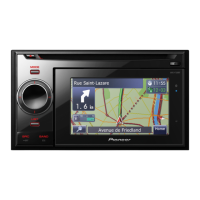
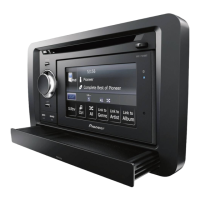
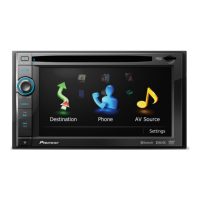
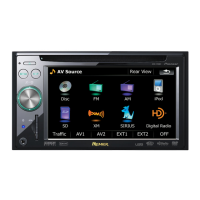
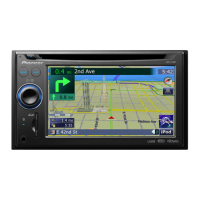
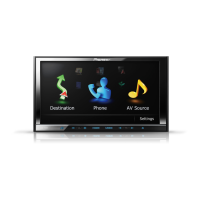
Pioneer AVIC-F30BT - User Manual

Pioneer AVIC-F30BT
208 pages
Print Icon
To Next Page IconTo Next Page
Loading...
Operation Manual
NAVIGATION AV SYSTEM
AVIC-F30BT
AVIC-F930BT
AVIC-F9310BT
Be sure to read Important Information for the User
first!
Important Information for the User includes the
important information that you must understand before
using this navigation system.
English

Table of Contents

Other manuals for Pioneer AVIC-F30BT

Questions and Answers

  • K
    Kathryn BurchJul 30, 2025
    What to do if Pioneer AVIC-F30BT power doesn’t turn on?
    • J
      Joseph WalkerJul 30, 2025
      If the Pioneer Car Receiver's power doesn't turn on, first, double-check all the connections to ensure they are correctly connected. If that doesn't work, the fuse might be blown. Find out why the fuse blew and replace it with a fuse that has the same rating. Also, noise could be interfering with the built-in microprocessor. If this is the case, park safely and turn off the engine. Turn the ignition key to off (ACC OFF), then restart the engine and the navigation system.
  • T
    Thomas HesterAug 13, 2025
    Why Pioneer AVIC-F30BT GPS has significant positioning error?
    • S
      Sonya AbbottAug 13, 2025
      If your Pioneer Car Receiver shows a significant positioning error, there could be several reasons: * The GPS aerial might be poorly placed. Check its position and the GPS signal reception. * Obstacles might be blocking satellite signals. Check GPS signal reception, reposition the GPS aerial if needed, or continue driving until reception improves. Also, keep the aerial clean. * The satellites' position relative to your vehicle might be inadequate. Continue driving until reception improves. * GPS satellite signals might have been altered, reducing accuracy. Wait until reception improves. * A nearby vehicle phone or mobile phone could be interfering with GPS reception. Keep the mobile phone's aerial away from the GPS aerial.

Pioneer AVIC-F30BT Specifications

General IconGeneral
Audio systemMOSFET
Supported radio bandsAM, FM
Widescreen-
Display diagonal7 \
Form factorFixed
Product colorBlack
Storage media typeFlash
Compatible memory cardsSD, SDHC
Built-in cameraNo
Audio formats supportedAAC, MP3, WMA
Video formats supportedH.264, MPEG4, WMV
Languages supportMulti
Number of points of interest6100000
Map coverageAll Europe
Number of countries covered44
Power source typeBattery, Cigar lighter
Weight and Dimensions IconWeight and Dimensions
Weight- g

Related product manuals