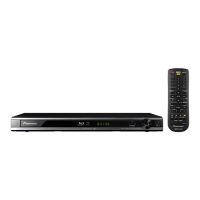
Operating the TV with the Player’s
Remote Control
When the manufacturer code for your brand of TV
is set on the player’s remote control, the TV can be
operated using the player’s remote control.
CAUTION
For some models it may not be possible to operate the TV •
with the player’s remote control, even for TVs of brands
listed on the manufacturer code list.
The setting may be restored to the default after the •
batteries are replaced. If this happens, reset it.
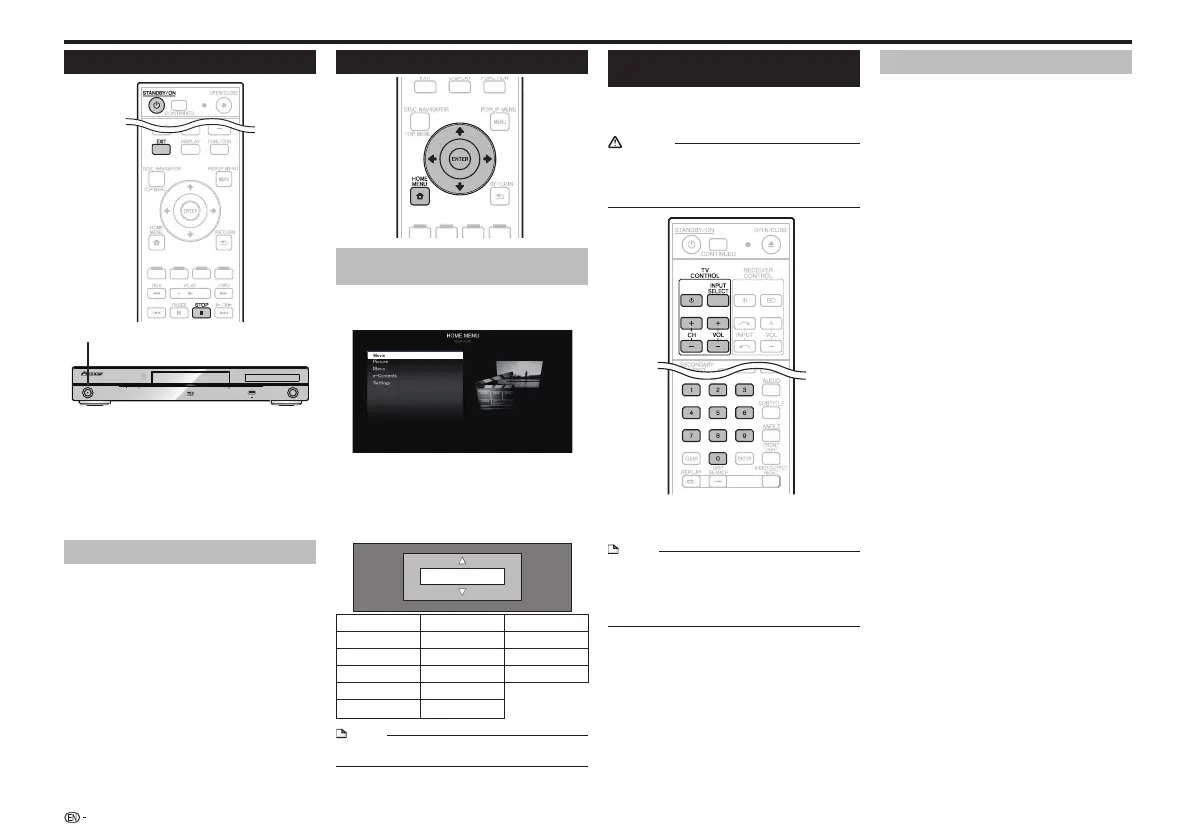
Input the 2-digit manufacturer code.1
Press the number buttons (0 to 9) to input the code •
while pressing TV CONTROL .
NOTE
The factory setting is 00 (PIONEER).•
If you make a mistake when inputting the code, release •
TV CONTROL then start over from the beginning.
When there are multiple codes for a manufacturer, try •
inputting them in the indicated order until the TV can be
operated.
Check that the TV can be operated.2
Operate the TV using TV CONTROL.•
Table of Manufacturer Codes
Manufacturer Code(s)
PIONEER 00, 31, 32, 07, 36, 42,
51
ACURA 44
ADMIRAL 31
AIWA 60
AKAI 32, 35, 42
AKURA 41
ALBA 07, 39, 41, 44
AMSTRAD 42, 44, 47
ANITECH 44
ASA 45
ASUKA 41
AUDIOGONIC 07, 36
BASIC LINE 41, 44
BAUR 31, 07, 42
BEKO 38
CONTEC 44
CROSLEY 32
CROWN 38, 44
CRYSTAL 42
CYBERTRON 41
DAEWOO 07, 44, 56
DAINICHI 41
DANSAI 07
DAYTON 44
DECCA 07, 48
DIXI 07, 44
DUMONT 53
ELIN 07
ELITE 41
ELTA 44
EMERSON 42
ERRES 07
FERGUSON 07, 36, 51
FINLANDIA 35, 43, 54
FINLUX 32, 07, 45, 48, 53, 54
FIRSTLINE 40, 44
FISHER 32, 35, 38, 45
FORMENTI 32, 07, 42
FRONTECH 31, 42, 46
FRONTECH/PROTECH 32
FUJITSU 48
FUNAI 40, 46, 58
GBC 32, 42
GE 00, 01, 08, 07, 10, 11, 17,
02, 28, 18
GEC 07, 34, 48
GELOSO 32, 44
GENERAL 29
GENEXXA 31, 41
GOLDSTAR 10, 23, 21, 02, 07,
50
GOODMANS 07, 39, 47, 48, 56
GORENJE 38
GPM 41
GRAETZ 31, 42
GRANADA 07, 35, 42, 43, 48
GRADIENTE 30, 57
GRANDIN 18
GRUNDIG 31, 53
HANSEA
TIC 07, 42
HCM 18, 44
HINARI 07, 41, 44
HISAWA 18
HITACHI 31, 33, 34, 36, 42, 43,
54, 06, 10, 24, 25, 18
HUANYU 56
HYPSON 07, 18, 46
ICE 46, 47
IMPERIAL 38, 42
INDIANA 07
INGELEN 31
INTERFUNK 31, 32, 07, 42
INTERVISION 46, 49
BEON 07
BLAUPUNKT 31
BLUE SKY 41
BLUE STAR 18
BPL 18
BRANDT 36
BTC 41
BUSH 07, 41, 42, 44, 47, 56
CASCADE 44
CATHAY 07
CENTURION 07
CGB 42
CIMLINE 44
CLARIVOX 07
CLATRONIC 38
CONDOR 38
MARK 07
MATSUI 07, 39, 40, 42, 44, 47,
48
MCMICHAEL 34
MEDIATOR 07
MEMOREX 44
METZ 31
MINERVA 31, 53
MITSUBISHI 09, 10, 02, 21, 31
MULTITECH 44, 49
NEC 59
NECKERMANN 31, 07
NEI 07, 42
NIKKAI 05, 07, 41, 46, 48
NOBLIKO 49
NOKIA 32, 42, 52
NORDMENDE 32, 36, 51, 52
OCEANIC 31, 32, 42
ORION 32, 07, 39, 40
OSAKI 41, 46, 48
OSO 41
OSUME 48
OTTO VERSAND 31, 32, 07, 42
P
ALLADIUM 38
PANAMA 46
PANASONIC 31, 07, 08, 42, 22
PATHO CINEMA 42
PAUSA 44
PHILCO 32, 42
PHILIPS 31, 07, 34, 56, 68
PHOENIX 32
PHONOLA 07
PROFEX 42, 44
PROTECH 07, 42, 44, 46, 49
QUELLE 31, 32, 07, 42, 45, 53
R-LINE 07
RADIOLA 07
RADIOSHACK 10, 23, 21, 02
RBM 53
RCA 01, 10, 15, 16, 17, 18, 61,
62, 09
REDIFFUSION 32, 42
REX 31, 46
ROADSTAR 41, 44, 46
SABA 31, 36, 42, 51
SAISHO 39, 44, 46
SALORA 31, 32, 42, 43
SAMBERS 49
SAMSUNG 07, 38, 44, 46, 69, 70
SANYO 35, 45, 48, 21, 14, 91
SBR 07, 34
SCHAUB LORENZ 42
SCHNEIDER 07, 41, 47
SEG 42, 46
SEI 32, 40, 49
SELECO 31, 42
SHARP 02, 19, 27, 67, 90
SIAREM 32, 49
Before Starting Playback
Turning the Power On
STANDBY/ON
PQLS
USB
FL OFFOPEN/CLOSE
3D
5 V 0.5 A
Press
STANDBY/ON.
Operate using the buttons on either the remote control or •
main unit.
“POWER ON” appears on the front panel display.•
When the power is turned on with no disc loaded, the •
Pioneer logo screen (wallpaper) is displayed.
When the power is turned on with the disc loaded, a menu •
screen may be displayed automatically, depending on the
disc.
When STOP or EXIT is pressed, the disc’s menu screen
turns off and the wallpaper is displayed.
Turning the power off
Press
STANDBY/ON again.
Operate using the buttons on either the remote control or •
main unit.
“POWER OFF” appears on the front panel display.•
If you press • STANDBY/ON again immediately after
entering standby, the Player may not turn on. If this
happens, wait for 10 seconds or more and then turn on the
STANDBY/ON again.
Language Setting
Changing the on-screen display
language
Press the 1 HOME MENU to display the HOME
MENU.
The HOME MENU is displayed.•
Press 2 to select “Settings”, then press
ENTER.
Press
3 to select “On Screen Language”,
then press ENTER.
Press
4 to select the language you want to
display on the screen, then press ENTER.
English
English Nederlands
Česky
Deutsch Svenska Magyar
Français Dansk Slovensky
Italiano Norsk
Slovenščina
Español Suomi
Português Polski
NOTE
To select the DVD disc language, such as subtitle •
language, etc., see page 14.
12
– Press to turn the TV’s power on and off.
INPUT SELECT – Press to switch the TV’s input.
CH +/– – Press to select the TV channel.
VOL +/– – Press to adjust the volume.
STANDBY/ON


 To Next Page