Playback
Playing back Slide Show
Load the disc or USB memory device on which 1
the image files are recorded, then press HOME
MENU to display the HOME MENU.
Press
2 to select “Photo”, then press
ENTER.
If only a disc or only a USB memory device is loaded/•
connected, proceed to step 4.
Press 3 to select “BD/DVD/CD” or “USB
Memory Device”, then press ENTER.
Select the folder.
4
Press 5 ENTER to play the file.
Press • PAUSE to pause the slide show. Press
PLAY to resume playback from where it stopped.
Press 6 STOP to stop the play at any time.
Press • RETURN to play a slide show of still images
in another folder.
Setting slide show speed/repeat
playback
Press 1 BLUE (Slide Show Menu) during the
folder selection screen.
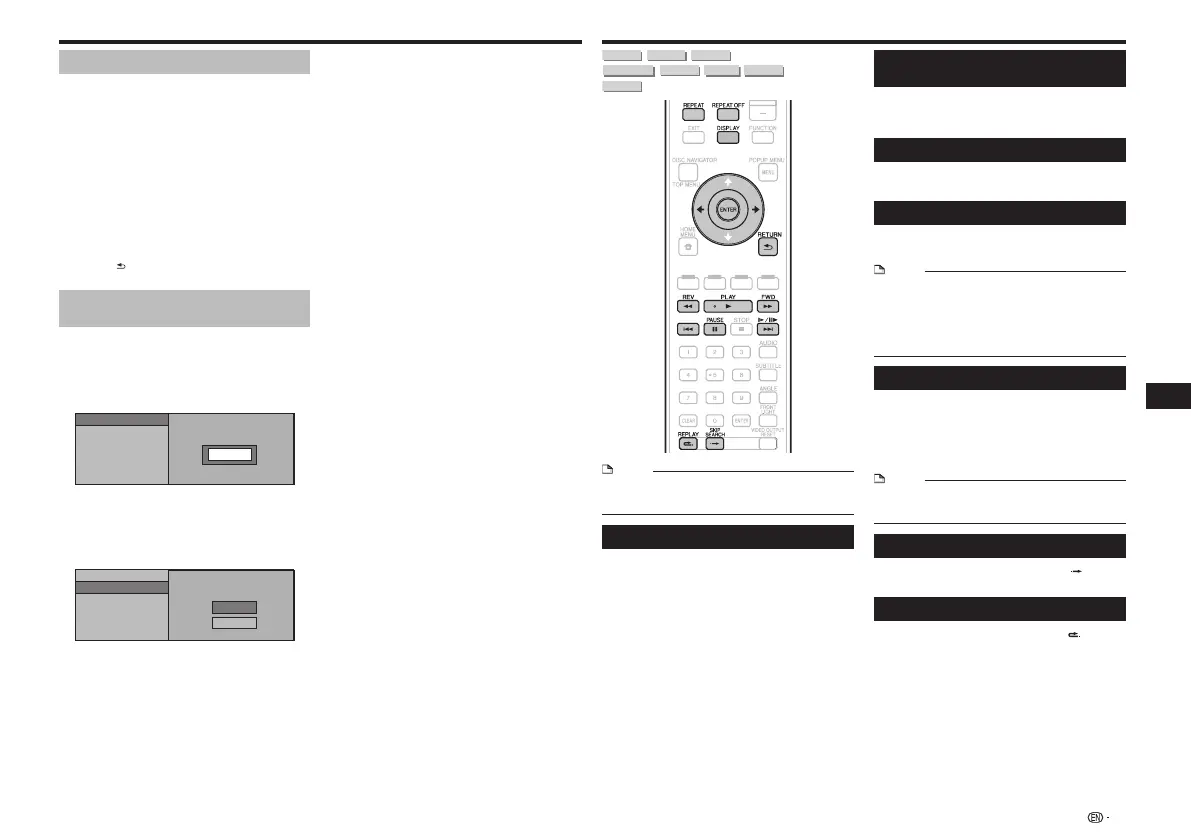
The setting screen for “Slide Show Speed”/“Repeat •
Mode Setting” appears.
Press 2 to select “Slide Show Speed”, then
press ENTER.
Slide Show Speed
Repeat Mode Setting
Normal
The slide show speed may be selected from “Fast”, •
“Normal”, “Slow1” and “Slow2”.
Press 3 to select the desired speed, then
press ENTER.
Press
4 to select “Repeat Mode Setting”,
then press ENTER.
Yes
No
Slide Show Speed
Repeat Mode Setting
Press 5 to select the desired item, then
press ENTER.
Press
6 EXIT to exit.
Playback Functions
BD VIDEO BD-RBD-RE
DVD VIDEO
DVD-R
DVD-RW
AVCHD
AUDIO CD
NOTE
Some operations in the following playback functions •
cannot be performed depending on the specifications of
the disc.
Fast Forward/Reverse (Search)
Fast Forward/Reverse functions when
REV or
FWD is pressed during playback.
Example: When FWD is pressed
The search speed will change each time you press the •
button.
It is not possible to fast-forward or reverse to adjacent •
titles. When the beginning or end of the title is reached,
fast-forwarding/reversing is canceled and normal playback
resumes.
Subtitles are not displayed when fast-forwarding/reversing •
BD-/DVD-Video discs.
Skipping to the Next or the Start of
the Current Chapter (Track)
Skipping (to the beginning of a chapter or track)
functions when
or
is pressed during
playback.
Pause
Pause functions when
PAUSE is pressed during
playback.
Frame Advance Playback
Frame Advance Playback functions when
is pressed during Pause.
NOTE
Frame advance playback is not possible with audio CDs.•
Frame Advance Playback may not function properly with •
discs other than DVD-RW (VR format).
Some BD/DVD Video discs are not compatible with Frame •
Advance Playback.
Frame Reverse Playback cannot be performed with this •
player.
Slow Playback
Slow Playback functions when
is
pressed for more than 2 seconds during pause.
Press • PLAY to return to normal playback.
Slow playback onto adjacent titles is not possible. When •
the beginning or end of the title is reached, slow playback
is canceled and normal playback resumes.
NOTE
This doesn’t work for audio CDs.•
Reverse Slow Playback cannot be performed with this •
player.
Skip Search
Playback skips 30 seconds ahead when SKIP
SEARCH is pressed during playback.
Replay
Playback jumps back 10 seconds when REPLAY
is pressed during playback.
17
Playback


 To Next Page