EasyManua.ls Logo

Pioneer BDP-430 - User Manual

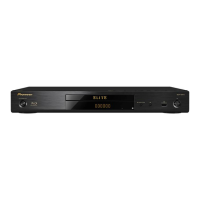
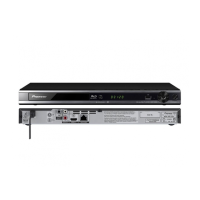
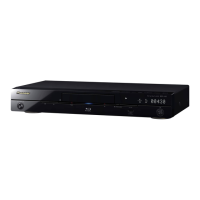
Pioneer BDP-430
32 pages
Print Icon
To Next Page IconTo Next Page
Loading...
Operating Instructions
Blu-ray 3D
TM
PLAYER
BDP-LX54
BDP-430

Table of Contents

Other manuals for Pioneer BDP-430

Questions and Answers

  • J
    Jennifer ThompsonSep 23, 2025
    Why does my TV operate incorrectly with my Pioneer BDP-430 Blu-ray Player?
    • J
      John SheaSep 23, 2025
      If the TV operates incorrectly when using your Pioneer Blu-ray Player, some TVs with wireless remote control capability may operate incorrectly when using the remote control of this Player. Use such TVs away from this Player.
  • M
    Michael EatonAug 23, 2025
    What to do if my Pioneer BDP-430 cannot play a disc?
    • J
      James BarrAug 23, 2025
      Ensure the disc is loaded properly: aligned in the disc tray with the label-side up. Clean the disc.
  • M
    miguel48Aug 25, 2025
    Why does the remote control not work for my Pioneer BDP-430?
    • S
      Scott LongAug 26, 2025
      If the remote control for your Pioneer Blu-ray Player isn’t working, try these steps: First, ensure you are within 7 meters (approximately 23 feet) of the player's remote control sensor. If that doesn't work, replace the batteries in the remote.
  • S
    Sabrina NicholsonAug 27, 2025
    What to do if screen freezes on Pioneer BDP-430?
    • Y
      ygreeneAug 27, 2025
      If the screen freezes and the operation buttons do not work on your Pioneer Blu-ray Player, try these steps: * Press ? STOP, then restart playback. * Turn off the power and turn on the power again. * If the power cannot be turned off, press and hold ? STANDBY/ON on the player’s front panel for at least 5 seconds to turn the power off. * Check the condition of the disc to see if it is damaged or dirty.
  • J
    james89Aug 27, 2025
    Why are 3D images not outputting correctly on my Pioneer BDP-430 Blu-ray Player?
    • D
      Deborah WestAug 27, 2025
      Connect this Player and the TV using an HDMI cable. Check whether the disc being played supports 3D. Check the 3D settings on this Player and on the TV. When an AV receiver is connected between this Player and the TV, check whether the AV receiver supports 3D. Note that 3D images may look different from person to person.
  • K
    Kenneth GibsonSep 18, 2025
    Why is there no picture on my Pioneer BDP-430?
    • L
      larry43Sep 18, 2025
      If there is no picture on your Pioneer Blu-ray Player, ensure that the cables are connected correctly and that the connected TV or the AV receiver is set to the correct input. Also, take out the disc and clean it, and make sure that the region code on the disc matches that of the Player. If there is no picture from the HDMI or component video output, check the settings.
  • P
    Paul ShawSep 14, 2025
    Why does video stop on my Pioneer Blu-ray Player?
    • D
      duane27Sep 14, 2025
      If the video stops on your Pioneer Blu-ray Player, it may be due to shock or vibration. Ensure the player is on a stable surface. Also, playback stops if a USB memory device is connected or disconnected during playback; avoid doing this during playback.
  • A
    Ashley HoltSep 16, 2025
    Why doesn't the HDMI control function work on my Pioneer BDP-430 Blu-ray Player?
    • R
      Rachel ZavalaSep 16, 2025
      If the control function with HDMI does not work on your Pioneer Blu-ray Player, connect the HDMI cable properly and use High Speed HDMI® Cables when using the control function with HDMI. The control function with HDMI may not operate properly if other HDMI cables are used.
  • W
    William HillSep 5, 2025
    Why does my Pioneer BDP-430 Blu-ray Player turn off automatically?
    • P
      Pamela NguyenSep 5, 2025
      If your Pioneer Blu-ray Player automatically turns off, check if the “Auto Power Off” setting is set to “Yes”. When “Auto Power Off” is set to “Yes”, the power will be automatically turned off after 10 continuous minutes of inactivity (no playback).
  • J
    Jeffrey MorrisonSep 3, 2025
    Why does my Pioneer BDP-430 Blu-ray Player power off automatically?
    • A
      April MunozSep 3, 2025
      Check if “Auto Power Off” is set to “Yes”. When “Auto Power Off” is set to “Yes”, the power will be automatically turned off after 10 continuous minutes of inactivity (no playback).

Summary

Safety and Operating Precautions

IMPORTANT

Key warnings and precautions for safe operation and handling of the player.

CAUTION

Warnings about electrical shock hazards and product safety measures.

WARNING

Precautions regarding water, ventilation, and operating environment to prevent fire or shock.

Product Overview and Initial Setup

Troubleshooting and Specifications

Troubleshooting Power and Basic Operation

Solutions for common issues with power, remote control, and player operation.

Troubleshooting Media and Picture Issues

Solutions for problems related to disc playback, file compatibility, and picture display.

Troubleshooting Sound and Network

Solutions for audio output problems and network connection failures.

System Reset and Error Messages

How to perform a system reset and interpret error messages.

Specifications

Technical details of the player including power, dimensions, and input/output terminals.

Pioneer BDP-430 Specifications

Power IconPower
power requirements120 V 60 Hz
Weight and Dimensions IconWeight and Dimensions
weight5 lbs. 8 oz.
width16.56”
height2.64”
depth9”

Related product manuals