EasyManua.ls Logo

Pioneer BDP-430 - User Manual

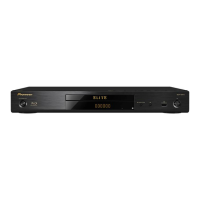
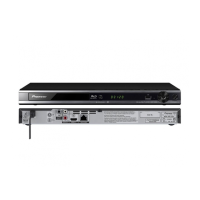
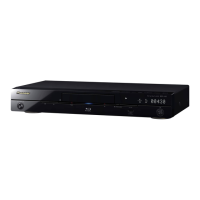
Pioneer BDP-430
32 pages
Print Icon
To Next Page IconTo Next Page
Loading...
Operating Instructions
Blu-ray 3D
TM
PLAYER
BDP-LX54
BDP-430

Table of Contents

Other manuals for Pioneer BDP-430

Questions and Answers

  • K
    Katherine AndersenSep 7, 2025
    Why does my Pioneer BDP-430 turn on by itself?
    • J
      jenna52Sep 7, 2025
      If your Pioneer Blu-ray Player automatically turns on, this can happen when “Settings” – “Control” is set to “Yes” on the player. The player’s power may turn on when the connected TV is operated.
  • M
    Melissa SpenceAug 22, 2025
    Why is there no sound or distorted sound from my Pioneer Blu-ray Player?
    • T
      Terry WalkerAug 22, 2025
      If the volume of your TV or amplifier is set to the minimum, increase the volume. Ensure the audio cable is correctly connected and the plugs are clean. Also, try taking out the disc and cleaning it.
  • J
    Joseph HaasSep 4, 2025
    Why are the left and right audio channels reversed on my Pioneer BDP-430?
    • R
      Ryan TaylorSep 4, 2025
      Ensure that left and right audio cables are not connected to the opposite terminal, and that neither side is disconnected.
  • J
    Jeffrey MorrisonSep 3, 2025
    Why does my Pioneer BDP-430 Blu-ray Player power off automatically?
    • A
      April MunozSep 3, 2025
      Check if “Auto Power Off” is set to “Yes”. When “Auto Power Off” is set to “Yes”, the power will be automatically turned off after 10 continuous minutes of inactivity (no playback).
  • W
    William PetersSep 2, 2025
    Why is the disc automatically ejected after closing the disc tray on my Pioneer BDP-430 Blu-ray Player?
    • D
      davismirandaSep 2, 2025
      Make sure that the disc is loaded properly (aligned in disc tray and label-side up).
  • P
    Patricia BryantAug 31, 2025
    Why does square noise (mosaic) appear on the screen of my Pioneer BDP-430 Blu-ray Player?
    • J
      Julie WalkerAug 31, 2025
      Blocks in images may be visible in scenes with rapid movement due to the characteristics of digital image compression technology.
  • M
    Mr. Bobby Willis MDAug 30, 2025
    Why does my Pioneer BDP-430 make a snapping sound?
    • K
      Kristin LutzAug 30, 2025
      The player may sometimes make a snapping sound when starting playback if it has not been operated in a while. These sounds are not malfunctions of the player but are normal operating conditions.
  • L
    Lorraine PettyAug 28, 2025
    What to do if Pioneer BDP-430 Blu-ray Player screen freezes?
    • P
      pachecojonathanAug 29, 2025
      Press the STOP button, then restart playback. Turn the power off and then on again. If the power cannot be turned off, press and hold the STANDBY/ON button on the player’s front panel for at least 5 seconds. Check the condition of the disc.
  • J
    james89Aug 27, 2025
    Why are 3D images not outputting correctly on my Pioneer BDP-430 Blu-ray Player?
    • D
      Deborah WestAug 27, 2025
      Connect this Player and the TV using an HDMI cable. Check whether the disc being played supports 3D. Check the 3D settings on this Player and on the TV. When an AV receiver is connected between this Player and the TV, check whether the AV receiver supports 3D. Note that 3D images may look different from person to person.
  • S
    Sabrina NicholsonAug 27, 2025
    What to do if screen freezes on Pioneer BDP-430?
    • Y
      ygreeneAug 27, 2025
      If the screen freezes and the operation buttons do not work on your Pioneer Blu-ray Player, try these steps: * Press ? STOP, then restart playback. * Turn off the power and turn on the power again. * If the power cannot be turned off, press and hold ? STANDBY/ON on the player’s front panel for at least 5 seconds to turn the power off. * Check the condition of the disc to see if it is damaged or dirty.

Summary

Safety and Operating Precautions

IMPORTANT

Key warnings and precautions for safe operation and handling of the player.

CAUTION

Warnings about electrical shock hazards and product safety measures.

WARNING

Precautions regarding water, ventilation, and operating environment to prevent fire or shock.

Product Overview and Initial Setup

Troubleshooting and Specifications

Troubleshooting Power and Basic Operation

Solutions for common issues with power, remote control, and player operation.

Troubleshooting Media and Picture Issues

Solutions for problems related to disc playback, file compatibility, and picture display.

Troubleshooting Sound and Network

Solutions for audio output problems and network connection failures.

System Reset and Error Messages

How to perform a system reset and interpret error messages.

Specifications

Technical details of the player including power, dimensions, and input/output terminals.

Pioneer BDP-430 Specifications

Power IconPower
power requirements120 V 60 Hz
Weight and Dimensions IconWeight and Dimensions
weight5 lbs. 8 oz.
width16.56”
height2.64”
depth9”

Related product manuals