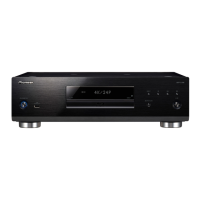
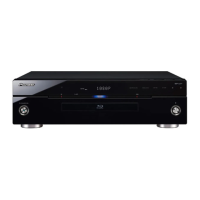
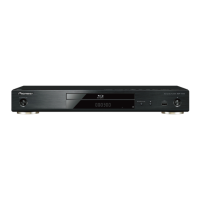
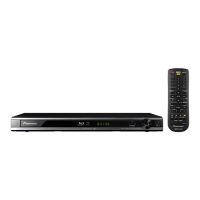
The following problems do not always suggest a defect or malfunction of this Player.
Refer to the problems and lists of possible solutions below.
Power
The Player power cannot be turned on. • Is the power cord firmly plugged into the AC outlet?
• When the power cord is plugged into an AC outlet, press and hold u SANDBY/ON on the
Player until "RESET" appears on the front panel display.
The power will be automatically turned off. Then turn on power again.
The Player power is turned on
automatically.
• When "Settings" – "control function setting" is set to "Yes" on the player, the player’s power
may turn on when the connected TV is operated.
The Player power is turned off
automatically.
• Is "Auto Power Off" set to "Yes"? When "Auto Power Off" is set to "Yes", the power will be
automatically turned off after 10 continuous minutes of inactivity (no playback).
• When "Settings" – "control function setting" is set to "Yes" on the player, the player’s power
may turn off when the power of the connected TV is turned off.
Basic Operation
The remote control does not work. • Use the remote control within its operating range.
• Replace the batteries.
Cannot operate the Player. • Are you operating the Player within the specified operating temperature range?
Disc Playback
The Player cannot play a disc. • Take out the disc and clean it.
• Make sure that the disc is loaded properly (aligned in disc tray and label-side up).
• Make sure that region code on the disc matches that of this Player.
• Allow any condensation in or near the Player to dry.
• Check that the disc is recorded in the compatible TV system (PAL or NTSC).
• The Player cannot play back video which was not recorded normally.
• Proper playback may be impossible due to the state of the disc recording, a scratched,
warped or dirty disc, the state of the pick-up, or compatibility issues between this Player
and the disc being used.
• When the recorded time of a disc is unusually short, playback may not be possible.
• BD-RE/-R discs recorded in a format other than BDMV/BDAV cannot be played back.
The disc is automatically ejected after
closing the disc tray.
• Make sure that the disc is loaded properly (aligned in disc tray and label-side up).
• Take out the disc and clean it.
• Make sure that region code on the disc matches that of this Player.
• Make sure that the disc is playable.
.spotsoediV • Has the Player been subjected to shock or impact? Are you using it in an unstable location?
The Player will stop if it senses shock or vibration.
The Player makes a snapping sound
when starting playback or loading a disc.
• The player may sometimes make a snapping sound when starting playback if it has not been
operated in a while. These sounds are not malfunctions of the player but are normal operating
conditions.
[1] Troubleshooting Table
Problem Possible causes and solutions
Problem Possible causes and solutions
Problem Possible causes and solutions


 To Next Page
 Loading...