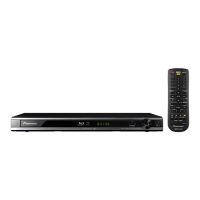
Necessary Items
• USB memory device (one having an access lamp is preferable)
• Files for error-rate measurement (BDP430_ER.ZIP)
(Download the above zip folder from Niis then unzip it.)
1 Place the two files in a folder indicated below in the root directory of the USB memory device.
(NEVER place a folder, such as the "in" folder, in the root directory.)
Three types of files are provided: those for measuring the inner track, middle track, and outer track.
Depending on the track you wish to measure, copy the files in the corresponding folder into the USB memory device.
These files can be used for measuring error rates of both a DVD and BD.
A medium to be measured will be automatically distinguished.
For measurement of error rates for the inner track, use the following files in the "in" folder:
• BDP430_Measure_Error_in
• BrcmLstaTrigger
For measurement for the middle track, use the following files in the "mid" folder:
• BDP430_Measure_Error_mid
• BrcmLstaTrigger
For measurement for the outer track, use the following files in the "od" folder:
• BDP430_Measure_Error_od
• BrcmLstaTrigger
2 With the unit's power off, plug the USB memory device into the USB port on the front or rear panel of the unit.
3 Turn on the unit.
4 A test will start automatically.
The message indicating that a test is in progress will be displayed.
The tray opens automatically. Load a disc whose error rates you wish to measure on the tray then close it manually.
5 The tray will open after 10 to dozens of seconds. Remove the disc then close the tray manually.
(Error rates will only be displayed after the tray is closed.)
Measurement Method


 To Next Page
 Loading...