01
12
En
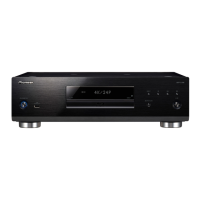
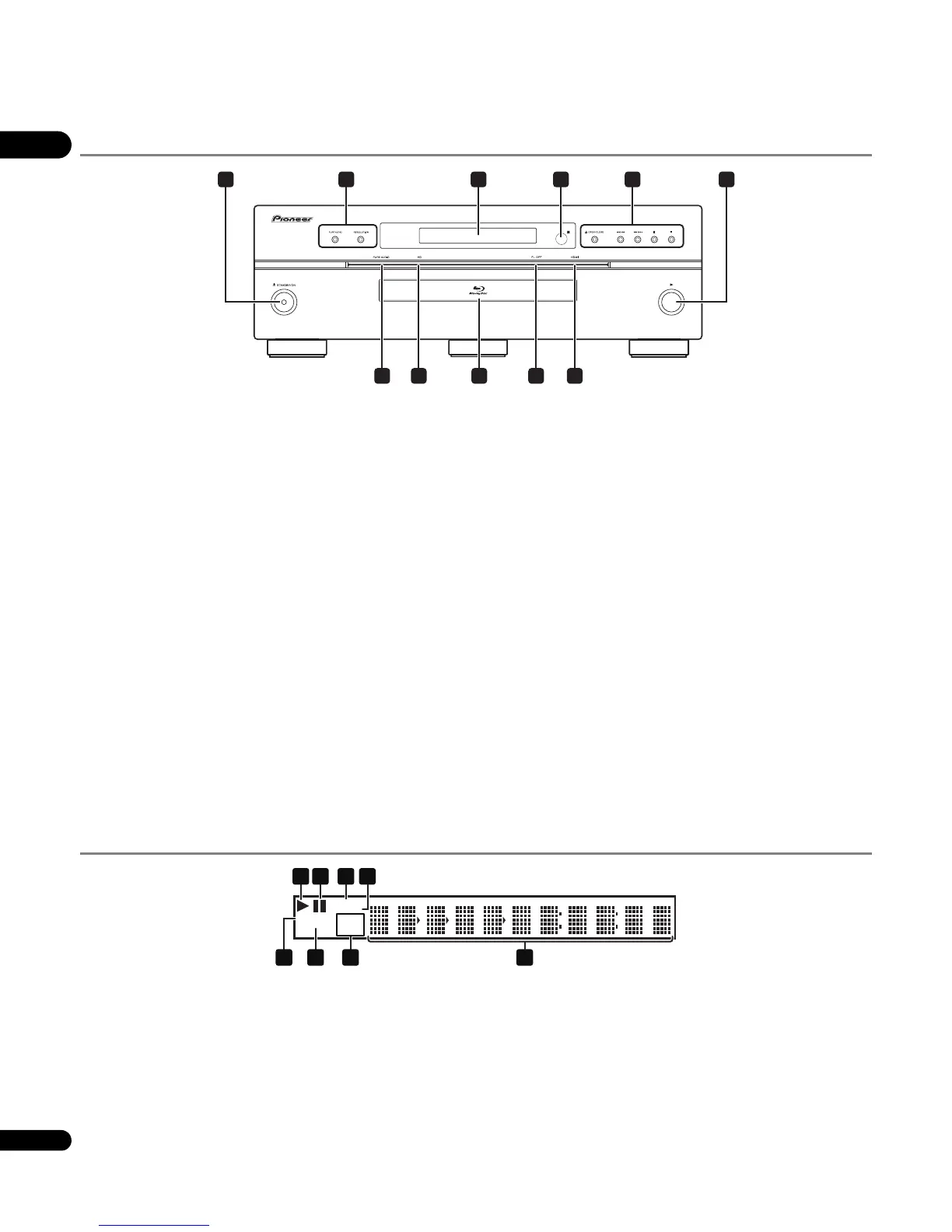
Front Panel
1 STANDBY/ON
Press to turn the power on and off.
2 PURE AUDIO – High quality audio signals with any extraneous
noise eliminated are output (page 52).
RESOLUTION – Press to switch the output video resolution from
HDMI OUT or COMPONENT VIDEO output terminals (page 24).
3 Front panel display
4 Remote control sensor
Point the remote control to this, then operate it within approximately
7 m.
The player may have trouble capturing remote control signals if
there is a fluorescent light nearby. If this happens, move the player
away from the fluorescent light.
5 OPEN/CLOSE – Press to open and close the disc tray.
/ – Press to skip to the beginning of the previous title/
chapter/track/file. Press and hold to start reverse scanning
(pages 26 and 27).
/ – Press to skip to the beginning of the next title/
chapter/track/file. Press and hold to start forward scanning
(pages 26 and 27).
– Press during playback to pause. Press again to restart
playback.
– Press to stop playback.
6
Press to start playback.
7 HDMI indicator
This lights when an HDMI-compatible device is connected to an
HDMI OUT (MAIN) or HDMI OUT (SUB) terminal (page 14).
8 FL OFF indicator
This lights when Off is selected with FL DIMMER.
9 Disc tray
10 HD indicator
This lights when an HDMI cable is connected and video signals are
being output with a resolution of 1080/50i, 1080/50p, 720/50p, 1080/
24p, 1080/60i, 1080/60p or 720/60p. It also lights when a component
video cable is connected and video signals are being output with a
resolution of 1080/60i or 720/60p.
11 PURE AUDIO indicator
This lights when PURE AUDIO is set to Mode 1 or Mode 2
(page 52).
Front Panel Display
1
Lights during playback.
2
Lights when playback is paused.
3LAN
Lights when there is an active local area network (LAN) connection
(page 19).
4PQLS
Lights when the PQLS function is activated (page 15).
5 Character display
Displays the title/chapter/track number, elapsed time, etc.
6 24HZ/50HZ/60HZ
The frequency of the video frame or field being output lights.
7CONTROL
Lights when the KURO LINK function is activated (page 15).
8 HDMI 1 2
HDMI 1 lights when VIDEO SELECT is pressed and the HDMI OUT
(MAIN) terminal is selected. HDMI 2 lights when the HDMI OUT
(SUB) terminal is selected (page 24).
1 6
43
79 81011
2 5
PQLS
LAN
24HZ
50HZ
60HZ
CONTROL
HDMI 1 2
5
1 2
678
3 4



 To Next Page
 Loading...