06
42
En
Chapter 6
Advanced settings
Changing the settings
Operating the Initial Setup screen
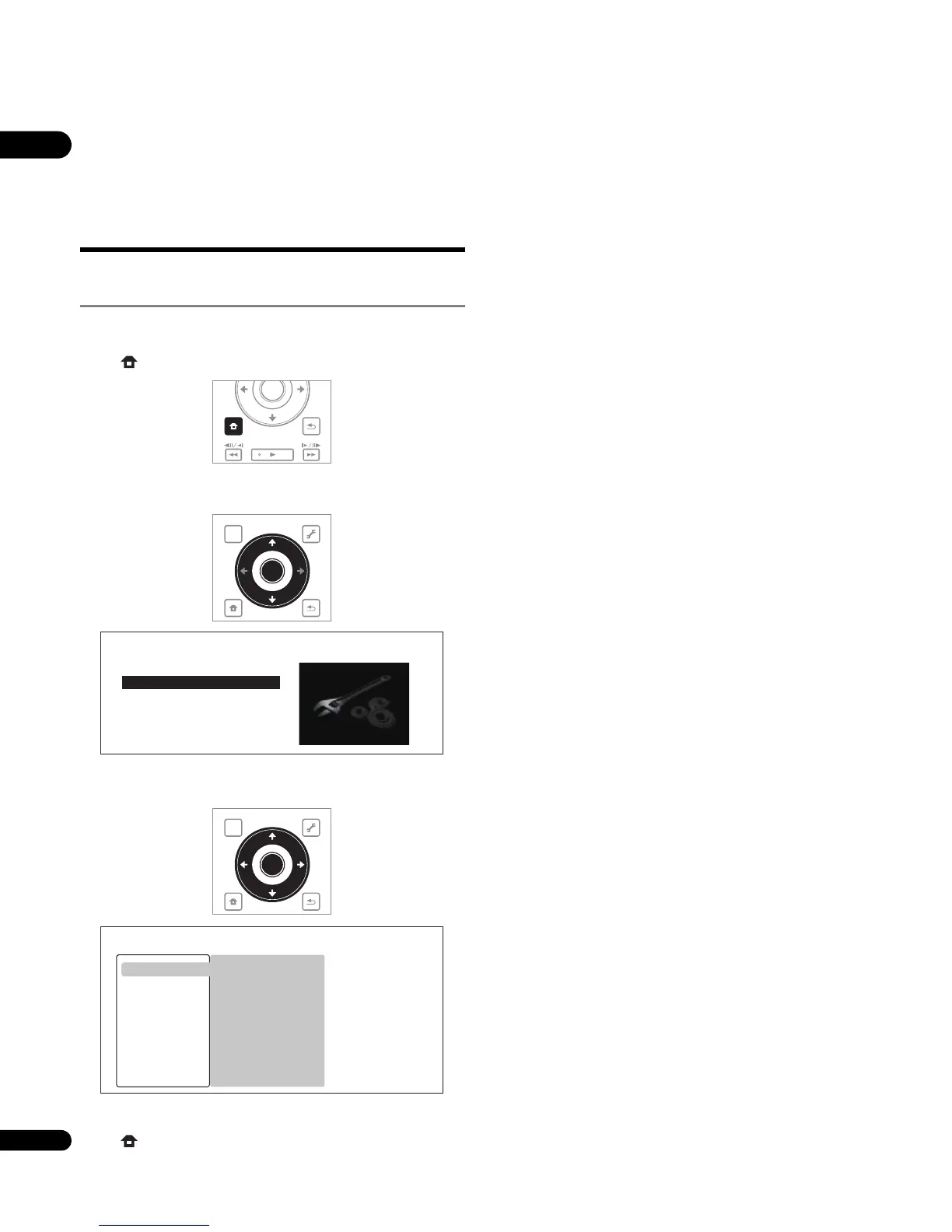
1 When playback is stopped, display the Home Menu screen.
Press HOME MENU.
2 Select and set Initial Setup.
Use / to select, then press ENTER.
3 Select the item and change the setting.
Use /// to select, then press ENTER.
Closing the Initial Setup screen
Press HOME MENU.
HOME
MENU
RETURN
PLAY
ENTER
TOP MENU
TOOLS
HOME
MENU
RETURN
ENTER
HOME MENU
BD PLAYER
Home Media Gallery
Initial Setup
TOP MENU
TOOLS
HOME
MENU
RETURN
ENTER
16:9 (Widescreen)
Full
Letter Box
On
Initial Setup
BD PLAYER
TV Aspect Ratio
4:3 Video Out
DVD 16:9 Video Out
NTSC on PAL TV
Video Out
Audio Out
Speakers
HDMI MAIN
HDMI SUB
Playback
Language
Parental Lock



 To Next Page
 Loading...