This document describes the Pioneer DEH-1300MP CD Receiver, an autoradio CD player with radio functionality. It provides instructions for operation, installation, and troubleshooting, along with important safety information and details about compressed audio compatibility.
Function Description
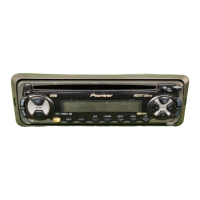
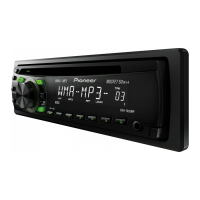
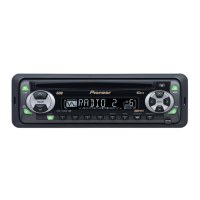
The Pioneer DEH-1300MP is a car audio system designed to play CDs, CD-R/CD-RW discs, and compressed audio files (WMA, MP3, WAV). It also features an AM/FM tuner and an auxiliary input for connecting external devices. The unit is equipped with a detachable front panel for security.
The main display section shows tuner band and frequency, or for the built-in CD player, elapsed playback time and text information. It also indicates the track number or preset number. If a track number is 100 or more, a specific indicator will light up. The display shows the type of the currently playing file (MP3/WMA), whether repeat play is on (RPT), if loudness is on (LOUD), if stereo broadcasting is being received (stereo), and if local seek tuning is on (LOC).
The unit offers various audio adjustments, including fader/balance control (FAD) to adjust front/rear and left/right speaker balance. An equalizer (BASS/MID/TREBLE) allows users to adjust sound levels, with settings stored in CUSTOM. The loudness function (LOUD) compensates for deficiencies in low- and high-frequency ranges at low volume, with LOW and HI settings available. Source Level Adjustment (SLA) helps prevent radical volume changes when switching between different sources, with settings based on the FM volume level.
The tuner allows for selecting different bands (F1, F2, F3 for FM, or AM) and offers manual tuning step by step. Seek tuning can be initiated by pressing and holding the seek buttons, and it can be canceled by a brief press. The unit also supports storing and recalling up to six stations for each band using preset tuning buttons. The Best Stations Memory (BSM) function automatically stores the six strongest stations in order of signal strength. Local seek tuning (LOCAL) allows tuning in only to radio stations with sufficiently strong signals, with adjustable sensitivity levels.
For CD playback, the unit supports inserting discs with the label side up and ejecting them with a dedicated button. Users can select folders and tracks, and perform fast forwarding or reversing. When playing compressed audio, there is no sound during fast forward or reverse. The unit can switch between compressed audio and CD-DA.
Function settings for CD playback include Repeat Play (RPT) with options to repeat all tracks (DSC), the current track (TRK), or the current folder (FLD). Random Play (RDM) shuffles tracks, and if enabled during folder repeat, FRDM appears. Scan Play (SCAN) searches for songs within a selected repeat range, and if enabled during folder scan, FSCN appears. A pause function is also available. The Sound Retriever (SRTRV) automatically enhances compressed audio and restores rich sound, with settings for low and high compression rates.
Initial settings include setting the clock, where users can adjust hour and minute segments. The auxiliary input (AUX) setting needs to be activated to use an external auxiliary device connected to the unit.
Usage Features
The DEH-1300MP can be operated using either the head unit buttons or the supplied remote control. The remote control mirrors most head unit functions, with the addition of an ATT (attenuate) button for muting.
The front panel is detachable for security and can be removed by pressing the detach button and pulling it upward. To re-attach, slide the front panel to the left, ensuring tabs are inserted into slots, then press the right side until it's firmly seated.
The unit is turned on by pressing SRC/OFF and turned off by pressing and holding SRC/OFF. Sources can be cycled through using SRC/OFF, including TUNER, CD, and AUX. Volume is adjusted by turning SRC/OFF.
Text information on the display can be scrolled to the left by pressing and holding D (DISP/SCRL). The clock display can be turned on or off by pressing the clock button, and it temporarily disappears during other operations before reappearing.
When using an AUX source, a stereo mini plug is inserted into the AUX input jack, and AUX is selected as the source via SRC/OFF. The auxiliary setting must be turned on for AUX to be selectable.
Maintenance Features
The manual emphasizes several maintenance and care guidelines:
- Keep the battery for the remote control out of reach of children and consult a doctor if swallowed. Batteries should not be exposed to excessive heat.
- Use one CR2025 (3V) lithium battery for the remote control. Remove the battery if the remote control is not used for a month or longer.
- If the battery leaks, wipe the remote control clean and install a new battery. Dispose of used batteries according to local regulations.
- Handle the front panel gently when removing or attaching it, and avoid subjecting it to excessive shock. Keep the front panel out of direct sunlight and high temperatures.
- Remove any cables and devices attached to the front panel before detaching it to avoid damage.
- For disc care, use only conventional, fully circular discs. Do not insert anything other than a CD. Avoid cracked, chipped, warped, or damaged discs.
- Unfinalized CD-R/CD-RW disc playback is not possible.
- Do not touch the recorded surface of discs. Store discs in their cases when not in use.
- Avoid leaving discs in excessively hot environments or direct sunlight.
- Do not attach labels, write on, or apply chemicals to the surface of discs.
- To clean a CD, wipe it with a soft cloth outward from the center.
- If condensation occurs, allow the player to adjust to warmer temperatures for about an hour and wipe any damp discs.
- If error messages appear, such as "ERROR-11, 12, 17, 30," clean the disc. If "ERROR-15" or "ERROR-23" appears, replace the disc. For other errors, turning the ignition switch off and on, or switching sources, may resolve the issue.
- The unit is designed for 12-cm discs; do not use 8-cm discs or adapters for them.



 To Next Page

 General