EasyManua.ls Logo

Pioneer DEH-3300UB - User Manual

Pioneer DEH-3300UB
48 pages
Print Icon
To Next Page IconTo Next Page
Loading...
EspañolFrançaisEnglish
Owner’s Manual
Mode d’emploi
Manual de instrucciones
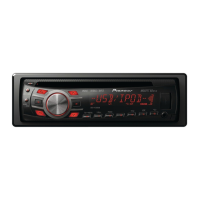
DEH-3300UB
DEH-4300UB
CD RDS RECEIVER
AUTORADIO CD RDS
REPRODUCTOR DE CD CON RECEPTOR RDS
<CRD4525-A/N>1

Table of Contents

Questions and Answers

  • D
    delacruztrevorAug 16, 2025
    Why is there no audio from my Pioneer Car Receiver when using USB?
    • S
      Samantha CruzAug 16, 2025
      If you're experiencing no audio from your Pioneer Car Receiver when using a USB storage device, it could be because there are no songs on the device. Try transferring audio files to the USB storage device and connecting it again.
  • T
    Tracy ChavezAug 19, 2025
    What to do if my Pioneer DEH-3300UB says 'CHECK USB'?
    • H
      hhobbsSep 12, 2025
      If your Pioneer Car Receiver displays 'CHECK USB', it could be due to a short circuit in the USB connector or cable, or because the connected USB storage device has security enabled. Try following the USB storage device instructions to disable the security. Alternatively, try playing an audio file that is not embedded with Windows Media DRM 9/10.
  • C
    chutchinsonAug 22, 2025
    How to fix ERROR-11 or ERROR-12 on Pioneer Car Receiver?
    • M
      Matthew OconnorAug 23, 2025
      ERROR-11 or ERROR-12 on your Pioneer Car Receiver typically indicates a problem with the disc. This could be because the disc is dirty, so try cleaning it. If cleaning doesn't work, the disc might be scratched, in which case you should replace it.
  • M
    Miguel RodriguezAug 26, 2025
    What causes ERROR-19 on Pioneer DEH-3300UB and how to fix it?
    • S
      svelazquezAug 26, 2025
      ERROR-19 on your Pioneer Car Receiver indicates a communication failure or an iPod failure. To resolve this, try the following: * Turn the ignition switch OFF and then back ON. * Disconnect the USB storage device. * Change to a different source and then return to the USB source. If you are using an iPod, disconnect the cable, wait for the iPod's main menu to display, then reconnect the iPod and reset it.
  • T
    Tamara HowardAug 28, 2025
    Why does my Pioneer DEH-3300UB Car Receiver display 'SKIPPED' when playing from USB?
    • J
      Jennifer MarshallAug 28, 2025
      If your Pioneer Car Receiver displays 'SKIPPED' when playing from a USB storage device, it's likely because the device contains WMA files embedded with Windows Media DRM 9/10. To resolve this, turn the ignition switch OFF and then back ON, or switch to a different source and then back to the CD player.
  • C
    christine99Aug 31, 2025
    What does ERROR-15 mean on my Pioneer DEH-3300UB?
    • T
      thompsonseanSep 1, 2025
      ERROR-15 on your Pioneer Car Receiver means that the inserted disc is blank. Replace the disc with one that contains audio content.
  • K
    Katherine TaylorSep 3, 2025
    Why does my Pioneer DEH-3300UB display 'SKIPPED' when playing a CD?
    • E
      ekeithSep 3, 2025
      If your Pioneer Car Receiver displays 'SKIPPED' when playing a CD, it means that the inserted disc contains DRM protected WMA files.
  • K
    Kenneth LarsonSep 6, 2025
    What to do if my Pioneer DEH-3300UB Car Receiver shows ERROR-23?
    • S
      Stacey JohnstonSep 6, 2025
      If your Pioneer Car Receiver shows ERROR-23, it means the CD format is not supported. You should replace the disc with a supported format.
  • L
    lisa15Sep 9, 2025
    Why does my Pioneer DEH-3300UB Car Receiver say 'PROTECT' when using a USB drive?
    • L
      Laura BoydSep 9, 2025
      If your Pioneer Car Receiver displays 'PROTECT' when using a USB drive, it indicates that all the files in the USB storage device are embedded with Windows Media DRM 9/10.
  • J
    james70Sep 12, 2025
    Why does the Pioneer DEH-3300UB Car Receiver display stay on when turned off?
    • C
      cheryl18Sep 12, 2025
      If the display of your Pioneer Car Receiver remains illuminated even when the unit is turned off, it suggests the unit is malfunctioning or experiencing interference. Try moving any nearby electrical devices that might be causing the interference away from the unit.

Summary

Before You Start

Safety Precautions

Essential safety warnings, hearing protection advice, and handling precautions for the unit.

User and Support Information

Information for users, Canadian model notes, demo mode, after-sales service, and website details.

Operating this unit

Head Unit and Remote Control Overview

Explains the controls on the head unit and its remote, along with display indications.

Operating this unit

Basic Unit Operations

Covers turning the unit on/off, selecting sources, adjusting volume, and using the remote control.

Tuner and Function Settings

Details on operating the tuner, managing function settings, and display options.

Operating this unit

Media Playback Operations

Instructions for playing CD, USB, and iPod media, including file selection and text display.

Advanced Playback Features

Information on repeat play, random play, and sound retriever functions.

Operating this unit

iPod and Function Customization

Details on operating the iPod remotely, advanced function settings, and audio adjustments.

Operating this unit

Source Level and Initial Settings

How to adjust source levels, set initial settings like clock and AUX, and configure SW control.

Illumination and Display Customization

Guide to selecting illumination colors, using AUX source, and managing clock display.

Installation

Wiring Connections

Detailed instructions and diagrams for connecting the unit's wiring harness and power.

Grounding and Power Connections

Specific guidance on proper grounding and connecting the ACC (accessory) power.

Installation

Amplifier Connection and Mounting

Instructions for connecting a power amplifier and various mounting methods for the unit.

Unit Removal and Front Panel Handling

Steps for removing the unit from the dashboard and handling the detachable front panel.

Troubleshooting

Error Messages and Solutions

Common error messages for CD player, USB, and iPod with their causes and solutions.

Additional Information

Media Handling and Compatibility

Guidelines for handling discs, USB devices, iPods, and compatibility with audio file formats.

iPod Settings and DualDiscs

Information on iPod settings, DualDisc compatibility, and compressed audio format support.

Additional Information

USB and iPod Specifics

Details on USB partitioning, iPod compatibility, file sequence, and copyright information.

Technical Specifications

Comprehensive technical specifications of the unit, including power, dimensions, and weight.

Additional Information

Audio Format Specifications

Detailed specifications for WMA, MP3, and WAV decoding formats.

USB, Tuner, and Amplifier Specifications

Specifications for USB, FM/AM tuners, and CEA2006 compliant amplifier performance.

Pioneer DEH-3300UB Specifications

General IconGeneral
MP3 playbackYes
DVD Audio playbackNo
Audio formats supportedMP3, WMA
Supported radio bandsAM, FM
Preset stations quantity24
Display typeLCD
Illumination colorWhite
Product colorBlack
Audio output channels4.0 channels
Maximum power per channel50 W
I/O ports1x RCA 1x USB
Key illumination colorRed

Related product manuals