Need help?
Do you have a question about the Pioneer DEH-3900MP and is the answer not in the manual?
Explains the general concept of DIN Front/Rear-mount installation for the unit.
Details the DIN front-mount installation, including using a rubber bush.
Details the DIN rear-mount installation process using screws.
Describes the procedure for removing the front panel and the unit from the dashboard.
Details how to fasten the front panel securely after installation.
Provides essential notes and safety precautions for connecting the unit's wiring.
Explains wiring connections for vehicles with or without an ACC position.
Lists important safety and operational precautions for all wiring connections.
Explains the function and connection of the ISO connector for vehicle integration.
Details the connections for speakers and optional amplifiers.
Explains how to detach the front panel to protect the unit from theft.
Provides general information about the unit and important operating precautions.
Details support and compatibility for WMA and MP3 audio file formats.
Details the procedure for detaching and reattaching the front panel.
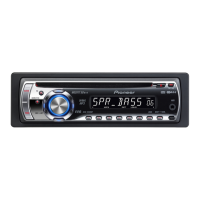
Identifies the various buttons, controls, and parts of the head unit.
Explains the operation of the optional remote control for the unit.
Explains the various indicators and information shown on the LCD display.
Covers turning the unit on/off, selecting sources, and adjusting volume.
Covers listening to the radio, manual/seek tuning, and storing frequencies.
Explains how to tune in only the strongest radio stations for better reception.
Details how to automatically store the six strongest broadcast frequencies.
Introduces RDS and how to switch display information like PTY.
Covers regional programming, traffic announcements (TA), and PTY types.
Explains how to insert discs and start playback, including WMA/MP3.
Details how to set repeat play (track/folder) and random play modes.
Covers scan play, pause, search functions, and compression settings.
Explains how to display text information like track title and artist.
Details how to adjust front/rear and left/right speaker balance for optimal sound.
Explains preset equalizer settings and custom curve adjustments.
Describes how to adjust the bass, mid-range, and treble frequencies.
Covers activating loudness and adjusting source level for consistent volume.
Explains how to customize system settings like FM tuning and Auto PI Seek.
Details how to activate the auxiliary input for external audio devices.
Explains how to set the multi-language display for text information.
Details how to enable power saving to conserve battery consumption.
Explains when sound is automatically muted and how it functions.
Lists common error messages and their causes and recommended actions.
Provides essential guidelines for handling discs and the player to prevent damage.
Advises against using Dual Discs due to potential compatibility issues.
Details compatibility and usage guidelines for WMA, MP3, and WAV files.
Illustrates the folder structure for organizing media files on a disc.
Lists detailed compatibility for WMA, MP3, and WAV audio formats.
Provides a chart for Russian characters displayed on the unit.
Lists general technical specifications like power, dimensions, and weight.
Details the technical specifications for the CD player section.
Lists the technical specifications for the FM and MW/LW tuners.
 General
| DIN Size | Single DIN |
|---|---|
| CD Playback | Yes |
| MP3 Playback | Yes |
| WMA Playback | Yes |
| CD-R Playback | Yes |
| CD-RW Playback | Yes |
| AM/FM Tuner | Yes |
| Preset Stations | 24 |
| Display Type | LCD |
| Detachable Face | Yes |
| Audio Input | Front Aux Input |
| EQ | 3-Band |
| Loudness | Yes |
| ID3 Tag Display | Yes |
| Preamp Voltage | 2V |
| Bluetooth | No |
| Max Power Output | 50W x 4 |
| RMS Power Output | 22W x 4 |
| Dimensions (W x H x D) | 178 x 50 x 165 mm |
| Preamp Outputs | 2 pairs (front + rear/sub) |




 To Next Page