EasyManua.ls Logo

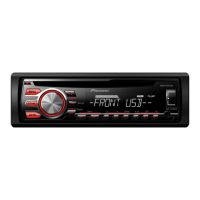
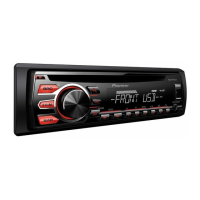
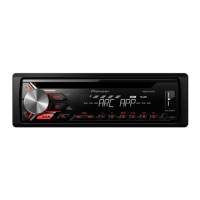
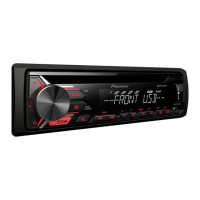
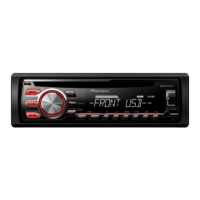
Pioneer DEH-X1690UB - User Manual

Pioneer DEH-X1690UB
16 pages
Print Icon
To Next Page IconTo Next Page
Loading...
Black plate (1,1)
Owner’s Manual
CD RDS RECEIVER
DEH-X1690UB
<QRB3345-A>1
English

Questions and Answers

  • J
    Joseph HerreraAug 14, 2025
    What to do if my Pioneer DEH-X1690UB is malfunctioning?
    • N
      Nicholas PhillipsAug 15, 2025
      If your Pioneer Car Receiver malfunctions, try turning the ignition switch off and then back on. Alternatively, disconnect the USB storage device or switch to a different source before returning to the USB source.
  • A
    Amanda BrooksAug 18, 2025
    Why is my Pioneer DEH-X1690UB having audible interference?
    • M
      melanie80Aug 18, 2025
      If you are using a device, such as a cellular phone, that may be causing audible interference with your Pioneer Car Receiver, move electrical devices away from the unit.
  • K
    Kimberly MasonAug 21, 2025
    What to do if my Pioneer DEH-X1690UB fails to operate and the protective circuit is activated?
    • J
      johnbartonAug 21, 2025
      If your Pioneer Car Receiver displays this message, check the speaker connection. If the message persists even after restarting the engine, seek assistance from your dealer or an authorized Pioneer Service Station.
  • N
    nramirezAug 25, 2025
    Why does my Pioneer DEH-X1690UB say there are no songs?
    • S
      Scott GonzalesAug 26, 2025
      If your Pioneer Car Receiver says there are no songs, transfer the audio files to the USB storage device and connect it to the receiver.
  • J
    Jake HughesAug 28, 2025
    What to do if my Pioneer DEH-X1690UB says that the connected USB storage device consumes more than maximum allowable current?
    • J
      Jennifer PinedaAug 28, 2025
      If your Pioneer Car Receiver says that the connected USB storage device consumes more than the maximum allowable current, disconnect the USB storage device and do not use it. Turn the ignition switch to OFF, then to ACC or ON and then connect only compliant USB storage devices.
  • N
    nicholsdonnaAug 31, 2025
    What to do if my Pioneer DEH-X1690UB Car Receiver says 'The connected USB device is not supported by this unit'?
    • P
      Paul WilliamsAug 31, 2025
      If your Pioneer Car Receiver indicates that the connected USB device is not supported, disconnect your device and replace it with a compatible USB storage device.
  • H
    Heidi MartinSep 3, 2025
    What to do if all the files on the connected USB storage device are embedded with DRM on my Pioneer Car Receiver?
    • H
      heather87Sep 3, 2025
      If all the files on the connected USB storage device are embedded with DRM on your Pioneer Car Receiver, replace the USB storage device.
  • J
    Jody OwensSep 7, 2025
    What to do if the inserted disc does not contain any playable files in my Pioneer DEH-X1690UB Car Receiver?
    • A
      allengriffithSep 7, 2025
      If the inserted disc does not contain any playable files in your Pioneer Car Receiver, replace the disc.
  • J
    Jillian KnightSep 10, 2025
    What happens if the inserted disc contains DRM protected files in my Pioneer DEH-X1690UB Car Receiver?
    • R
      Rachel Nelson MDSep 10, 2025
      If the inserted disc contains DRM protected files when using your Pioneer Car Receiver, the protected files are skipped.

Pioneer DEH-X1690UB Specifications

General IconGeneral
Power Output50W x 4
RMS Power Output22W x 4
TunerAM/FM
CD PlaybackYes
USB InputYes
BluetoothNo
Aux InputYes
DisplayLCD
DIN SizeSingle DIN
Display IlluminationRed
MP3 PlaybackYes
WMA PlaybackYes
FLAC PlaybackNo
Android CompatibilityYes

Related product manuals