
 Need help?
Do you have a question about the Pioneer DEH-X1990UB and is the answer not in the manual?
Essential safety precautions and warnings for installation and operation of the PIONEER product.
Cautions regarding moisture, liquids, volume, and laser product classification.
Instructions on contacting the dealer for assistance with operational problems.
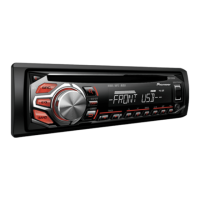
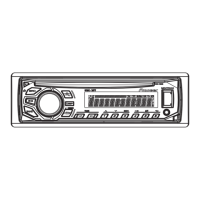
Explanation of the basic operations of the head unit and its remote control.
Details on the layout and functions of the supplied remote control.
Guide to common operations such as power, volume, and source selection.
Description of various indicators and icons displayed on the unit's screen.
Instructions on how to detach and attach the front panel for security purposes.
Important notes on handling the front panel, avoiding shock, heat, and direct sunlight.
Critical safety warnings regarding battery ingestion and handling.
Cautions associated with battery replacement and proper handling.
Procedures for checking software, updating, and resetting unit settings.
Instructions on how to select and tune preset radio stations.
Automatic storage of the six strongest radio stations.
Procedure for manually tuning to find radio stations.
General instructions for connecting and playing media from various sources.
How to insert and eject discs in the CD player.
Steps for connecting USB storage devices and Android phones.
How to connect and select an audio source via the AUX input.
Details playback controls for CD and USB sources, excluding AUX.
Method for manually storing desired radio stations.
Safety warning against operating the application while driving.
Compatibility and requirements for Android users of the ARC App.
Step-by-step guide for connecting an Android device to the ARC App.
Basic playback controls for music played from Android devices.
Configuration options for radio and sound-related functions.
Adjustments for audio output, sound quality, and speaker balance.
Adjust speaker balance and customize equalizer curves for sound profiles.
Settings for low-volume compensation, subwoofer phase, and output levels.
Adjust bass boost level and configure high-pass filter for speaker output.
Adjust source volume levels and set the unit's clock.
Select time format and configure automatic station search.
Enable auxiliary connection and select Android device connection method.
Configure app auto-launch and wired remote control settings.
Automatically switch to USB source when a USB device is connected.
Change display brightness based on sync clock or manual settings.
Select playback length and configure MIXTRAX patterns based on audio levels.
Turn MIXTRAX visual effects and sound effects on or off.
Critical warnings regarding speaker impedance and power handling.
Important safety instructions for installing the unit and wiring.
Important notes for power cord connections, especially for subwoofer setups.
Crucial installation considerations, including vehicle modifications and heat dissipation.
Step-by-step guide for installing the unit using the DIN mounting sleeve.
Solutions for common display and playback issues like auto-return and intermittent sound.
Common error messages and their corresponding troubleshooting steps.
Handling DRM errors, format read delays, and unsupported devices.
Errors related to unsupported USB devices, hubs, or improper formatting.
Errors indicating short-circuited connections or communication failures.
Guidelines for using compatible discs and the player unit.
Important notes and cautions for using USB storage devices.
Details on compatibility for compressed audio formats.
Specific compatibility information and requirements for WMA files.
Compatibility details for MP3 and WAV file formats.
Notes on disc playback, including folder hierarchy and file systems.
Details on USB device compatibility, folder hierarchy, and file systems.
How audio file sequence is determined for playback on the unit.
General specs including power, dimensions, and current consumption.
Audio output power, continuous power, and equalizer settings.
Specifications for subwoofer output and the CD player.
USB standard specs and FM tuner frequency range and sensitivity.
Specifications for AM and SW tuner frequency ranges and sensitivities.
 General
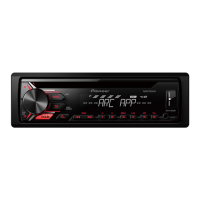
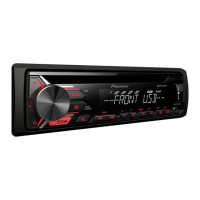
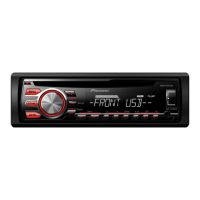
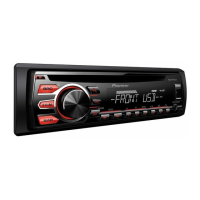
| Model | DEH-X1990UB |
|---|---|
| Channels | 4 |
| Display | Yes |
| Display Type | LCD |
| Tuner | AM/FM |
| AM/FM Presets | 24 |
| Bluetooth | No |
| USB Port | Yes |
| Aux Input | Yes |
| Preamp Voltage | 2 V |
| Compatible Formats | MP3, WMA, WAV |
| Built-In Equalizer | Yes |
| Detachable Face | Yes |
| Dimensions (W x H x D) | 178 x 50 x 165 mm |
| DIN Size | 1 DIN |
| Max Power Output | 50 W |
| Crossover | HPF/LPF |
| RCA Preamp Outputs | 2 pairs (front + rear) |
| EQ Bands | 5-Band Graphic EQ |
| Steering Wheel Control | Yes (adapter required) |




 To Next Page