EasyManua.ls Logo

Pioneer EQ-E01 EW - Name of Parts and Their Functions

Pioneer EQ-E01 EW
15 pages
Print Icon
To Next Page IconTo Next Page
To Previous Page IconTo Previous Page
Loading...
2.
NAME
OF
PARTS
AND
THEIR
FUNCTIONS
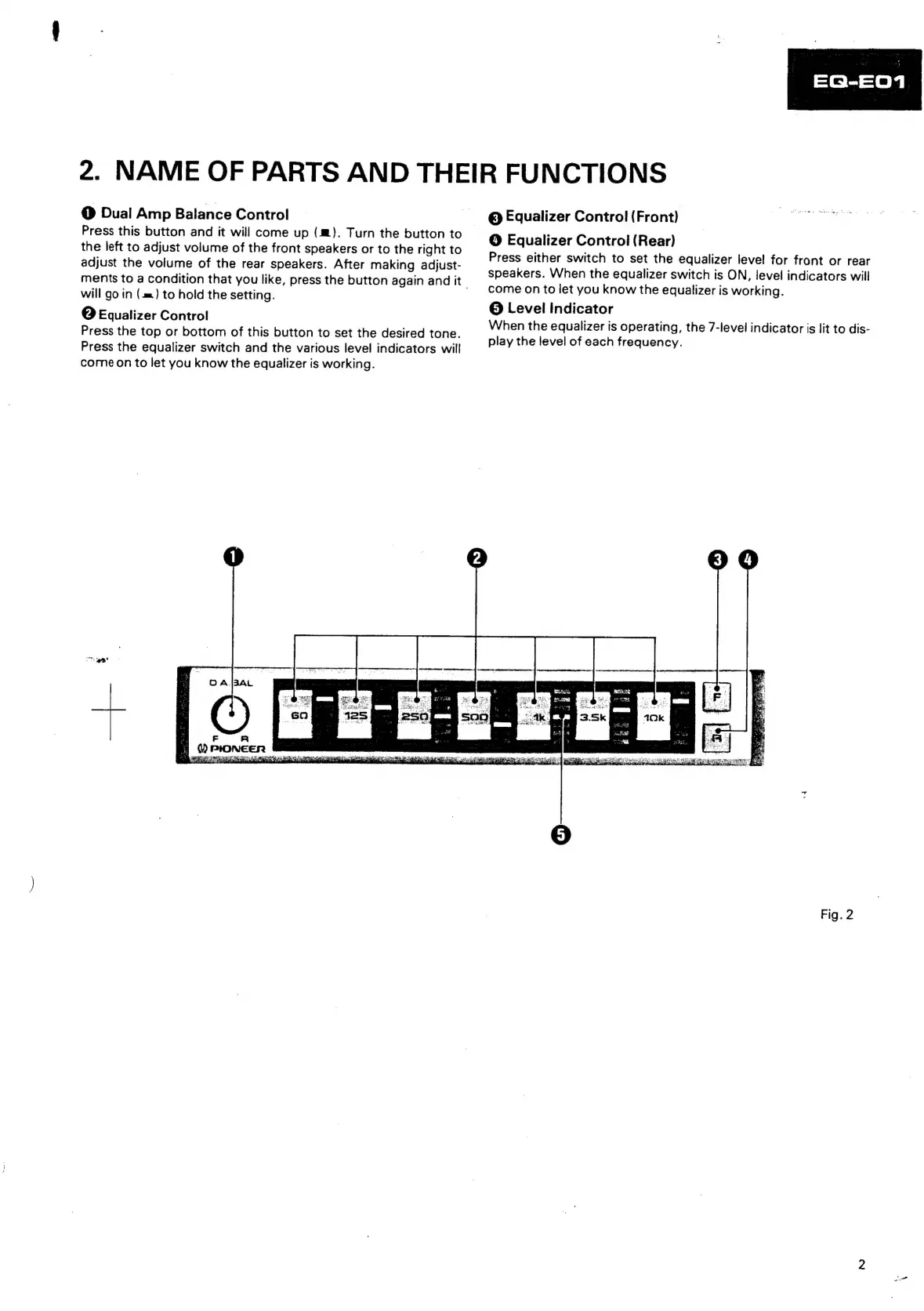
@
Dual
Amp
Balance
Control
Press
this
button
and
it
will
come
up
(4m).
Turn
the
button
to
the
left
to
adjust
volume
of
the
front
speakers
or
to
the
right
to
adjust
the
volume
of
the
rear
speakers.
After
making
adjust-
ments
to
a
condition
that
you
like,
press
the
button
again
and
it
will
go
in
(m=)
to
hold
the
setting.
2
|
Equalizer
Control
Press
the
top
or
bottom
of
this
button
to
set
the
desired
tone.
Press
the
equalizer
switch
and
the
various
level
indicators
will
come
on
to
let
you
know
the
equalizer
is
working.
©
Equalizer
Control
(Front)
gM
esha
a
bese’
©
Equalizer
Control
(Rear)
Press
either
switch
to
set
the
equalizer
level
for
front
or
rear
speakers.
When
the
equalizer
switch
is
ON,
level
indicators
will
come
on
to
let
you
know
the
equalizer
is
working.
©
Level
indicator
When
the
equalizer
is
operating,
the
7-level
indicator
is
lit
to
dis-
play
the
level
of
each
frequency.
Fig.
2

Related product manuals