EasyManua.ls Logo

Pioneer HTZ101DVD - User Manual

Pioneer HTZ101DVD
90 pages
Print Icon
To Next Page IconTo Next Page
Loading...
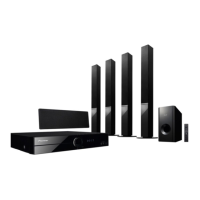
HTZ111DVD
DVD surround system/
DVD
家庭影院組合
XV-DV202 DVD/CD Receiver/ DVD/CD
接收器
S-DV111 Speaker system/
揚聲器系統
HTZ212DVD
DVD surround system/
DVD
家庭影院組合
XV-DV202 DVD/CD Receiver/ DVD/CD
接收器
S-BD808T Speaker system/
揚聲器系統
S-DV210SW Speaker system/
揚聲器系統
HTZ101DVD
DVD surround system/
DVD
家庭影院組合
XV-DV202 DVD/CD Receiver/ DVD/CD
接收器
S-DV101 Speaker system/
揚聲器系統
HTZ202DVD
DVD surround system/
DVD
家庭影院組合
XV-DV202 DVD/CD Receiver/ DVD/CD
接收器
S-BD808T Speaker system/
揚聲器系統
S-DV202SW Speaker system/
揚聲器系統
ENGLISH
繁體中文
P/NO: MFL67240409

Table of Contents

Questions and Answers

  • A
    Alice LopezAug 6, 2025
    What to do if Pioneer HTZ101DVD have no picture?
    • R
      regina01Aug 7, 2025
      If your Pioneer Home Cinema speakers aren't displaying a picture, ensure that your TV is set to the correct video input mode to receive the DVD signal. Also, check that the video cables are securely connected to both the TV and the DVD receiver.
  • R
    Rebecca BurkeAug 11, 2025
    How to fix Pioneer HTZ101DVD when there is little or no sound?
    • A
      Amanda BerryAug 11, 2025
      If you experience little to no sound from your Pioneer Home Cinema speakers, verify that the equipment connected via the audio cable is set to receive the DVD signal output. Also, ensure the audio cables are correctly connected to the connection terminals. Make sure your speaker cables are connected correctly.
  • S
    Scott RiveraAug 16, 2025
    What to do if Pioneer HTZ101DVD have no power?
    • S
      sharon29Aug 16, 2025
      If your Pioneer Home Cinema speakers have no power, make sure the power cord is securely plugged into the wall outlet.
  • J
    James BrownAug 21, 2025
    What to do if a DVD/CD will not play on Pioneer Home Cinema speakers?
    • C
      Carl BeanAug 21, 2025
      If a DVD/CD won't play on your Pioneer Home Cinema speakers, first ensure a disc is inserted correctly, with the label side facing up. Check that the disc is playable by verifying the disc type, color system, and regional code. If a menu is open on the screen, press SETUP to close it. Also, if there's a parental lock, enter your password or change the rating level.
  • H
    Hannah GordonAug 27, 2025
    Why do Pioneer HTZ101DVD Home Cinema speakers have poor DVD picture quality?
    • A
      Angela LamAug 27, 2025
      If the DVD picture quality is poor on your Pioneer Home Cinema speakers, the disc may be dirty. Clean the disc using a soft cloth, wiping from the center outwards.
  • S
    Sydney WaltersAug 31, 2025
    Why is there humming noise heard while playing DVD or CD on Pioneer HTZ101DVD Home Cinema speakers?
    • F
      fordalexisSep 1, 2025
      If you hear a humming noise while playing a DVD or CD on your Pioneer Home Cinema speakers, the disc may be dirty; clean it with a soft cloth using outward strokes. Alternatively, the DVD receiver might be too close to the TV, causing feedback. Try moving the DVD receiver and audio components further away from the TV.

Summary

Safety Information

Electrical Shock Hazards

Details hazards associated with high voltage inside the unit and opening it.

Laser Safety Precautions

Information regarding Class 1 laser product safety and preventing direct exposure.

Power Cord and Battery Handling

Guidelines for safe power cord placement, handling, and battery removal.

Preparation

Product Features and Playable Media

Overview of special functions like portable input, USB recording, and compatible discs.

Included Accessories

Lists and identifies all items included in the product package for setup and use.

Supported File Formats

Specifies format requirements for MP3, WMA, Photo, and DivX files for playback.

DVD Regional Code Information

Explains DVD regional coding and its effect on disc playback compatibility.

USB Device Compatibility

Details compatible USB devices and requirements for connecting and using them.

Device Component Identification

Identifies and describes the front panel, rear panel, and remote control layout.

Installation

Speaker Assembly and Pad Attachment

Instructions for attaching non-skid pads and assembling speaker stands.

Speaker Wiring and Wall Mounting

Guidance on connecting speaker wires to the player and securing speakers to walls.

HTZ111 DVD;HTZ101 DVD Speaker Setup

Specific instructions for setting up speakers for the HTZ111DVD and HTZ101DVD models.

Speaker Placement and Precautions

Advice on wall mounting center speakers, general placement, and magnetic shielding.

Connecting to Your TV

Details on connecting the unit to a TV via Component Video and HDMI.

Connecting External Devices

Instructions for connecting auxiliary devices, USB storage, and FM antenna.

Adjusting Setup Settings

How to access, adjust, and exit setup menus for picture, sound, and language.

Operation

Basic Playback Operations

Instructions for stopping, playing, pausing, and navigating media files.

Disc Playback Features

Features like displaying disc info, menus, titles, subtitles, and speed playback.

Advanced Playback Control

Setting playback time, last scene memory, DivX subtitles, and programmed playback.

Viewing Photo Files and Slideshows

Viewing photo files, creating slideshows, and listening to music during slideshows.

Tuning and Managing Radio Stations

Instructions for listening to the radio, presetting stations, and improving reception.

Adjusting Audio Settings

Adjusting sound modes and surround settings for optimal audio experience.

System and Media Management

Managing sleep timers, display brightness, file info, and portable device input.

Recording to USB

How to record audio files from discs or USB devices to a USB storage.

Maintenance

Disc Handling and Care

Guidelines for handling, storing, and cleaning optical discs to ensure longevity.

Unit Cleaning and Upkeep

Instructions for cleaning the unit's exterior, shipping, and general maintenance.

Troubleshooting

Troubleshooting Common Problems

A comprehensive guide to common playback and operational issues and their solutions.

Appendix

TV Control with Remote

Instructions on how to use the remote control to operate a Pioneer TV.

Language and Region Codes

Lists of language codes and area codes for initial setup and playback.

Trademarks and Specifications

Acknowledgement of trademarks and detailed technical specifications of the unit.

Speaker Model Specifications

Detailed specifications including type, impedance, dimensions, and weight for each speaker.

Pioneer HTZ101DVD Specifications

General IconGeneral
BrandPioneer
ModelHTZ101DVD
CategoryHome Cinema speakers
LanguageEnglish

Related product manuals