Need help?
Do you have a question about the Pioneer MCS-434 and is the answer not in the manual?
Covers electric shock, laser, waterproofing, ventilation, fire hazards, and power cord.
Covers operating conditions and household use.
Information on supported media and file formats.
Comprehensive file format compatibility.
Continuation of the playable file formats table.
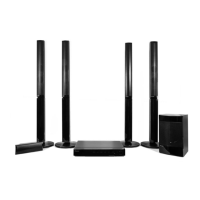
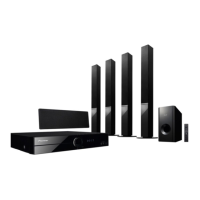
Instructions for assembling speakers for specific models.
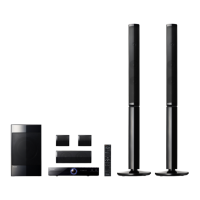
Instructions for assembling speakers for different models.
Setup and mounting for these models.
General instructions for TV connection.
Specifics of HDMI and DVI connections.
Overview of network connectivity setup.
Overview and steps for Wi-Fi setup.
Connecting and compatibility of USB devices.
Using the initial setup wizard for configuration.
Basic operations for playing media.
Overview of the Home Media Gallery feature.
Playing files from network, discs, and USB.
Overview and connection to mobile devices.
Instructions for recording CDs to a USB drive.
General information on Apple device playback.
Tuning radios and recording FM broadcasts.
Introduction and operation of Karaoke.
Adjusting audio output and sound effects.
Introduction to settings and initial setup guide.
Configuring display and video output.
Configuring audio output and HDMI connections.
Configuring network and language options.
Detailed adjustments for video, speakers, and IP.
Overview of software update procedures.
Resetting the player to its original state.
Common problems related to video display.
Common problems related to audio and playback.
Troubleshooting network connectivity problems.
Further steps for network troubleshooting.
Specific issues with wireless LAN and Apple devices.
Technical details and features of the product.
 General
| Disc types supported | BD-R, BD-RE, CD, CD-R, CD-RW, DVD, DVD+R, DVD+RW, DVD-R, DVD-RW |
|---|---|
| Playback disc formats | SACD |
| Optical disc player type | Blu-Ray player |
| Built-in HDD | No |
| MP3 playback | Yes |
| TV tuner integrated | - |
| Image formats supported | GIF, JPG, PNG |
| Apple docking compatibility | iPad, iPad 2, iPad mini, iPhone 3G, iPhone 3GS, iPhone 4, iPhone 4S, iPhone 5, iPod Nano 2, iPod Nano 3, iPod Nano 4, iPod Nano 5, iPod Nano 6, iPod Nano 7, iPod Touch 1, iPod Touch 2, iPod Touch 3, iPod Touch 4, iPod Touch 5 |
| Video formats supported | AVCHD, DIVX, DIVX HD, MKV, WMV |
| Audio decoders | Dolby Digital, Dolby Digital Plus, Dolby Pro Logic II, DTS-HD Master Audio |
| RMS rated power | 1000 W |
| Audio output channels | 5.1 channels |
| Audio formats supported | FLAC, LPCM, WAV, WMA |
| Product color | Black |
| HDMI in | 4 |
| USB version | 2.0 |
| USB ports quantity | 2 |
| SCART ports quantity | 0 |
| Number of HDMI outputs | 1 |
 Weight and Dimensions
| Main unit weight | 3100 g |
|---|---|
| Subwoofer weight | 4400 g |
| Center speaker weight | 700 g |
| Main unit dimensions (WxDxH) | 430 x 349 x 63 mm |
| Subwoofer dimensions (WxDxH) | 130.5 x 375 x 420 mm |
| Front speaker dimensions (WxDxH) | 95 x 90 x 80 mm |
| Center speaker dimensions (WxDxH) | 230 x 90 x 80 mm |


 To Next Page