EasyManua.ls Logo

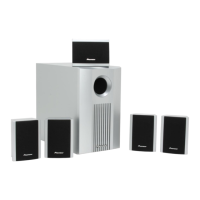
Pioneer S-11-P - User Manual

Pioneer S-11-P
10 pages
Print Icon
To Next Page IconTo Next Page
Loading...
Operating Instructions
Discover the benefits of registering your product online at http://www.pioneer.co.uk (or
http://www.pioneer.eu).
HOME CINEMA PACKAGE
HTP-071
SUBWOOFER
S-22W-P
SPEAKER SYSTEM
S-11-P

Other manuals for Pioneer S-11-P

Questions and Answers

  • M
    Mary KaufmanAug 8, 2025
    How to fix no sound on Pioneer Home Theater System?
    • C
      cortezjoseAug 8, 2025
      If you are getting no sound from your Pioneer Home Theater System, there are a few potential causes: * The speaker wire might be incorrectly connected - ensure it is connected correctly. * The receiver might be off - turn the receiver on. * The volume control might be at zero - slowly turn up the volume.
  • B
    bnewmanAug 15, 2025
    What to do if Pioneer Home Theater System speakers stop producing sound suddenly?
    • S
      Shawn GriffithAug 15, 2025
      If your Pioneer Home Theater System speakers suddenly stop producing sound, it may be due to the activation of the automatic protection circuit caused by an excessively large signal input. To fix this, simply turn the volume down to allow the speakers to resume normal output.
  • M
    Ms. Melanie WilliamsAug 23, 2025
    Why is my Pioneer Home Theater System sound distorted?
    • T
      Tammy GuzmanAug 23, 2025
      If you're experiencing distorted sound from your Pioneer Home Theater System, it could be due to an extreme signal condition. Try turning down the receiver’s output level by adjusting the volume, bass control, or bass boost to lower the signal level.
  • M
    Mrs. Jessica MartinezAug 30, 2025
    Why is there so much noise when listening to AM/FM on my Pioneer Home Theater System?
    • M
      Meagan MartinAug 30, 2025
      If you're experiencing a lot of noise when listening to AM or FM broadcasts on your Pioneer Home Theater System, it could be that the AM loop antenna or the FM indoor antenna is too close to the unit. Try increasing the distance between the AM or FM antenna (for indoor use) and the unit.

Summary

Installation

Speaker installation

Details on how to position speakers for optimal surround sound, including placement guidelines relative to the TV and listening position.

Subwoofer (S-22 W-P)

Guidelines for positioning the subwoofer, emphasizing bass effect and avoiding magnetic interference with other devices.

Satellite speakers (S-11-P)

Instructions for positioning satellite speakers, covering spacing, height, and potential color distortion with CRT TVs.

Installation precautions

Covers general safety measures and placement advice for speakers and subwoofer to prevent damage or injury.

Affixing Non-Skid Pads

Instructions on applying the provided non-skid pads to the bottom of front, center, and surround speakers.

Effective Combination of Subwoofer and Satellite Speakers

Explains how combining the subwoofer with satellite speakers enhances bass frequencies, ideal for movie sound effects.

Maintenance of external surfaces

Connections and Use

Connection

Important safety precautions and general advice before making or changing connections to the receiver.

Connecting the speakers

Detailed steps and polarity instructions for connecting speaker cords to speakers and receiver for optimal sound.

Operation

Setting the receiver's cross-over frequency to 200 Hz for optimal performance with the speaker system.

Wall-mounting the front and surround speaker system

Attaching the brackets

Instructions for attaching mounting brackets to speakers, using supplied hardware and ensuring secure wall mounting.

Before mounting

Crucial advice on wall strength, screw selection, and consulting professionals for safe and secure speaker wall mounting.

Specifications

Troubleshooting

Pioneer S-11-P Specifications

General IconGeneral
BrandPioneer
ModelS-11-P
CategoryHome Cinema speakers
LanguageEnglish

Related product manuals