Need help?
Do you have a question about the Pioneer PD-10AE and is the answer not in the manual?
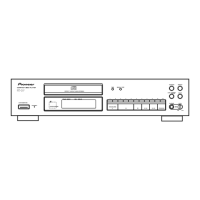
Details the front panel controls and indicators of the PD-30AE and PD-10AE models.
Explains the various indicators and information shown on the CD player's display.
Details the connection jacks and ports on the rear panel of the PD-30AE and PD-10AE.
Identifies and explains the functions of each button on the remote controller.
Instructions for opening the compartment and inserting batteries into the remote.
Explains how to point the remote control at the sensor for proper operation.
Explains how to connect audio cables, including color coding and digital outputs.
Explains how to connect Pioneer components for centralized control using the remote.
Instructions for connecting the power cord to the unit and the electrical outlet.
Steps to turn the CD Player on and set it to standby mode.
How to set the Auto Standby function to automatically turn off the unit after inactivity.
Adjusting display brightness and connecting/using headphones.
Steps for loading a disc and initiating playback on the CD player.
Explains how to pause, stop, fast-forward, fast-reverse, and eject a disc.
Details remote functions for track selection, fast-forward/reverse, and playback.
How to view track, total time, and remaining time information during playback.
Covers selecting MP3 files using Navigation, All Folder, and Search modes, and displaying their information.
Explains how to set the player to play all tracks on the disc in random order.
Guide to creating a custom playlist of up to 25 audio or MP3 files.
Explains how to play tracks or the entire disc repeatedly.
Settings for displaying disc/file/folder names and handling file name characters.
Preferences for reading ID3 tags, handling CD Extra discs, and MP3 disc format.
Configuration for the Stop button function and the Auto Standby feature.
Solutions for common problems like power, sound, and CD playback errors.
Covers problems accessing the SETUP menu and the remote controller not working.
Addresses remote control interference, lockups, and how to perform a factory reset.
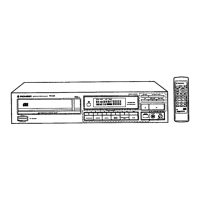
The Pioneer PD-30AE and PD-10AE are compact disc players designed for high-quality audio playback. These devices support standard audio CDs, as well as CD-R and CD-RW discs, including those containing MP3 files. The PD-30AE model offers additional features such as SR compatible remote control, coaxial and optical digital audio outputs, and a headphones output with level control, which are not present on the PD-10AE.
The primary function of these CD players is to play audio from compact discs. They feature a disc tray for loading CDs and a front panel with essential controls for playback, pause, stop, and track selection. Both models include a remote control sensor to receive signals from the supplied remote controller, allowing for convenient operation from a distance. The PD-30AE also includes a PHONES jack and a PHONES LEVEL knob on the front panel, enabling private listening through stereo headphones and adjustment of the headphone volume.
For connectivity, both models provide ANALOG OUT jacks for connecting to an amplifier's analog inputs using the supplied audio cable. The PD-30AE further expands connectivity with DIGITAL OUT OPTICAL/COAXIAL jacks, allowing connection to a digital audio input on an amplifier or recorder, offering versatile integration into various audio systems. The PD-30AE also features CONTROL IN/OUT jacks, which enable centralized control with other Pioneer brand components equipped with similar control jacks. This allows for a unified control experience using the remote controller of the CD player, even for components not equipped with a remote sensor or installed in inaccessible locations.
To turn on the CD player, users press the STANDBY/ON button on either the unit or the remote controller. The same button is used to set the player to Standby mode. The display brightness can be adjusted using the DIMMER button on the remote controller, cycling through "Normal," "Dim," and "Dimmer" options.
Discs are loaded by pressing the Open/Close button to open the tray, placing the CD label-side up, and then pressing the Play button to start playback. The disc tray closes automatically upon starting playback. For 8 cm CDs, they should be placed in the center of the tray. During playback, users can pause with the Pause button and stop with the Stop button. Track selection is possible using the Previous and Next buttons on both the unit and the remote control. Fast-forward and fast-reverse functions are available by holding down these buttons during playback or pause. The display shows various information such as track number, total playing time, and remaining time.
The CD players support MP3 files recorded on CD-R/CD-RW discs, adhering to ISO9660 Level 2 file system. They can recognize up to 99 folders and 499 files. For MP3 CDs, the display can show ID3 tag information like title, artist, and album name, as well as sampling rate and bit rate.
MP3 files can be selected in two modes: Navigation mode and All Folder mode.
The SETUP menu, accessible when playback is stopped, allows users to customize MP3 playback and display settings. Preferences include:
The unit should be dusted regularly with a soft cloth. For stubborn stains, a soft cloth dampened with a mild detergent and water solution can be used, followed by drying with a clean cloth. Abrasive cloths, thinners, alcohol, or other chemical solvents should be avoided as they can damage the finish or panel lettering.
Discs should be held by the edge or center hole to avoid touching the playback surface. Paper, stickers, or writing on the disc's playback or label surface should be avoided. Dirty discs can cause poor audio quality and should be gently wiped with a soft, dry cloth from the center outwards. For stubborn dirt, a water-dampened cloth followed by a dry cloth can be used. Cleaning sprays for analog records or antistatic agents, and volatile chemicals like benzine or paint thinner, should not be used. Rental discs with peeling or decorative labels, and inkjet printable discs left in the player for extended periods, should be avoided to prevent damage or jamming.
The CD player should be installed in a well-ventilated location, especially if placed in an audio rack, to prevent overheating and malfunction. It should be kept away from direct sunlight, heat sources, damp or dusty places, and vibrations from loudspeakers. The unit should always be installed horizontally. Adequate free space (20 cm at top and sides, 10 cm at rear) is recommended for proper ventilation, especially in built-in installations.
Moisture condensation can damage the unit and discs. It can occur when the unit is moved from a cold to a warm place, exposed to a heater or air conditioner, or used in a humid environment. If condensation is suspected, the power cord should be unplugged, and the unit left at room temperature for two to three hours before use.
In case of issues, users can refer to the troubleshooting section in the manual. If problems persist, the CD player can be reset to its factory defaults by turning it on, and while holding down the Play button, pressing the Pause button. This action will clear custom settings.
The power cord should be protected from being walked on or pinched. All audio connections should be made before connecting the power cord. Audio cables should be kept away from power cords and speaker cables to prevent interference. Plugs should be pushed in all the way to ensure good connections and prevent noise or malfunctions.
To ensure reliable operation, the remote controller should be aimed at the CD player's remote control sensor. It may not work reliably in bright light, if another remote controller of the same type is used nearby, or if there are obstacles. Batteries should be installed correctly, replaced when expired, and removed if the remote controller will not be used for a long time to prevent leakage or corrosion.
 General
| Frequency range | 4 - 20000 Hz |
|---|---|
| Audio formats supported | MP3 |
| Signal-to-Noise Ratio (SNR) | 107 dB |
| Total Harmonic Distortion (THD) | 0.0029 % |
| Built-in audio D/A Converter (DAC) | Yes |
| Power source type | AC |
| AC adapter frequency | 50/60 Hz |
| AC adapter input voltage | 220 - 240 V |
| Power consumption (standby) | 0.2 W |
| Power consumption (typical) | 12 W |
| CD changer | No |
| Clock mode | 24h |
| Device type | Personal CD player |
| Title memory | 25 |
| Product color | Silver |
| Housing material | Plastic |
| Disc loading type | Tray |
| Disc playback modes | Random, Repeat track |
| Disc types supported | CD, CD-R, CD-RW |
| ID3 Tag display support | Album title, Artist name, Track title |
| Volume control | Digital |
| Playback disc formats | CD audio |
| Remote control type | RC-947C |
| Operating temperature (T-T) | 5 - 35 °C |
| Package type | Box |
 Weight and Dimensions
| Depth | 290 mm |
|---|---|
| Width | 435 mm |
| Height | 103 mm |
| Weight | 5100 g |

 To Next Page