11
<PRB1273>
En
OPEN/
CLOSE
OPEN/
CLOSE
PLAY
ACCESS
D
BASIC OPERATIONS
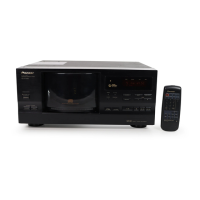
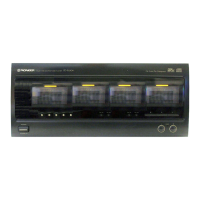
Playing a disc in the Single Loader slot
1
2
Press SINGLE LOADER AC-
CESS.
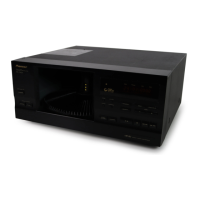
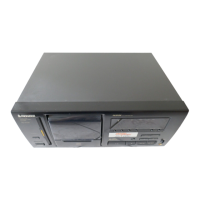
÷ The hood will open with the single
loader slot located in the front of
the unit.
3
Press SINGLE LOADER
PLAY.
÷ The play mode is set to SINGLE.
Tips:
÷ The disc loaded in the Single Loader slot can also be selected using
DISC(–/+). It is located after disc No. 100 when DISC(+) is used
or disc No. 1 when DISC(–) is used. On the display, it is shown as
“P0”.
÷ If a disc has been loaded in the Single Loader slot, pressing
SINGLE LOADER PLAY allows to play it anytime, even during
playback of a disc stored in the rack.
÷ To play the disc in the Single Loader slot using the remote control
unit, press “0” and DISC SET.
The hood can be opened or closed
during playback.
÷ “HOLD” is displayed after the hood is opened.
÷ In this case, the rack does not rotate.
÷ When the playback of the current disc has completed, the unit
enters stop mode. The next disc is played after the hood has been
closed.
2
Loading the disc into the Sin-
gle Loader slot with the la-
bel side (printed surface) fac-
ing to the left.
Press and hold OPEN/CLOSE
until “OPEN” is displayed.
To close the hood, press
OPEN/CLOSE again.
Note!!
If the hood is opened during play, UNLOAD, SINGLE LOADER
ACCESS and DISC (–/+) are defeated.
Side to be played faces right
(label side faces left)
1-BIT
-
DLC
DIRECT LINER CONVERSION
D
FILE–TYPE
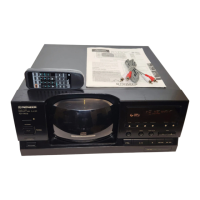
COMPACT DISC PLAYER
◊Û¿X/.≥
Î
SINGLE
LOADER
ACSESS
PLAY
STANDBY/ON
UNLOAD BEST PREVIOUS
DISC
–
+
TITLE
INPUT
PROGRAM
TRACK MIN SECDISC
TITLE
DISPLAY
HI-LITE CLEARMODE
67 ¡¢
41
'
FILE –TYME CD MECHANISM
OPEN/
CLOSE
OPEN/CLOSE
1
3



 To Next Page
 Loading...