Need help?
Do you have a question about the Pioneer PD-M510 and is the answer not in the manual?
Guidelines for grounding outdoor antennas to protect against voltage surges and static charges.
Details FCC compliance, radio frequency energy use, and tips for resolving radio/TV interference.
States compliance with Canadian Department of Communications radio noise emission limits.
Guidance on proper placement to avoid heat, humidity, direct sunlight, and interference.
Advice on handling condensation when moving the player between different temperature environments.
Notes on avoiding heat-generating sources and proximity to tuners/TVs for optimal performance.
Lists all accessories supplied with the compact disc player for initial setup.
Step-by-step guide on how to load discs into the six-disc magazine correctly.
Instructions for connecting the player's audio output to an amplifier or other audio equipment.
Guidance on connecting the player's power cord to an AC outlet or amplifier.
Details on connecting and using the remote control unit with compatible stereo amplifiers.
Precautions for handling the multi-play magazine to prevent damage and ensure proper operation.
Instructions on applying labels to the six-disc magazine for identification and organization.
Explanation of the power switch, indicators, and their functions during operation.
Details on keys for playback, pause, repeat, random play, and track/disc selection.
Explanation of how the TIME key controls the display of track time, remaining time, and total time.
Description of line out, control in/out terminals, and power cord connection.
Identification and function of the remote sensor for receiving signals from the remote control.
Overview of all keys on the remote control unit and their corresponding functions.
Guidelines for optimal remote operation, including range, angle, and potential interference.
Steps to follow before playing discs, including inserting the magazine and setting up the amplifier.
How to start and perform normal playback of all tracks from the first disc to the last.
Instructions for stopping playback, pausing temporarily, and resuming playback.
Method for selecting and playing a specific disc from the loaded magazine.
How to quickly find the beginning of a desired track using track search keys.
Using manual search keys for quick advancement or reversal through a disc.
Instructions for setting up and cancelling repeat playback for normal or programmed tracks.
How to activate and cancel random playback for playing tracks in a random order.
Guide to playing tracks in a desired order by programming disc and track numbers.
How to use the timer start feature for automatic playback activation.
How to program pauses between tracks for recording or specific playback sequences.
Details on the player's type, power requirements, weight, and external dimensions.
Technical specifications for frequency response, S/N ratio, dynamic range, and output voltage.
Overview of player functions like disc storage, search, programming, and list of included accessories.
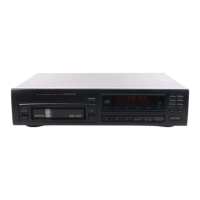
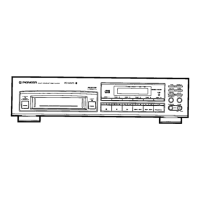
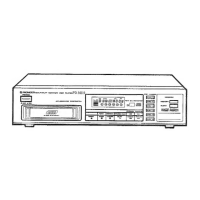
The Pioneer PD-M510 is a multi-play compact disc player designed for high-quality audio playback and convenient disc management. It features a magazine-type system that allows for the successive selection and playback of up to six discs, making it ideal for extended listening sessions or background music.
The core function of the PD-M510 is to play compact discs. It incorporates a digital filter and a twin D/A converter system, ensuring high-quality sound and performance. The player's honeycomb chassis is designed for high rigidity and suppression of resonance, further contributing to audio fidelity. A high-performance pickup ensures accurate playback of discs.
The multi-function fluorescent display provides comprehensive information, including disc mark, disc number, track number, and elapsed time simultaneously. Users can switch the display to show total time, remaining time on the tracks, or remaining time on the disc.
The player offers several convenient tape editing functions. It supports 32-step programming, allowing users to select any track from any of the six loaded discs to be played in a desired order. Direct programming is also possible, enabling users to add the currently playing track to the program by simply pressing the PROGRAM MEMORY key. A PAUSE programming feature allows for temporary stops during playback.
For varied listening, the PD-M510 includes a random playing function, which plays tracks from the set discs in a random order. When combined with the repeat function, this is particularly effective for background music.
The player also supports a timer start function. If a disc is loaded into the disc tray beforehand, the player will automatically begin playing from the first track when the power is turned on or when activated by an external timer.
Operating the PD-M510 involves a straightforward process. To begin, the user powers on the unit and inserts a magazine loaded with discs. Discs are placed into the magazine with the label side downward, and up to six discs can be inserted, numbered 1 through 6 from top to bottom. The magazine has a window to check the pulled-out disc tray and the disc being played.
Playback can be initiated by pressing the PLAY key. The display will show the disc number, track number, and elapsed playback time. The TIME key allows users to cycle through different time displays: elapsed time for the current track, remaining time for the current track, and remaining time for the current disc. During programmed playback, it displays the playing time, remaining time of the track, and total program steps.
To stop playback, users can press the STOP key, which puts the player into stop mode, or the EJECT key, which ejects the magazine. The PAUSE key temporarily interrupts playback and can be pressed again to resume.
Selecting a desired disc is done using the DISC NUMBER keys (1-6). During playback or stop mode, selecting a disc number and then pressing PLAY will start playback from the first track of that disc.
For track searching, the TRACK SEARCH keys allow users to advance to the next track or return to the previous track during normal, programmed, or pause modes. Continuous pressing of these keys will skip through multiple tracks. Manual search operations, using the MANUAL SEARCH keys, enable fast forward or reverse through a disc, with audible sound during playback mode.
The repeat function, activated by the REPEAT key, allows for continuous playback of all tracks on all discs, programmed tracks, or random tracks. This mode can be canceled by pressing REPEAT again, STOP, or EJECT.
Programming a sequence of tracks is achieved using the PROGRAM MEMORY key. In stop mode, users select disc and track numbers, then press PROGRAM MEMORY to add them to the program. Up to 32 steps can be memorized. During playback, the currently playing track can be added to the program by pressing PROGRAM MEMORY.
A pause can be programmed into a sequence using the PAUSE key. This is particularly useful for tape recording, allowing for pauses between tracks or at the end of a tape side.
Remote control operation is possible with the supplied remote control unit. It functions within approximately 23 feet (7 meters) and within 30-degree angles to the left and right of the remote sensor. The remote unit controls PLAY, STOP/CLEAR, PAUSE, TRACK SEARCH, and DISC operations. For U.S. and Canadian models, the player can be connected to a Pioneer stereo amplifier with an SR mark for integrated remote control.
Care of discs is crucial for optimal performance. Users are advised to handle discs by their edges or one edge and the center hole, avoiding touching the signal surfaces. Dirty discs should be cleaned gently with a soft cloth dampened with water, wiping from the inner edge toward the outer perimeter. A dry cloth should then be used to remove any water drops. It is important not to use record cleaning sprays, anti-static agents, benzene, thinner, or other volatile solvents, as these can damage the disc surface. Labels or adhesive tape should not be affixed to the disc surfaces, and damaged (cracked or warped) discs should not be used, as they rotate at high speed inside the player.
Magazines should be stored in their provided cases, away from high temperatures or direct sunlight, to prevent warping. They should not be dropped or hit, and strong force should not be applied to withdrawn trays. Volatile liquids should also be kept away from magazines. When affixing labels to the magazine, they must be placed in specified positions to ensure correct operation.
The player and magazine can be cleaned with a soft, dry cloth. For stubborn dirt, a mild detergent solution can be used on a soft cloth, followed by wiping dry. Volatile liquids should be avoided.
Regarding installation, the player should be placed in a well-ventilated location, away from direct sunlight, hot appliances, radiators, cookers, or sources of smoke, oil, steam, and heat. Excessive heat or a damp/dusty environment can lead to malfunction. It should also be installed as far as possible from tuners and TV sets to prevent noise or picture degradation, especially with indoor antennas.
Condensation can affect performance if the player is moved from a cold to a warm room or if the room temperature increases suddenly. In such cases, the unit should be allowed to stand for about an hour or for the room temperature to gradually rise before use.
The power cord should be handled by the plug, not by tugging the cord. It should not be touched with wet hands, placed under the unit or furniture, pinched, knotted, or tied with other cords. The power cord should be routed to prevent it from being stepped on. Regular checks of the power cord for damage are recommended, with replacements handled by an authorized service center.
For remote control unit maintenance, batteries should be correctly installed according to polarity markings. Different types of dry cell batteries should not be mixed. If the remote control unit is not used for an extended period (1 month or more), batteries should be removed to prevent leakage. If fluid leaks, it should be wiped away before installing new batteries. Reduced operating range indicates low batteries, which should be replaced. Obstacles between the remote control unit and the player should be removed for optimal performance.
 Power
Power| power requirements (European models) | AC 220V, 50/60Hz |
|---|---|
| power requirements (U.K., Australian models) | AC 240V, 50/60Hz |
| power requirements (U.S., Canadian models) | AC 120V, 60Hz |
| power requirements (Other models) | AC 110/120—127/220/240V (switchable) 50/60Hz |
| power consumption | 11W |
 Operating Environment
| operating temperature | +5°C—+35°C (+41°F—+95°F) |
|---|
Audio Specifications| frequency response | 4Hz—20kHz (*95dB) (EIAJ) |
|---|---|
| signal to noise ratio | more than 102dB (EIAJ) |
| dynamic range | more than 90dB (EIAJ) |
| channel separation | more than 94dB (EIAJ) |
| output voltage | 1.8V at 0.8k ohm |
| wow and flutter | less than 0.001% W.PEAK (below measurable level) (EIAJ) |
| channels | 2-channel (stereo) |
 Weight and Dimensions
| weight | 4.9 kg (10 lb 13 oz) |
|---|---|
| external dimensions | 420(W) x 325(D) x 90(H) mm |
| external dimensions (inches) | 16-9/16(W) x 12-13/16(D) x 3-9/16(H) in |

 To Next Page