EasyManua.ls Logo

Pioneer PD-M503 - User Manual

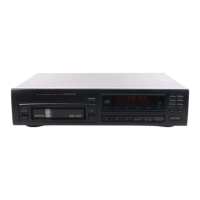
Pioneer PD-M503
19 pages
Print Icon
To Next Page IconTo Next Page
Loading...
Operating
Instructions
HSE
DIGITAL
AUDIO
PD-M503
MULTI-PLAY
COMPACT
DISC
PLAYER
PD-M503/PD-M603/
PD-M70O3
GD
PD-M603
Demo
mode
allows
you
to
see
variations
of
the
display.
To
enter
the
demo
mode,
press
the
POWER
switch
and
then
ke
<4
button
with-
DEMO
MODE
in
1
second
without
inserting
the
magazine.
To
exit
demo
mode,
insert
the
magazine
or
press
any
button.
Thank
you
for
buying
this
PIONEER
product.
Please
read
through
these
operating
instructions
so
you
will
know
how
to
operate
your
model
properly.
After
you
have
finished
reading
the
instructions,
put
them away
in
a
safe
place
for
future
reference.
In
some
countries
or
regions,
the
shape
of
the
power
plug
and
power
outlet
may
sometimes
differ
from
that
shown
in
the
explanatory
drawings.
However,
the
method
of
connecting
and
operating
the
unit
is
the
same.
WARNING:
TO
PREVENT
FIRE
OR
SHOCK
HAZARD,
DO
NOT
EXPOSE
THIS
APPLIANCE
TO
RAIN
OR
MOISTURE.
[For
Canadian
model]
CAUTION:
TO
PREVENT
ELECTRIC
SHOCK
DO
NOT
USE
THIS
(POLARIZED)
PLUG
WITH
AN
EXTENSION
CORD,
RECEPTACLE
OR
OTHER
OUTLET
UNLESS
THE
BLADES
CAN
BE
FULLY
INSERTED
TO
PREVENT
BLADE
EXPOSURE.
[For
Canadian
model]
This
digital
apparatus
does
not
exceed
the
Class
B
limits
for
radio
noise
emissions
from
digital
apparatus
set
out
in
the
Radio
Interference
Regulations
of
the
Canadian
Department
of
Communications.
IMPORTANT
NOTICE
[For
U.S.
and
Canadian
models]
The
serial
number
for
this
equipment
is
located
on
the
rear
panel.
Please
write
this
serial
number
on
your
enclosed
warranty
card
and
keep
it
in
a
secure
area.
This
is
for
your
security.
CAUTION:
This
product
satisfies
FCC
regulations
when
shielded
cables
and
connectors
are
used
to
connect
the
unit
to
other
equipment.
To
prevent
electromagnetic
interference
with
electric
appliances
such
as
radios
and
televisions,
use
shielded
cables
and
connectors
for
connections.
“This
product
complies
with
the
Radio
Interference
require-
ments
of
the
EC
(European
Community)
Directive
87/308/EEC.”
THE
POWER
SWITCH
IS
SECONDARY
CONNECTED
AND
THEREFORE
DOES
NOT
SEPARATE
THE
UNIT
FROM
MAINS
POWER
iN
STANDBY
POSITION.
@
PIONEER’
The
Art
of
Entertainment
Question and Answer IconNeed help?

Do you have a question about the Pioneer PD-M503 and is the answer not in the manual?

Overview

This document provides operating instructions for the Pioneer PD-M503, PD-M603, and PD-M703 multi-play compact disc players. It covers various aspects from basic setup to advanced features and troubleshooting.

Function Description:

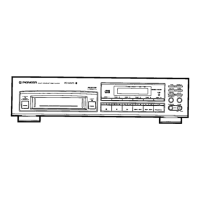
These are multi-play compact disc players designed to play multiple CDs loaded into a magazine. The PD-M503, PD-M603, and PD-M703 models offer a range of features for convenient music playback and recording.
Key Features:

  • Multi-Disc Magazine System: The players utilize a 6-disc magazine, allowing up to six 12 cm (5-inch) discs to be loaded for continuous playback. An optional magazine (JD-M108, JD-M308) is required for 8 cm (3-inch) CDs.
  • Demo Mode: A demonstration mode showcases the display variations. It can be activated by pressing the POWER switch and then the play button without a magazine inserted.
  • System Remote Control: The PD-M603 and PD-M703 models come with a remote control unit, enabling operation from a distance. The PD-M503 can be controlled using the remote control unit of an accompanying amplifier.
  • CD-Deck Synchro Function: This feature allows synchronized recording with compatible Pioneer cassette decks.
  • Time Display: During playback, the TIME button cycles through various time displays: elapsed playback time of the track, remaining playback time of the track, remaining playback time from the current point to the end of the disc (AL Remain), and total playback time of the disc.
  • Random Playback: All tracks on all loaded discs can be played in a random order.
  • Magazine Hi-Lite Scan: This function allows scanning of the first 10 seconds of each disc (Disc Scan mode) or each track (Track Scan mode) for quick content review.
  • ADLC (Automatic Digital Level Controller): Available on PD-M603 and PD-M703, this feature automatically adjusts the output level to a proper level, especially useful when recording levels vary between discs or during program/random playback.
  • DSP (Digital Signal Processor) Function (PD-M703 only): The PD-M703 includes a built-in digital signal processor to create various sound fields such as FLAT, JAZZ, CHURCH, DANCE, HALL, WIDE, and KARAOKE.
  • Program Playback: Users can program tracks and discs to be played in a desired order, with up to 32 steps. A pause can also be inserted into the program for recording purposes.
  • Delete Program Playback: Undesired tracks or discs can be excluded from playback.
  • Compu Program Editing: This feature helps in selecting tracks for both sides of a tape, programming a pause, and then tracks for the second side, based on a specified tape playing time.
  • Time Fade Editing: Tracks are selected within a specified time, and playback pauses with a fade-out.
  • One-touch Fade: Allows playback to start with a fade-in and stop with a fade-out at desired points.
  • Music Type Memory: A music type (POP, ROCK, JAZZ, DANCE, CLASS, OTHER) can be memorized for each 6-disc magazine, and the recorded music type name is displayed when the magazine is loaded. Up to ten CD magazines can have their music types recorded.

Important Technical Specifications (implied):

  • Disc Compatibility: Primarily 12 cm (5-inch) CDs. 8 cm (3-inch) CDs require a special Multi-Play Magazine (JD-M108, JD-M308).
  • Output Level Adjustment (PD-M603/PD-M703): Adjustable between 0 dB and -25 dB in 1 dB steps.
  • Program Steps: Up to 32 steps for program playback.
  • Remote Control Range: Approximately 7 meters (23 feet) within angles of up to 30 degrees from the remote sensor (for PD-M603/PD-M703).
  • Power Supply: Connects to a household AC wall outlet or an AC outlet on an amplifier. The power switch is secondary connected, meaning it does not completely separate the unit from mains power in standby.

Usage Features:

  • Magazine Loading: Discs are inserted label side downward into individual trays within the 6-disc magazine. Only one disc tray should be pulled out at a time.
  • Playback Control: Standard play, pause, and stop functions are available. Track and disc search buttons allow navigation.
  • Timer Playback: The unit supports automatic playback initiation at a preset time using a commercially available audio timer.
  • Headphones: A headphones jack and volume control (PHONES LEVEL) are provided for private listening.
  • Connectivity: OUTPUT jacks connect to an amplifier's CD or AUX inputs. CONTROL IN/OUT jacks facilitate system remote control with compatible Pioneer amplifiers.

Maintenance Features:

  • Cleaning: The player and magazine should be cleaned with a soft, dry cloth. For stubborn dirt, a mild detergent solution can be used, followed by a dry cloth. Volatile liquids like benzene or thinner should be avoided. Discs should be wiped gently from the inner edge toward the outer periphery.
  • Disc Handling: Always hold discs by the edges or by one edge and the center hole. Avoid touching signal surfaces, affixing labels or tape, and using damaged (cracked or warped) discs.
  • Storage: Store discs vertically in their cases, away from high heat, humidity, or extremely low temperatures. Store magazines in their provided cases, away from direct sunlight or high temperatures.
  • Location: Install the player in a well-ventilated location, away from direct sunlight, stoves, radiators, and other heat sources. Avoid damp or dusty environments. Place the unit on a level surface.
  • Condensation: If condensation occurs (e.g., when moving the unit from a cold to a warm room), allow the unit to stand for about an hour or raise the room temperature gradually before use.
  • CD Lens Cleaner: While not typically needed for normal use, if malfunction occurs due to soiling, consult an authorized service center. Commercially available lens cleaners should be used with care to avoid damage.
  • Battery Replacement: For remote control units (PD-M603/PD-M703), use "AAA" (IEC R03) dry cell batteries, ensuring correct polarity. Remove batteries if the unit will not be used for an extended period to prevent leakage.
  • Power Cord: Handle the power cord by the plug, avoid pulling the cord, and do not touch it with wet hands. Ensure it is routed safely to prevent damage. Check the power cord periodically for damage.
  • Troubleshooting Guide: The manual includes a section to help diagnose common issues such as magazine ejection problems, playback interruptions, no sound, distorted sound, noise interference, and remote control malfunction.

Pioneer PD-M503 Specifications

General IconGeneral
BrandPioneer
ModelPD-M503
CategoryCD Player
LanguageEnglish

Related product manuals