Need help?
Do you have a question about the Pioneer PD-M400 and is the answer not in the manual?
Covers fire/shock hazards, polarized plug safety, and region-specific notices.
Instructions for adjusting the voltage selector switch for different power requirements.
Guidelines on installation, environment, power sources, and cord protection.
Information on servicing, antenna grounding, UK wiring codes, and electrical safety.
Cautions regarding laser diode safety and potential hazardous radiation exposure.
Information on radio frequency energy generation and FCC rules compliance.
Details on magazine type, digital filter, D/A converters, and chassis design.
Explains programming, random play, and timer start features for playback.
Describes the multi-function fluorescent display and its indicators.
Instructions for cleaning, handling, and storing discs to maintain playback quality.
Methods for cleaning the player's exterior and avoiding damaging chemicals.
Lists supplied accessories like the 6-disc magazine and cables.
Step-by-step guide for loading discs into the 6-disc magazine.
Information for US customers on purchasing additional disc magazines.
Explains how to connect the CD player to a stereo amplifier via output and control terminals.
Instructions for connecting the power cord to an amplifier or wall outlet.
Details on connecting for remote control operation with Pioneer SR mark components.
Explains fast forward and reverse search operations for discs.
Describes how to search for specific tracks on a disc.
Details the POWER, EJECT, PLAY, PAUSE, and STOP keys.
Explains the various indicators on the display panel (PLAY, PAUSE, REPEAT, DISC, TRACK, etc.).
Details how the TIME key cycles through display modes (TIME, REMAIN, TOTAL).
Explains the CLEAR, RANDOM PLAY, and TIME keys for programming and playback.
Explains PGM MEMORY and Disc no. keys for programming tracks.
Details on repeating all discs, programmed tracks, or single tracks.
Describes LINE OUT terminals, Control input/output terminals, and power cord.
Step-by-step guide for inserting the magazine and starting playback.
Instructions for ejecting the magazine and turning off the player.
How to play all tracks from the first disc to the last disc in sequence.
Instructions for playing back specific tracks from desired discs.
How to stop playback using the STOP or EJECT key.
Instructions for temporarily stopping and resuming playback.
How to pause playback at the beginning of a specific track.
Details on repeating all discs, programmed tracks, or single tracks.
How to quickly find the beginning of a desired track using search keys.
Methods to stop or cancel repeat playback mode.
Using manual search keys for quick advance or reverse through discs.
How to play tracks from all discs at random and repeat random playback.
Methods to stop or cancel random playback operation.
Step-by-step guide to memorize and play tracks in a specific sequence.
How to start programmed playback and cancel or clear programs.
Examples demonstrating how to program track orders and start playback.
Details on stopping, clearing, and ejecting programs using keys.
How to program pauses at the beginning of selected tracks during playback.
Instructions for starting programmed playback with pauses and resuming.
How to program tracks directly while the player is in playback mode.
Instructions for setting the player to start playback automatically via an audio timer.
Guidelines for inserting, storing, and handling the CD magazine safely.
Instructions on where to affix labels on the 6-disc magazine for organization.
Information on 8-cm CD compatibility and special magazines/adaptors.
Basic instructions for cleaning the player's panels and housing.
Troubleshooting steps for when the magazine is not expelled.
Solutions for playback stopping immediately or pausing during operation.
Steps to resolve issues with no sound, distorted sound, or loud noise.
Troubleshooting for issues caused by dirty or scratched discs.
Details on player type, power requirements, weight, and dimensions.
Specifications for frequency response, S/N ratio, dynamic range, and wow/flutter.
Lists supported functions like search, programming, repeat, and display features.
Details on included accessories and compatibility with magazines.
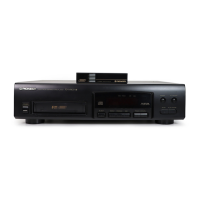
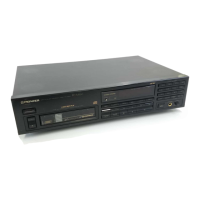
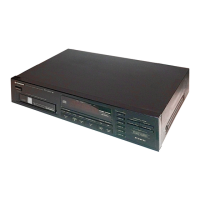
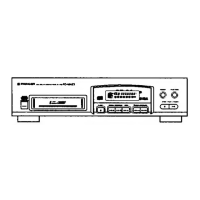
The Pioneer PD-M400 is a multi-play compact disc player designed for enhanced audio quality and convenient operation. It features a magazine-type system that allows for the sequential selection and playback of up to six discs, making it ideal for extended listening sessions without interruption.
At its core, the PD-M400 is a CD player that incorporates a digital filter and a twin D/A converter system. This advanced audio architecture is engineered to deliver high-quality sound reproduction, ensuring that your music is played back with clarity and fidelity. The player's robust design, featuring a honeycomb chassis, contributes to high rigidity and effectively suppresses resonance, further enhancing sound purity by minimizing unwanted vibrations. Independent left and right D/A converters are also integrated to optimize stereo separation and imaging.
The player offers a variety of playback modes to suit different listening preferences. Normal playback allows for the continuous playing of all tracks from the first disc to the last track on the sixth disc in the magazine. For those who prefer a personalized listening experience, the PD-M400 includes a comprehensive programming function. This allows users to select specific tracks from any of the six discs and arrange them in a desired order, with the capacity to memorize up to 32 steps in a program. The programming feature also supports direct programming, where the currently playing track can be added to the program with a simple press of the PGM MEMORY key. Additionally, PAUSE programming can be incorporated into a sequence to create temporary stops, useful for recording onto cassette tapes or for creating blank intervals.
Random playback is another key feature, enabling the player to select and play tracks from the loaded discs in a random order. When combined with the repeat function, random playback becomes an effective tool for background music, providing a varied and continuous audio stream.
The PD-M400 is equipped with a multi-function fluorescent display that provides clear and simultaneous indications of various playback parameters. This includes the disc mark, disc number, track number, and elapsed time. Users can also switch the display to show total time, remaining time on the current track, or remaining time on the entire disc. High-performance pickup technology ensures highly accurate playback, minimizing errors and maximizing audio quality.
For added convenience, the player supports timer start functionality. If a disc is loaded into the disc tray beforehand, the player will automatically begin playing from track 1 when the power is turned on or when activated by an external audio timer. This allows for scheduled listening sessions.
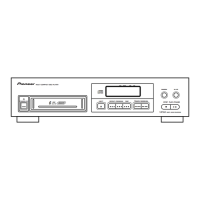
Operating the PD-M400 involves a user-friendly interface with clearly labeled controls. The front panel includes manual search keys for fast forward and reverse operations, allowing users to quickly navigate through a disc while listening to the sound through speakers or headphones. Track search keys enable skipping to the next or previous tracks, or advancing continuously through succeeding tracks.
The magazine insertion slot is designed for easy loading of the six-compact-disc magazine. The EJECT key facilitates the removal of the magazine or a single disc tray. Dedicated PLAY, PAUSE, and STOP keys provide standard playback control. The PLAY key initiates playback and cancels pause mode, while the PAUSE key temporarily interrupts playback. The STOP key halts playback and clears any stored program if pressed twice.
The TIME key allows users to cycle through different time display modes on the indicator panel, showing elapsed time, remaining track time, or remaining disc time. The CLEAR key is used to clear programmed sequences. The RANDOM PLAY key initiates random playback of tracks across all loaded discs.
The rear panel features LINE OUT terminals for connecting the player to an amplifier's input terminals (CD or AUX). A control terminal is also present for remote control operation when used with compatible Pioneer stereo amplifiers, allowing for PLAY, STOP, PAUSE, TRACK SEARCH, and DISC change operations via the amplifier's remote control unit. The power cord connects to an auxiliary AC outlet on the amplifier or a household wall outlet.
Inserting discs into the 6-disc magazine is a straightforward process. Users pull out one disc tray at a time, position the disc with the label side downward, and then push the tray back in. The magazine has a window to check which disc is currently being played. Additional magazines (JD-M100 for 12-cm discs and JD-M108 for 8-cm discs) are available as options, allowing users to create a personalized disc library.
Maintaining the PD-M400 involves simple care routines to ensure optimal performance and longevity. The player should be installed in a well-ventilated location, away from direct sunlight, heat sources (like radiators or stoves), and areas of high temperature or humidity. Avoiding dusty or damp environments is crucial to prevent malfunctions. Placing the player on heat-generating sources such as amplifiers should also be avoided. To prevent noise or picture degradation, it is recommended to install the CD player as far as possible from tuners and TV sets, especially when using an indoor antenna.
Discs should be kept clean by wiping them gently with a soft, dry cloth from the inner edge towards the outer perimeter. For very dirty discs, a soft cloth dampened with water (wrung out well) can be used, followed by a dry cloth to remove any water drops. It is important not to use record cleaning sprays, anti-static agents, benzene, thinner, or other volatile solvents on discs, as these can damage the disc surface. Discs should be handled by their edges or one edge and the center hole to avoid touching the signal surfaces. Labels or adhesive tape should not be affixed to the label surfaces, and damaged (cracked or warped) discs should not be used, as they rotate at high speed inside the player.
When storing discs, they should always be kept in their cases, stored vertically, and away from high heat, humidity, or extremely low temperatures to prevent warping. Leaving discs in cars or exposed to direct sunlight can be harmful.
For cleaning the player's front panel and unit housing, a soft, dry cloth is sufficient. For stubborn dirt, a soft cloth dampened with a mild detergent solution can be used, followed by a dry cloth. Volatile liquids like benzene and thinner should not be used on the unit.
In case of condensation, which can occur when the player is moved from a cold to a warm room or when room temperature rises sharply, the unit should be allowed to stand for about an hour or the temperature should be raised gradually to allow the unit to return to full performance.
The supplied labels for the 6-disc magazine are designed for organizing discs by titles, names of stored discs and tracks, and classification. These labels should be affixed to the specified positions on the magazine to ensure correct operation.
 Power
Power| power requirements (European models) | AC 220 V, 50/60 Hz |
|---|---|
| power requirements (U.K., Australian models) | AC 240 V, 50/60 Hz |
| power requirements (U.S., Canadian models) | AC 120 V, 60 Hz |
| power requirements (Other models) | AC 110/120 - 127/220/240 V, 50/60 Hz |
| power consumption | 11 W |
 Operating Environment
| operating temperature | +5°C - +35°C |
|---|
Audio Specifications| sampling frequency | 44.1 kHz |
|---|---|
| sampling bit number | 16 bit linear |
| frequency response | 4 Hz - 20 kHz |
| signal-to-noise ratio | more than 102 dB |
| dynamic range | more than 92 dB |
| channel separation | more than 95 dB |
| output voltage | 1.8 V +0.3 V |
| wow and flutter | less than 0.001% W. PEAK |
| channels | 2-channel (stereo) |
 Weight and Dimensions
| weight | 4.7 kg |
|---|---|
| external dimensions (mm) | 420(W) x 315(D) x 90(H) |
| external dimensions (inches) | 16-9/16(W) x 12-13/32(D) x 3-17/32(H) |

 To Next Page