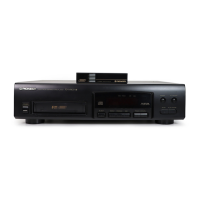
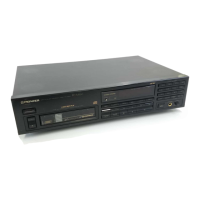
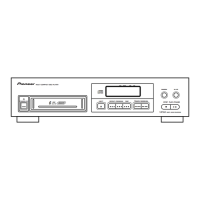
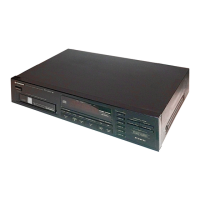
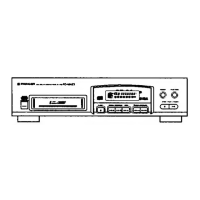
This document provides operating instructions for the Pioneer PD-M407 and PD-M427 multi-compact disc players. These devices are designed to play compact discs, offering various playback modes and remote control capabilities.
Function Description
The Pioneer PD-M407 and PD-M427 are multi-compact disc players that can hold up to six discs in a magazine. They support standard 12 cm (5-inch) discs and can also play 8 cm (3-inch) CDs with a special Multi CD Magazine (JD-M108, JD-M308), sold separately. The players offer several operational modes including normal playback, program playback, random playback, and repeat playback.
- Normal Playback: To start playback, the user presses the STANDBY/ON switch to turn on the power, inserts a disc magazine, and then presses the PLAY/PAUSE button. Playback begins from the first track of the first disc.
- Pause Playback: During playback, pressing the PLAY/PAUSE button temporarily pauses the audio. Pressing it again or the PLAY button resumes playback.
- Stop Playback: Pressing the STOP button returns the player to the beginning of the first track of the disc that was playing. Pressing it twice returns the player to the beginning of the first track on the first disc and enters stop mode.
- Disc Search: Users can select a desired disc number using the DISC button or DISC NUMBER buttons (DISC 1-DISC 6) and then press the PLAY button to start playback from the beginning of that disc.
- Track Search: During playback, pause, or stop mode, pressing the TRACK SEARCH buttons (forward or backward) allows the user to advance or return to the beginning of other tracks.
- Manual Search: While the fast-forward or rewind buttons are held, playback rapidly advances or reverses through the disc. Releasing the button resumes normal playback or pause.
- Repeat Playback: The REPEAT button allows for repeated playback of the currently displayed track (REPEAT-1) or all tracks on all discs in the magazine (REPEAT).
- Random Playback: Pressing the RANDOM button plays tracks on all discs in a random order.
- Magazine Hi-Lite Scan: This feature allows the player to scan the first minute of each track on all discs in the magazine, or the first minute of the first track on each disc, providing a quick preview.
- Program Playback: This mode enables users to program tracks and discs in a desired order. Up to 32 steps can be programmed. The player will play the selected tracks in the programmed sequence.
- Delete Program Playback: This function allows users to delete undesired tracks or discs from the program. The player will then play all tracks other than the deleted ones.
- Timer Playback: The player can be set up for timer playback when connected to a compatible audio timer or amplifier, allowing for automatic playback at a set time.
Usage Features
The PD-M407 and PD-M427 models offer distinct remote control capabilities. The PD-M427 comes with its own remote control unit, which requires two AAA/R03 dry cell batteries. For the PD-M407, operation is typically done using the remote control unit that accompanies a compatible Pioneer amplifier, connected via a control cable to the CONTROL IN/OUT jacks.
- Remote Control Unit (PD-M427): To operate, point the remote control's infrared signal transmitter at the player's REMOTE SENSOR on the front panel. It has an effective range of about 7 meters (23 feet) and within angles of up to 30 degrees. Ensure the sensor window is not exposed to strong light like direct sunlight or fluorescent light, as this may interfere with control.
- Battery Installation (PD-M427 Remote): Open the lid of the battery compartment on the rear of the remote control unit and insert two AAA (IEC R03) batteries, ensuring correct polarity. To prevent leakage, remove batteries during extended periods of non-use (one month or more).
- Connections: The player connects to an amplifier via LINE OUT jacks (white for left (L), red for right (R)) to the amplifier's CD or AUX input jacks. It is crucial not to connect to the amplifier's PHONO jacks, as this will distort sound. The power cord connects to a household AC wall outlet or an AC outlet on the amplifier. For system remote control with a Pioneer stereo amplifier (PD-M407 only), connect the CONTROL IN jack on the player to the CONTROL OUT jack of the amplifier using the supplied control cable.
- Magazine Handling: Discs are inserted into the 6-disc magazine with the label side downward. Only one disc tray should be pulled out at a time. Objects other than discs (e.g., song cards) should not be inserted into the trays. Labels provided with the magazine should be attached to designated locations for proper operation.
- Power-Cord Caution: Always handle the power cord by the plug, avoiding pulling the cord or touching it with wet hands. Do not place objects on the cord or pinch it. Damaged power cords should be replaced by an authorized service center.
Maintenance Features
Proper maintenance ensures the longevity and optimal performance of the CD player.
- Location: Install the player in a well-ventilated area, away from direct sunlight, stoves, radiators, or damp/dusty environments. Avoid unstable or inclined surfaces. Placing the player on heat-generating sources like amplifiers for extended periods can affect performance. Keep it as far as possible from tuners and TV sets to prevent noise or picture degradation.
- Condensation: If the unit is brought from a cold environment to a warm one, or if room temperature rises sharply, condensation may form inside. If this occurs, allow the unit to stand for about an hour or gradually raise the room temperature.
- Cleaning the Player and Magazine: Wipe the player and magazine with a soft, dry cloth. For stubborn dirt, use a soft cloth dampened with a mild detergent solution (1 part detergent to 5-6 parts water), wrung out well, then wipe dry. Avoid volatile liquids like benzene or thinner, as they can damage the unit.
- Cleaning and Handling Compact Discs: Keep discs clean by gently wiping them with a soft cloth from the inner edge toward the outer periphery. For very dirty discs, use a soft cloth dampened with water, then wipe dry. Do not use record cleaning sprays, anti-static agents, benzene, thinner, or other volatile solvents. When holding discs, avoid touching the signal surfaces; hold them by the edges or by one edge and the center hole. Do not affix gummed labels or tape to the label surfaces, and avoid scratching them. Never use damaged (cracked or warped) discs.
- CD Lens Cleaner: The player's pickup lens should not typically get dirty, but if a malfunction occurs due to soiling, consult a PIONEER authorized service center. Commercially available lens cleaners can be used, but with caution to avoid damaging the lens.
- Storing Discs: Store discs vertically in their cases, avoiding locations with high heat, humidity, or extremely low temperatures. Do not leave discs in cars where they can become very hot. Always adhere to precautionary notes on disc labels.
- Troubleshooting: If the unit malfunctions, first check the troubleshooting guide in the manual. Common issues include power disconnection, incorrectly loaded discs, dirty discs, incorrect cable connections, or dead remote control batteries. If problems persist after checking these points, contact a PIONEER authorized service center. Abnormal functioning due to static electricity or external interference can often be resolved by unplugging and re-plugging the AC power cord.



 To Next Page


 General