EasyManua.ls Logo

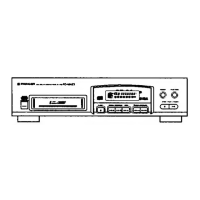
Pioneer PD-M427 - User Manual

Pioneer PD-M427
16 pages
Print Icon
To Next Page IconTo Next Page
Loading...
Operating/instructions
=
B
_
$
ES
Wie
GLD
DIGITAL
AUBIO

Other manuals for Pioneer PD-M427

Questions and Answers

  • D
    Deborah BernardJul 27, 2025
    What to do if Pioneer PD-M427 CD Player remote control will not function?
    • R
      rachel82Jul 27, 2025
      If the remote control for your Pioneer CD Player (PD-M427) isn't working, consider these possibilities: * Dead batteries: Replace the batteries. * Distance or angle: Ensure you're within 7 meters (23 feet) and within a 30° angle of the player's front panel. * Obstruction: Remove any obstacles between the remote and the player.
  • X
    xsantosAug 1, 2025
    What to do if my Pioneer PD-M427 CD Player stops immediately after playback starts?
    • J
      Joseph BlevinsAug 2, 2025
      If your Pioneer CD Player stops immediately after starting playback, or pauses/stops during playback, check the following: * Disc orientation: Ensure the disc is loaded correctly, with the label side DOWN. * Disc condition: Clean any smudges from the disc.
  • C
    Christine BurkeAug 8, 2025
    Why is there no sound from my Pioneer CD Player?
    • C
      Carol SantiagoAug 8, 2025
      If you're not getting any sound from your Pioneer CD Player, there are several potential causes: * The output cords might be connected incorrectly or loosely. Ensure they are properly connected. * The stereo amplifier might not be set up correctly. Check the settings of the amplifier switches and sound volume controls. * The pin plugs and/or amplifier terminals could be dirty. Clean them. * The player might be in pause mode. Press the 6 (3 or 8) button to resume playback.
  • P
    Patricia HornAug 13, 2025
    Why is the sound distorted or noisy on my Pioneer CD Player?
    • E
      Elizabeth BrownAug 14, 2025
      Distorted sound or noise from your Pioneer CD Player can stem from a few issues: * Incorrect connections: Make sure you're connected to the amplifier’s AUX or CD terminals, not the PHONO terminals. * Dirty pin plugs or amplifier terminals: Clean away any dirt. * Interference from a TV set: Try switching off the TV or moving the CD player away from it.
  • T
    Timothy JohnsonAug 19, 2025
    Why is the picture fluctuating when using Pioneer PD-M427 CD Player?
    • R
      Rhonda HudsonAug 19, 2025
      If you're experiencing picture fluctuations on your TV screen or noise interference on your FM broadcast while using your Pioneer CD player, it might be due to interference. Try unplugging the AC power cord of the CD player or moving it away from the TV or tuner.

Summary

Power Cord Safety

Handling Precautions

Location Guidelines

Proper placement and environmental considerations for the player.

Installation Safety

Guidelines for installing the CD player safely and optimally.

Disc Cleaning and Handling

Instructions for cleaning and handling discs to maintain playback quality.

Preparing for Operation

Loading Discs into Magazine

Step-by-step guide on loading discs into the player's magazine.

System Connections

Audio and Power Connections

Details on connecting the CD player to an amplifier and power source.

Power Cord Connection

Instructions for connecting the player to a power outlet.

Component Identification

Front Panel Overview

Identification and function of parts on the player's front panel.

Remote Control Unit Details

Identification and function of buttons on the remote control unit.

Basic Player Operations

Playing a Compact Disc

Step-by-step instructions for playing a CD.

Custom Playback Programming

Programmed Track;Disc Playback

Guide to creating custom playback sequences of tracks and discs.

Programmed Track Deletion

Deleting Undesired Tracks;Discs

How to remove specific tracks or entire discs from a programmed playback.

Technical Specifications

Troubleshooting Guide

Pioneer PD-M427 Specifications

General IconGeneral
TypeCD Player
Number of Discs6
Channels2
Frequency Response2 Hz - 20 kHz
Output Level/Voltage2 V
Disc formatCD
Digital OutputOptical
Dimensions (W x H x D)420 x 102 x 283 mm

Related product manuals