Need help?
Do you have a question about the Pioneer PD-M630 and is the answer not in the manual?
General warnings about fire and shock hazards from exposure to rain or moisture.
Instructions to record the serial number for security and warranty.
Caution for Canadian models on using polarized plugs with extension cords.
Details on how to adjust the line voltage selector switch for different regions.
Warnings about dangerous voltage, electric shock risks, and not opening the unit.
Detailed instructions for safe placement, usage, and maintenance.
Guidance on outdoor antenna grounding and safe movement of appliance carts.
Warning about the Class 1 laser diode and not removing covers.
Cautions regarding hazardous radiation and radio frequency interference for U.S. models.
Statement on Canadian digital apparatus radio noise emissions.
Precautions for handling the power cord to prevent shock or fire.
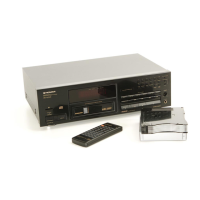
List of included accessories for the CD player.
Step-by-step guide for inserting batteries into the remote control.
Important guidelines for safe and correct battery usage.
Guidelines for optimal player placement and environmental considerations.
Best practices for cleaning, handling, and storing compact discs.
Instructions for cleaning the CD player and its magazine.
How to connect the CD player's audio output to an amplifier.
Connecting for synchronized recording between CD player and cassette deck.
Connecting for integrated remote control operation with a stereo amplifier.
Guidelines for handling and caring for compact discs.
Instructions for inserting discs into the 6-disc magazine.
Information regarding the use of 8-cm CDs and special magazines.
Guidance on affixing labels to the 6-disc magazine for organization.
Instructions for loading discs into the single-disc magazine.
Steps to safely remove a disc from the single-disc magazine.
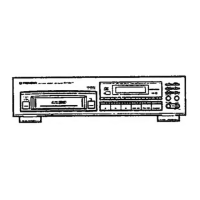
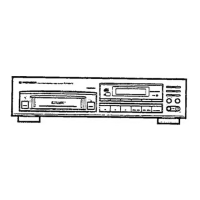
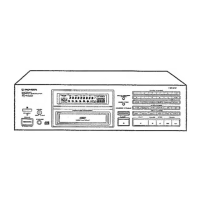
Identification and function of buttons and indicators on the player's front panel.
Overview of the buttons and their corresponding functions on the remote control.
Step-by-step instructions for playing a CD.
How to temporarily pause and completely stop CD playback.
Important precautions for handling CD magazines.
How to set up timer playback for automatic operation.
How to cycle through and display different time formats during playback.
Methods for searching for specific discs or tracks.
How to manually search for a specific passage within a track.
Instructions for setting repeat play and random order playback.
How to adjust and store preferred output levels for discs.
Step-by-step guide to creating custom playback programs.
Information on program step limits and time display.
How to insert pauses into programmed playback sequences.
Methods to clear all programmed tracks or erase individual programs.
How to review and edit existing programmed sequences.
Steps to designate tracks or discs for deletion from playback.
How to clear all previously set delete program contents.
Automatically selects tracks within a specified time for recording.
Limitations and usage notes for auto program editing.
Editing tracks within a specified time with a fade-out.
Important notes and conditions for using Time Fade Editing.
Starting playback with a fade-in and stopping with a fade-out.
Specifying the duration for fade-in/out operations.
Introduction to the Multi-Memory function and adding discs.
How the player reads and stores TOC data, and how to correct it.
Instructions for storing program or delete program data in memory.
How to edit existing programmed sequences stored in memory.
How to save preferred output levels for individual discs.
Procedures to clear specific memory data like output levels or programs.
How to erase all stored data from the Multi-Memory.
What to do when memory is full or an error occurs.
Information regarding memory back-up battery life and replacement.
Solutions for common playback problems like stopping, no sound, or distortion.
Troubleshooting steps for remote control failure and TOC reading delays.
Details on power, dimensions, weight, frequency response, S/N ratio, etc.
Information on output terminals, player functions, and display types.
List of accessories provided with the player.
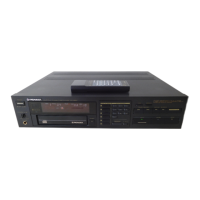
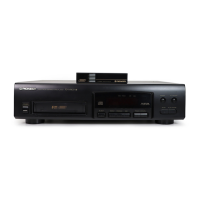
This document describes the Pioneer PD-M630 Multi-Play Compact Disc Player, a device designed for playing compact discs with advanced features for disc management, playback control, and recording convenience.
The Pioneer PD-M630 is a multi-play compact disc player capable of holding up to six discs in a magazine. It supports standard 12 cm discs and can also accommodate 8 cm CDs with a special Multi-Play Magazine (JD-M108), sold separately. The player offers various playback modes including normal playback, repeat playback (for a single track, all tracks on all discs, or programmed tracks), random playback (for all tracks on all discs, programmed tracks, or tracks other than deleted ones), and program playback where users can define a specific order of tracks/discs to be played.
The device features a digital level controller, allowing users to adjust the output level between 0 dB and -25 dB in 1 dB steps. This adjustment applies to both the OUTPUT jacks and PHONES jack simultaneously. A unique sound volume memory function enables the player to memorize the output level for each disc, automatically recalling it when the disc is played.
For recording convenience, the PD-M630 includes several editing functions. Auto Program Editing allows tracks to be selected within a specified time, automatically programming them. Time Fade Editing selects tracks within a specified time and incorporates a fade-out pause. One-touch fade provides instant fade-in and fade-out operations, while variable fade allows users to specify the fade-in/out interval from 0 to 9 seconds.
The player also incorporates a Multi-Memory function, capable of storing programs, disc output levels, and TOC (Table Of Contents) data for up to 20 magazines. This ensures that custom playback settings and disc information are retained even after the power is turned off or the magazine is ejected.
Operating the PD-M630 involves straightforward steps. To play a disc, simply turn on the power, insert a magazine (which automatically turns on the power if off), and press the PLAY button. The player reads the TOC data for all discs in the magazine, displaying track numbers, total track numbers, and total playing time.
Disc and track search functions are available, allowing users to quickly navigate to a specific disc or track. Manual search provides rapid advancement or reversal through a disc. The TIME button cycles through various time displays, including elapsed playback time of the track, remaining playback time of the track, remaining playback time from the current point to the end of the disc, and total playback time of the disc.
Program playback is initiated by pressing the PGM button, selecting disc and track numbers, and then pressing PLAY. Users can program up to 40 steps, including pauses. Programs can be checked, modified, or cleared. Similarly, delete program playback allows users to exclude specific tracks or discs from playback.
The player also supports a CD-Deck synchro function when connected to a compatible Pioneer cassette deck, enabling synchronized recording. System remote control is possible with a Pioneer stereo amplifier bearing the appropriate mark, allowing the CD player to be controlled via the amplifier's remote.
Proper care of the PD-M630 and its discs is essential for optimal performance. Discs should be handled by their edges or by one edge and the center hole, avoiding contact with the signal surfaces. Gummed labels or tape should not be affixed to disc labels, and damaged (cracked or warped) discs should not be used.
For cleaning discs, a soft cloth should be used to wipe gently from the inner edge toward the outer periphery. For stubborn dirt, a soft cloth dipped in water (wrung out well) can be used, followed by a dry cloth. Record cleaning sprays, anti-static agents, benzene, thinner, or other volatile solvents should never be used on discs, as they can cause damage.
The player and magazines should be cleaned with a soft, dry cloth. For stubborn dirt, a mild detergent solution on a soft, wrung-out cloth can be used, followed by a dry cloth. Volatile liquids like benzene and thinner are harmful to the unit.
Batteries in the remote control unit should be inserted with correct polarity and removed if the unit will not be used for an extended period (one month or more) to prevent leakage. In case of leakage, battery fluid should be carefully wiped away.
The player should be installed in a well-ventilated location, away from direct sunlight, stoves, radiators, or other heat-generating sources. It should also be kept away from damp or dusty environments and placed on a level surface. To prevent noise or picture degradation, it is recommended to install the CD player as far as possible from tuners and TV sets.
The Multi-Memory function is backed up by batteries. If these batteries run out, "ALL CLr" will be displayed, and the Multi-Memory function will cease to work, requiring battery replacement by an authorized service center. The power cord should be handled by the plug, never pulled by the cord, and kept free from being stepped on or pinched to prevent electrical shock or fire. Regular inspection of the power cord for damage is advised.
 General
| Type | CD Player |
|---|---|
| Disc format | CD, CD-R, CD-RW |
| Frequency Response | 2 Hz to 20 kHz |
| Total Harmonic Distortion | 0.003% |
| Output Level | 2.0 V |
| Dimensions | 420 x 106 x 330 mm |
| Weight | 4.3 kg |
| Dynamic range | 100 dB |
| Digital outputs | Coaxial, Optical |
| Accessories | Remote Control |
| Channels | 2 |


 To Next Page