EasyManua.ls Logo

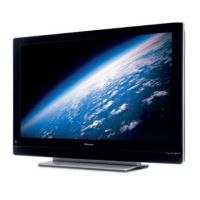
Pioneer PDP-435PE - User Manual

Pioneer PDP-435PE
102 pages
Print Icon
To Next Page IconTo Next Page
Loading...
ORDER NO.
PIONEER CORPORATION 4-1, Meguro 1-chome, Meguro-ku, Tokyo 153-8654, Japan
PIONEER ELECTRONICS (USA) INC. P.O. Box 1760, Long Beach, CA 90801-1760, U.S.A.
PIONEER EUROPE NV Haven 1087, Keetberglaan 1, 9120 Melsele, Belgium
PIONEER ELECTRONICS ASIACENTRE PTE. LTD. 253 Alexandra Road, #04-01, Singapore 159936
PIONEER CORPORATION 2004
PDP-435PE
ARP3211
PLASMA DISPLAY
PDP-435PE
PRO-435PU
THIS MANUAL IS APPLICABLE TO THE FOLLOWING MODEL(S) AND TYPE(S).
This service manual should be used together with the following manual(s).
Model Type Power Requirement Remarks
PDP-435PE WYVI AC220 - 240V
PDP-435PE WYVIXK AC220 - 240V
PRO-435PU KUC AC120V
Model No. Order No. Remarks
PDP-435PE
PRO-435PU
ARP3212 SCHEMATIC DIAGRAM, PCB CONNECTION DIAGRAM
For details, refer to "Important symbols for good services".
T-ZZY AUG. 2004 printed in Japan

Questions and Answers

  • M
    Miranda HesterAug 12, 2025
    How to fix a Pioneer PDP-435PE with no power and both red and green LEDs unlit?
    • T
      Timothy SmithAug 12, 2025
      If your Pioneer Monitor has no power and both the red and green LEDs are unlit, the connection between the POWER SUPPLY and PANEL IF assemblies may be disconnected. Check if this connection is properly made.
  • K
    Kenneth AlvarezAug 16, 2025
    Why Pioneer PDP-435PE Monitor has no power and the green LED is not lit?
    • M
      Monica MorenoAug 16, 2025
      If your Pioneer Monitor has no power and the green LED is not lit, the 114-pin FPC might be defective. Check if the FPC is broken or not securely inserted.
  • T
    Tony MayerAug 20, 2025
    What causes an abnormal screen on a Pioneer PDP-435PE with every other dot abnormal?
    • B
      Benjamin HumphreyAug 20, 2025
      If your Pioneer Monitor screen is abnormal, with data of every other dot being abnormal, it may be due to a defective 114-pin FPC. Check that an abnormal area in the screen does not change when the FPC connected to the address corresponding to the abnormal area is replaced with the one corresponding to the next address.
  • G
    Gregory RochaAug 25, 2025
    What to do if the Pioneer PDP-435PE Monitor remote control is not working?
    • H
      heatherhowardAug 25, 2025
      If the remote control unit for your Pioneer Monitor is not working, the issue might be due to disconnected or loosely connected cables. Check that all cables are securely connected.
  • L
    Lauren DiazAug 27, 2025
    Why does the Pioneer Monitor power sometimes get interrupted?
    • J
      jasminejonesAug 27, 2025
      If the power to your Pioneer Monitor is sometimes interrupted, it might be due to defective system cables. Ensure that all system cables are securely connected.
  • M
    Marissa GonzalezAug 31, 2025
    What to do if Pioneer PDP-435PE Monitor power is interrupted and red and green lights appear?
    • S
      Shane MartinAug 31, 2025
      If the power to your Pioneer Monitor is interrupted and red and green warning lights appear on the screen, the system cables may not be connected properly. Check the connection of the system cables.
  • A
    Anthony LyonsSep 4, 2025
    What to do if key input is not effective on Pioneer PDP-435PE Monitor?
    • J
      Jordan ClarkSep 4, 2025
      If the key input on your Pioneer Monitor is not effective, it might be due to a defective KEY SCAN IC. Check if a pulse is output when the key corresponding to Pin 2 of the CN4852 is pressed.
  • R
    Rick RubioSep 7, 2025
    Why is the green LED flashing on my Pioneer Monitor while the red LED is lit?
    • J
      josephcamposSep 8, 2025
      If the red LED remains lit and the green LED begins flashing (200 ms) on your Pioneer Monitor, the backup copy process was not performed when the Digital Assy was replaced.

Summary

SAFETY INFORMATION

SAFETY PRECAUTIONS

General safety measures including leakage current tests.

PRODUCT SAFETY NOTICE

Notice regarding special safety characteristics of parts and potential hazards.

IMPORTANT CHECK POINTS FOR GOOD SERVICING

PRODUCT SAFETY

Key safety points to follow during servicing and repairs.

ADJUSTMENTS

Procedures for product adjustments to maintain performance.

LUBRICANTS, GLUES, AND REPLACEMENT PARTS

Guidance on using appropriate lubricants, glues, and replacement parts.

CLEANING

Recommended cleaning procedures for various parts.

SHIPPING MODE AND SHIPPING SCREWS

Instructions for setting shipping mode and installing shipping screws.

SPECIFICATIONS

43 Plasma Display Model Specifications

Technical details and specifications for PDP-435PE and PRO-435PU models.

EXPLODED VIEWS AND PARTS LIST

PACKING

Exploded view and parts list for product packing.

CHASSIS SECTION (1)

Exploded view and parts list for the first chassis section.

CHASSIS SECTION (2)

Exploded view and parts list for the second chassis section.

FLAME SECTION

Exploded view and parts list for the flame section.

MULTI BASE SECTION

Exploded view and parts list for the multi base section.

REAR SECTION

Exploded view and parts list for the rear section of the unit.

FRONT PANEL SECTION

Exploded view and parts list for the front panel section.

PANEL CHASSIS (435) Assy (AWU1091) for PDP-435 PE

Parts list for the Panel Chassis (435) Assy (AWU1091).

PANEL CHASSIS (435) Assy B (AWU1104) for PRO-435 PU

Parts list for the Panel Chassis (435) Assy B (AWU1104).

PDP SERVICE Assy (AWU1096)

Parts list for the PDP Service Assy (AWU1096).

BLOCK DIAGRAM AND SCHEMATIC DIAGRAM

OVERALL BLOCK DIAGRAM

Overall block diagram illustrating system connections and signal flow.

43 Y DRIVE ASSY BLOCK DIAGRAM

Block diagram for the 43 Y Drive Assy.

43 X DRIVE ASSY BLOCK DIAGRAM

Block diagram for the 43 X Drive Assy.

PANEL IF ASSY BLOCK DIAGRAM

Block diagram for the Panel IF Assy.

DIGITAL VIDEO ASSY BLOCK DIAGRAM

Block diagram for the Digital Video Assy.

HD AUDIO AMP ASSY BLOCK DIAGRAM

Block diagram for the HD Audio Amp Assy.

WAVEFORMS

Illustrations of various signal waveforms for diagnosis.

ADJUSTMENT

ADJUSTMENT REQUIRED WHEN THE SET IS REPAIRED OR REPLACED

Procedures for adjustment after replacing assemblies or parts.

DRIVE ASSY ADJUSTMENT

Readjustment procedure for timing of control signals in Drive Assy.

GENERAL INFORMATION

DIAGNOSTIC PROCEDURES AND TROUBLESHOOTING

Covers PCB location, LED diagnosis, factory mode, operation, backup, troubleshooting, and disassembly.

IC INFORMATION

Basic information and pin arrangements for key ICs used in the unit.

PANEL FACILITIES AND SPECIFICATIONS

Front View Controls

Illustration and identification of front panel controls and indicators.

Rear View Terminals

Illustration and identification of rear panel terminals and connectors.

Pioneer PDP-435PE Specifications

General IconGeneral
Screen Size43 inches
Display TechnologyPlasma
Resolution1024 x 768 pixels
Aspect Ratio16:9
Brightness1100 cd/m²
Contrast Ratio3000:1
Viewing Angle160° (Horizontal/Vertical)
Input PortsHDMI, Component, S-Video, Composite

Related product manuals